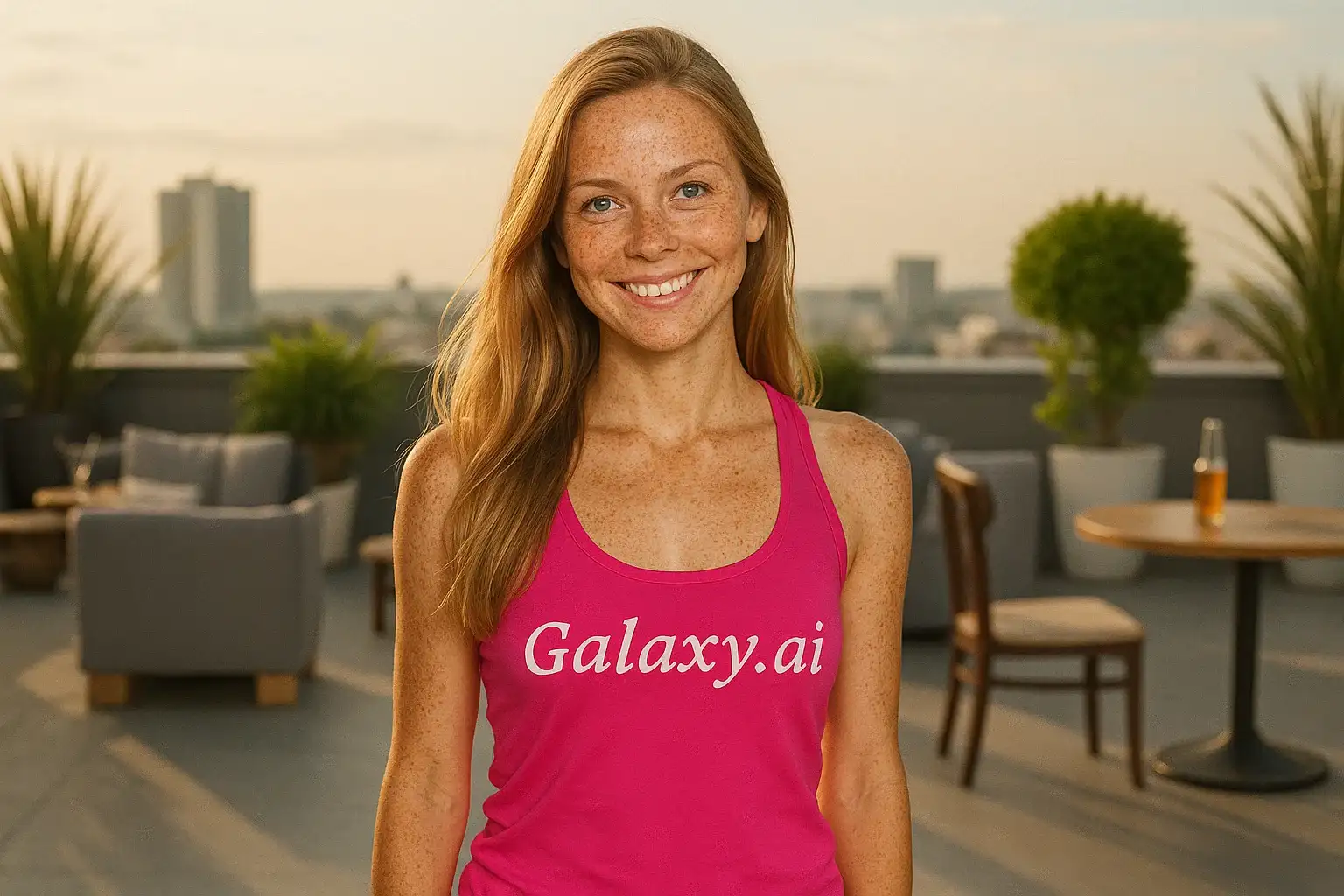
Compare the source image with each finished result.
Source image
Result
What Magica will ask for
The agent gathers these inputs and preferences in the conversation before it starts.
Attach Your Photo
attach a photo to apply the filter
Why Choose Our AI Freckles Filter?
Add beautiful, natural-looking freckles to your photos with our advanced AI. Experience the charm of sun-kissed skin with just one click!
Natural and realistic freckle patterns
Customized to match your skin tone
Maintains original photo quality
Instant transformation powered by AI
No editing skills required
Perfect for social media
Free to use for basic features
How Our Freckles Filter Works
Transform your photos with natural-looking freckles in three simple steps:
01
Attach Your Photo
Select a clear portrait photo where your face is clearly visible. Front-facing shots with good lighting work best!
02
Apply the Filter
ask Magica to generate the result and watch as our AI adds natural freckles to your photo, perfectly matched to your skin tone.
03
Download & Share
Preview your sun-kissed transformation and download your new photo with beautiful freckles.
Key Features of the AI Freckles Filter
Natural Sun-Kissed Look
Creates authentic freckle patterns that look like natural sun-kissed skin, not artificial or edited.
Skin Tone Matching
Our AI automatically adjusts freckle color and intensity to perfectly match your natural skin tone.
Realistic Distribution
Freckles are distributed naturally across the nose, cheeks, and face with varying sizes and intensities.
Smart Feature Recognition
Advanced AI accurately identifies facial features to place freckles in the most natural locations.
High-Resolution Output
Generates high-quality images perfect for social media, profile pictures, and printing.
Instant Processing
Get your freckled photo in seconds with our optimized AI processing.
Who Can Benefit from the Freckles Filter?
Our AI Freckles Filter is perfect for anyone who wants to add a charming, youthful, and natural touch to their photos.
Social Media Enthusiasts
Create unique and eye-catching profile pictures that stand out with natural-looking freckles.
Content Creators
Generate fresh, trendy content with sun-kissed freckles for Instagram, TikTok, and YouTube.
Beauty Enthusiasts
Experiment with the freckled look before committing to makeup or cosmetic freckles.
Fashion & Style Bloggers
Create diverse looks for your content with the popular freckled aesthetic.
Photo Editors
Quickly add freckles to portraits without spending hours on manual editing.
Anyone Seeking Natural Beauty
Embrace the natural, sun-kissed look that freckles bring to any photo.
Tips for the Best Freckled Look
Tip 1
Use Clear, Well-Lit Photos
Ensure your photo has good lighting and is in focus for the best freckle application. Natural daylight works best!
Tip 2
Choose Front-Facing Portraits
Photos where you're looking directly at the camera allow the AI to place freckles in the most natural positions.
Tip 3
Use High-Quality Images
Better quality input photos result in more detailed and realistic-looking freckles.
Tip 4
Clean Skin Works Best
Photos with minimal existing blemishes or heavy makeup allow the freckles to stand out naturally.
Tip 5
Try Different Lighting
Photos with natural, soft lighting showcase freckles more beautifully than harsh or dim lighting.
Frequently Asked Questions About Our Freckles Filter
How realistic are the AI-generated freckles?
Our AI creates highly realistic freckles by analyzing your skin tone and facial structure. The freckles vary in size, color, and intensity just like natural freckles, resulting in an authentic sun-kissed appearance.
Will the freckles look natural on my skin tone?
Yes! Our AI automatically adjusts the freckle color and intensity to match your specific skin tone, ensuring the freckles look natural and authentic on any complexion.
Can I control how many freckles are added?
The filter applies a natural amount of freckles based on facial features and skin tone. The result is designed to look authentic and not overwhelming.
What types of photos work best?
The filter works best on clear, front-facing portrait photos with good lighting. While it can work on various photo types, we recommend well-lit individual portraits for the best results.
Will the freckles cover blemishes or imperfections?
The filter adds freckles while maintaining your original photo features. It's designed to add freckles naturally rather than cover or edit existing features.
Is my photo safe to upload?
We prioritize user privacy. Your photos are used only for the transformation process and are not stored long-term or used for other purposes.
Can I use this for professional photos?
Yes! The high-quality output is suitable for profile pictures, portfolio photos, and social media content. Many users use it for professional and creative purposes.
Does it work on all ages and genders?
Absolutely! The AI Freckles Filter works on people of all ages, genders, and skin tones, creating natural-looking results for everyone.