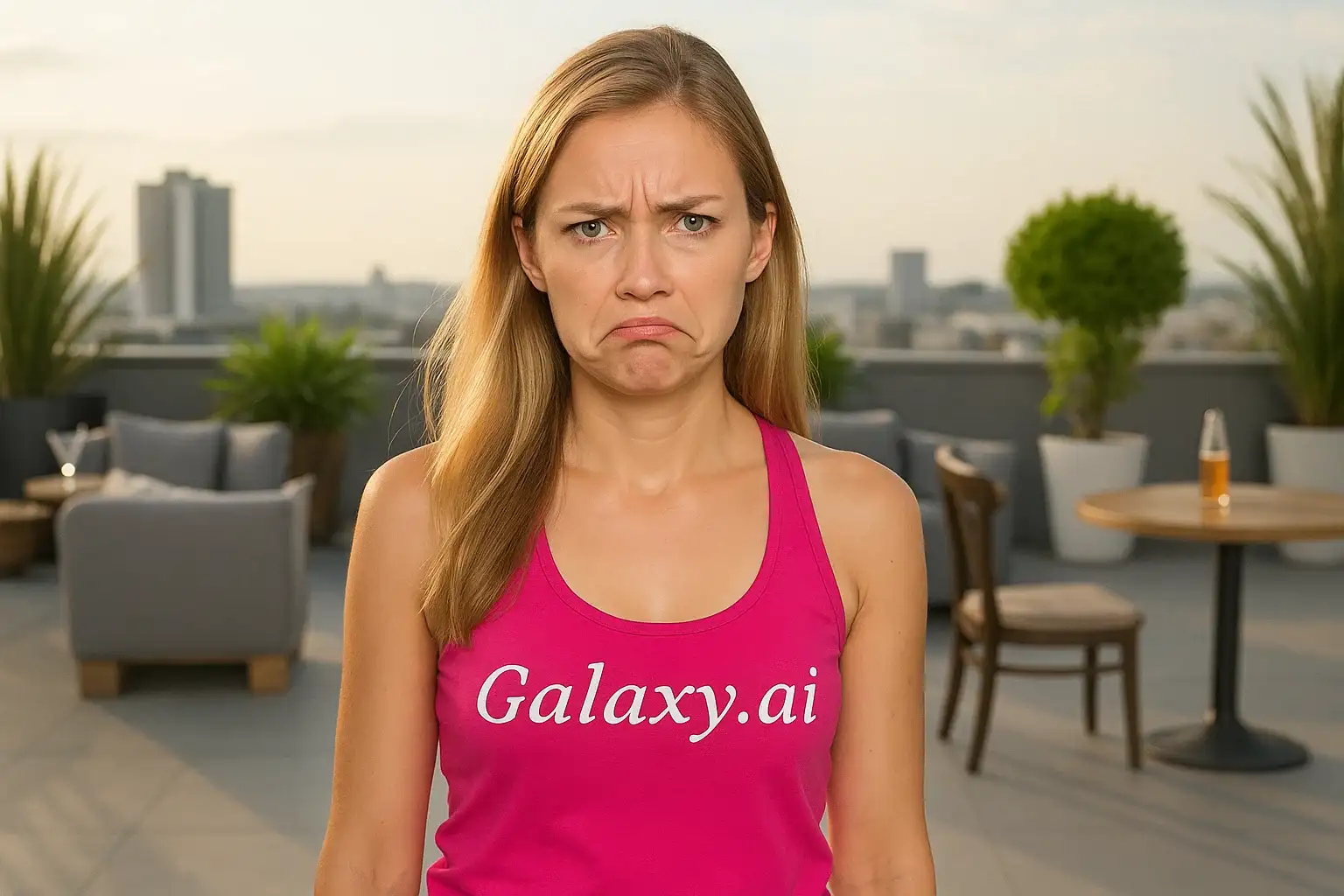
Compare the source image with each finished result.
Source image
Result
What Magica will ask for
The agent gathers these inputs and preferences in the conversation before it starts.
Upload Photos
attach a photo to apply the filter
Why Choose Our AI Frown Filter?
Transform your photos with natural-looking frown expressions using our advanced AI. Perfect for creating authentic emotional content and artistic expressions with just one click!
Natural and realistic frown expressions
Maintains original photo quality
Preserves all other facial features
Instant AI-powered transformation
No editing skills required
Perfect for emotional storytelling
Subtle and authentic results
How Our Frown Filter Works
Create authentic frown expressions with these simple steps:
01
Attach Your Photo
Select a clear portrait photo where your face is clearly visible. Front-facing shots with neutral expressions work best!
02
Apply the Filter
ask Magica to generate the result and watch as our AI adds a natural frown expression to your photo.
03
Download & Share
Preview your transformed photo and download your image with the frown expression.
Key Features of the AI Frown Filter
Natural Frown Expression
Creates authentic frown expressions with realistic facial muscle movements and natural-looking results.
Smart Facial Recognition
Advanced AI accurately identifies facial features and applies subtle frown transformations while maintaining natural proportions.
Feature Preservation
Maintains all other facial features, lighting, and image quality while only modifying the expression.
High-Resolution Output
Generates high-quality images perfect for social media, content creation, and artistic projects.
Instant Results
Get your transformed photo in seconds with our optimized AI processing.
Who Can Benefit from the Frown Filter?
Our AI Frown Filter is perfect for anyone looking to add authentic emotional expressions to their photos for creative or storytelling purposes.
Content Creators
Create emotional storytelling content and expressive thumbnails that capture attention.
Social Media Influencers
Generate authentic emotional content for posts, stories, and profile pictures that resonate with followers.
Digital Artists
Create reference images for artwork or enhance emotional depth in digital compositions.
Photographers
Add emotional variety to portrait sessions and create diverse expression portfolios.
Meme Creators
Generate expressive photos for humorous content and relatable memes.
Emotional Expression Studies
Create training materials for understanding and recognizing facial expressions in educational contexts.
Tips for the Best Frown Transformation
Tip 1
Use Clear, Well-Lit Photos
Ensure your face is clearly visible and well-lit for the most realistic frown transformation.
Tip 2
Start with Neutral Expressions
Photos with neutral or slight smile expressions work best for creating natural-looking frowns.
Tip 3
Front-Facing Portraits Work Best
Photos where you're looking directly at the camera provide the most accurate and natural frown results.
Tip 4
Higher Resolution is Better
Use high-quality photos to ensure the frown expression details are crisp and realistic.
Tip 5
Avoid Extreme Expressions
Photos with already strong expressions may result in less natural transformations. Neutral faces work best.
Frequently Asked Questions About Our Frown Filter
How realistic is the frown transformation?
Our AI creates highly realistic frown expressions by analyzing facial muscle movements and applying natural-looking transformations. The result maintains authentic facial proportions while adding a convincing frown expression.
Will it change other parts of my face?
No, the filter is designed to only modify the mouth area and related facial muscles to create the frown expression. Your eyes, nose, hair, and overall facial structure remain unchanged.
What types of photos work best?
The filter works best on clear, front-facing portrait photos with good lighting and neutral or slightly happy expressions. While it can work on various photos, we recommend well-lit portraits for optimal results.
Can I use this for professional content?
Yes! The high-quality output is suitable for professional use including content creation, social media, digital art, and photography portfolios.
Will the frown look natural?
Yes, our AI is trained to create subtle, natural-looking frown expressions that match the lighting, angle, and quality of your original photo. The transformation maintains realistic facial dynamics.
Is my photo safe to upload?
We prioritize user privacy. Your photos are used only for the transformation process and are not stored long-term or used for other purposes. The generated image is returned in the conversation for you to save.