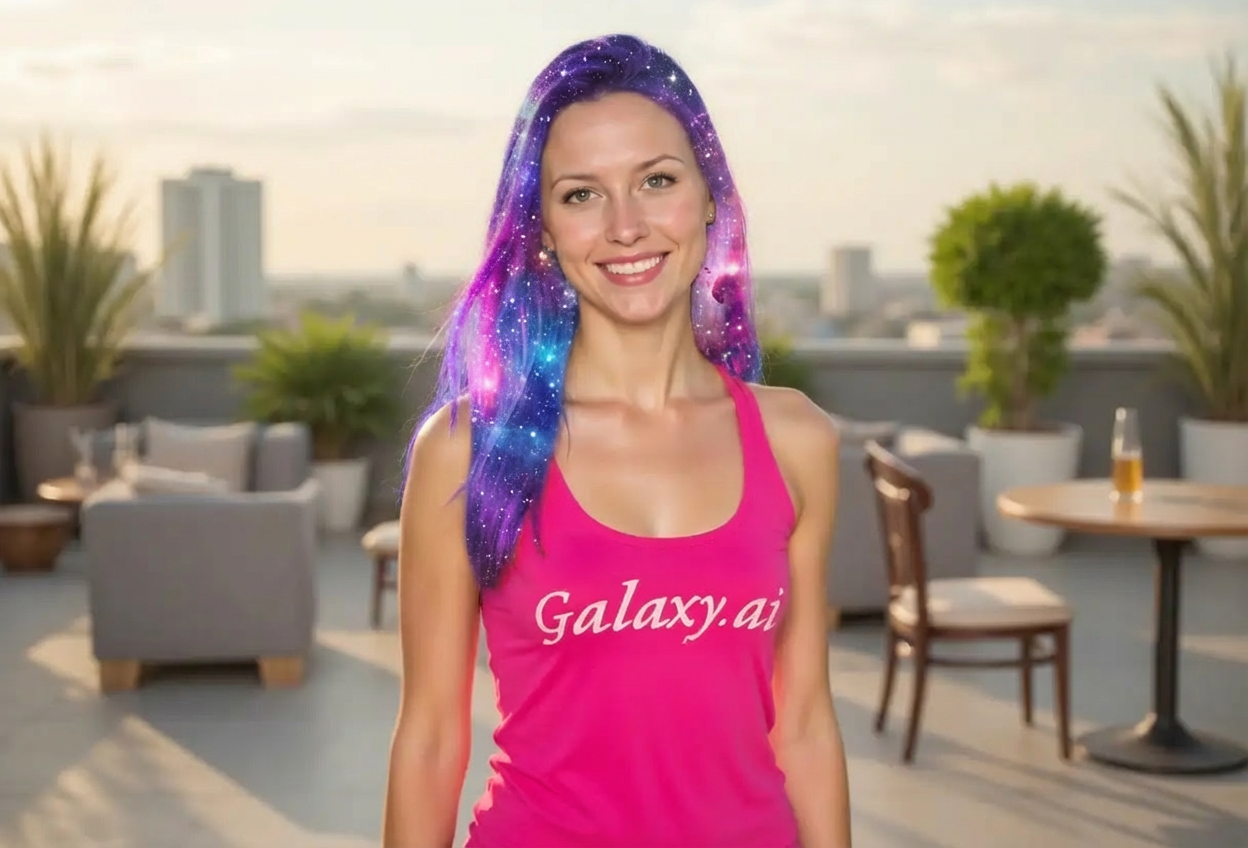
Compare the source image with each finished result.
Source image
Result
What Magica will ask for
The agent gathers these inputs and preferences in the conversation before it starts.
Upload Photos
attach a photo to apply the filter
Why Choose Our AI Galaxy Hair Filter?
Transform your hair into a cosmic masterpiece with our advanced AI. Experience the magic of nebula colors and starry effects with just one click!
Stunning cosmic nebula color transformations
Purple, blue, and pink galaxy gradient effects
Sparkling star and glitter accents
Maintains natural hair texture and flow
Preserves facial features and skin tone
Instant transformation powered by AI
No hair dyeing or editing skills required
Perfect for social media and creative content
How Our Galaxy Hair Filter Works
Transform your hair into a cosmic masterpiece with these simple steps:
01
Attach Your Photo
Select a clear photo where your hair is visible. Photos with good lighting and visible hair strands work best!
02
Apply the Filter
ask Magica to generate the result and watch as our AI transforms your hair with cosmic nebula colors and starry effects.
03
Download & Share
Preview your galaxy hair transformation and download your otherworldly portrait.
Key Features of the AI Galaxy Hair Filter
Cosmic Nebula Colors
Creates stunning galaxy-inspired hair with deep space purples, cosmic blues, and vibrant nebula pinks in seamless gradients.
Sparkling Star Effects
Adds delicate glittering stars and cosmic sparkles throughout your hair for an ethereal, space-inspired look.
Natural Texture Preservation
Maintains your hair's natural texture, flow, and volume while applying the cosmic color transformation.
Smart Color Blending
Advanced AI creates smooth gradient transitions between galaxy colors for a realistic, professional-looking result.
High-Resolution Output
Generates high-quality images perfect for social media, profile pictures, and creative projects.
Face & Skin Preservation
Precisely targets only your hair while keeping your facial features and skin tone completely natural.
Who Can Benefit from the Galaxy Hair Filter?
Our AI Galaxy Hair Filter is perfect for anyone who wants to experiment with bold cosmic hair colors without the commitment or explore creative fantasy aesthetics.
Social Media Enthusiasts
Create eye-catching profile pictures and posts with unique galaxy hair that stands out in the feed.
Content Creators
Generate stunning galaxy-themed content for Instagram, TikTok, YouTube, and other platforms.
Cosplayers & Fantasy Fans
Preview cosmic hair looks for sci-fi, fantasy, or anime character cosplays without dyeing your hair.
Fashion Enthusiasts
Experiment with trendy galaxy hair colors risk-free before committing to actual hair dyeing.
Digital Artists
Create reference images for galaxy hair illustrations or explore color palettes for creative projects.
Anyone Curious About Bold Hair
Try out fantasy hair colors and cosmic aesthetics without any permanent changes or salon visits.
Tips for the Best Galaxy Hair Effect
Tip 1
Use Clear, Well-Lit Photos
Ensure your hair is well-lit and clearly visible for the best galaxy color transformation results.
Tip 2
Show Your Hair Clearly
Photos where your hair is down and visible work best. The more hair showing, the more dramatic the cosmic effect!
Tip 3
Higher Resolution for Better Details
Use high-quality photos to ensure the galaxy gradients and star sparkles are crisp and detailed.
Tip 4
Try Different Hair Styles
Experiment with various hairstyles - loose waves, straight hair, or updos all create unique galaxy effects.
Tip 5
Good Contrast Works Best
Photos with good contrast between your hair and background help the AI create more vibrant galaxy colors.
Frequently Asked Questions About Our Galaxy Hair Filter
How realistic does the galaxy hair look?
Our AI creates highly realistic galaxy hair transformations with smooth color gradients and natural-looking cosmic effects. The result blends vibrant nebula colors with your natural hair texture for a believable, professional appearance.
What types of photos work best?
The filter works best on clear photos with visible hair and good lighting. Photos where your hair is down and clearly visible produce the most dramatic results. While it can work on any hair length, longer or medium-length hair showcases the galaxy gradients beautifully.
Will it change my face or skin?
No! Our AI is designed to transform only your hair while preserving your facial features, skin tone, and natural appearance. The galaxy colors are applied exclusively to your hair.
Can I use this on different hair colors?
Yes! The galaxy hair filter works on all natural hair colors - blonde, brown, black, red, or already colored hair. The AI adapts the cosmic colors to create beautiful results regardless of your starting hair color.
Does it work on short hair?
Yes, the filter works on all hair lengths! While longer hair shows more of the galaxy gradient effect, short hair can still showcase beautiful cosmic colors and star sparkles.
Is this better than manually editing photos?
Our AI applies complex color gradients, blending, and star effects in seconds - a process that would take hours in photo editing software. It automatically recognizes hair boundaries and creates natural-looking cosmic transformations without any manual work.
Can I use this for professional purposes?
Absolutely! Many content creators, influencers, and digital artists use our galaxy hair filter for social media content, portfolio pieces, creative projects, and to preview fantasy hair looks for clients.
What happens to my uploaded photos?
We prioritize user privacy. Your photos are used only for the transformation process and are not stored long-term or used for other purposes. The generated galaxy hair image is returned in the conversation for you to save.