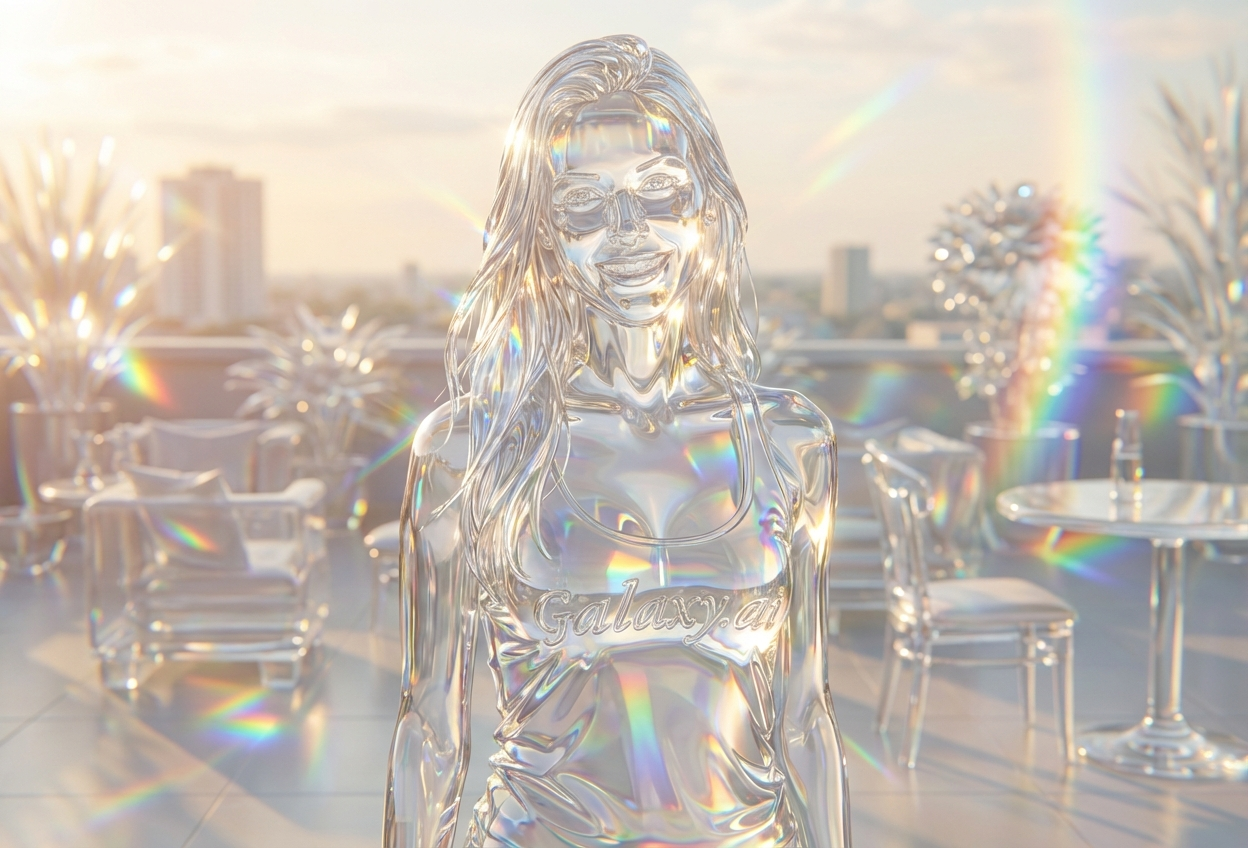
Compare the source image with each finished result.
Source image
Result
What Magica will ask for
The agent gathers these inputs and preferences in the conversation before it starts.
Upload Portrait Photo
attach a photo to apply the glass sculpture filter
Why Choose Our AI Glass Sculpture Filter?
Transform your photos into breathtaking glass sculptures with our advanced AI. Experience the ethereal beauty of translucent art with light refraction and rainbow prisms with just one click!
Authentic translucent glass appearance
Realistic light refraction and rainbow prisms
Delicate crystalline texture and details
Maintains recognizable facial features
Instant transformation powered by AI
Gallery-worthy artistic output
Perfect for unique social media content
How Our Glass Sculpture Filter Works
Transform your photos into stunning glass art with these simple steps:
01
Attach Your Photo
Select a clear portrait photo where facial features are clearly visible. Well-lit photos with good contrast work best!
02
Apply the Filter
ask Magica to generate the result and watch as our AI transforms your photo into a delicate glass sculpture with light refraction effects.
03
Download & Share
Preview your ethereal glass sculpture transformation and download your artistic masterpiece.
Key Features of the AI Glass Sculpture Filter
Authentic Glass Texture
Creates genuine translucent glass appearance with crystalline features and delicate transparency.
Light Refraction Effects
Advanced AI accurately renders internal light refractions and rainbow prisms throughout the sculpture.
Feature Preservation
Maintains recognizable facial structure while transforming into ethereal glass art.
High-Resolution Output
Generates gallery-quality images perfect for printing and professional use.
Spectral Color Dispersions
Creates beautiful rainbow color effects through the transparent glass material.
Stunning Visual Impact
Produces eye-catching results that stand out in any gallery or portfolio.
Who Can Benefit from the Glass Sculpture Filter?
Our AI Glass Sculpture Filter is perfect for anyone wanting to create unique, ethereal artwork or stand out with striking visual content.
Social Media Enthusiasts
Create stunning, unique profile pictures and posts that capture attention with ethereal glass art.
Photographers
Add artistic flair to portrait photography with gallery-worthy glass sculpture effects.
Content Creators
Generate eye-catching thumbnails and unique content that stands out in crowded feeds.
Digital Artists
Explore new artistic styles and create reference materials for glass and translucent artwork.
Marketing Professionals
Create memorable, artistic visuals for campaigns that demand attention and creativity.
Art Enthusiasts
Transform personal photos into gallery-worthy glass sculptures for display and collection.
Tips for the Best Glass Sculpture Effect
Tip 1
Use Clear, Well-Lit Photos
Ensure your photo has good lighting and clear facial features for the best glass sculpture transformation with optimal light refraction effects.
Tip 2
Choose High-Contrast Photos
Photos with good contrast between light and dark areas create more dramatic and detailed glass effects with better prism dispersions.
Tip 3
Front-Facing Portraits Work Best
Photos where you're looking directly at the camera provide the most striking glass sculpture results with balanced light refraction.
Tip 4
Higher Resolution Enhances Details
Use high-quality photos to ensure the crystalline texture and light refraction details are crisp and gallery-worthy.
Tip 5
Simple Backgrounds Enhance Focus
Photos with uncluttered backgrounds allow the glass sculpture effect to be the main focal point of the artwork.
Frequently Asked Questions About Our Glass Sculpture Filter
How realistic is the glass sculpture effect?
Our AI creates highly realistic glass sculpture transformations with authentic light refraction, rainbow prisms, and crystalline textures. The effect mimics real translucent glass art while maintaining recognizable facial features for a striking artistic result.
What types of photos work best?
The filter works best on clear, well-lit portrait photos with good contrast. Front-facing photos with visible facial features produce the most dramatic glass sculpture effects. While it can work on various photo types, we recommend portrait shots with simple backgrounds for optimal results.
Will the glass effect look natural?
The glass sculpture effect creates an artistic, ethereal appearance rather than a natural look. The transformation maintains recognizable features while adding translucent glass properties, light refractions, and rainbow prisms for a gallery-worthy aesthetic.
Can I use this for professional artwork?
Absolutely! The filter generates high-resolution, gallery-quality images perfect for professional portfolios, exhibitions, prints, and commercial use. Many artists use our glass sculpture filter to create unique pieces for their collections.
Is my photo safe to upload?
We prioritize user privacy. Your photos are used only for the transformation process and are not stored long-term or used for other purposes. The generated glass sculpture artwork is returned in the conversation for you to save.
How is this different from other art filters?
Our Glass Sculpture Filter uniquely combines translucent glass textures with realistic light refraction physics and rainbow prism effects. Unlike simple overlay filters, our AI understands three-dimensional glass properties to create authentic-looking crystalline sculptures with internal light dispersions.
Can I adjust the intensity of the glass effect?
The filter applies a standardized glass sculpture transformation designed for optimal visual impact. The AI automatically balances transparency, light refraction, and feature preservation to create the most striking result while maintaining recognizability.
Does it work on group photos?
While the filter can work on group photos, it's optimized for individual portraits where the glass sculpture effect can be fully appreciated. For best results, we recommend focusing on one subject per image to maximize the ethereal, gallery-quality appearance.