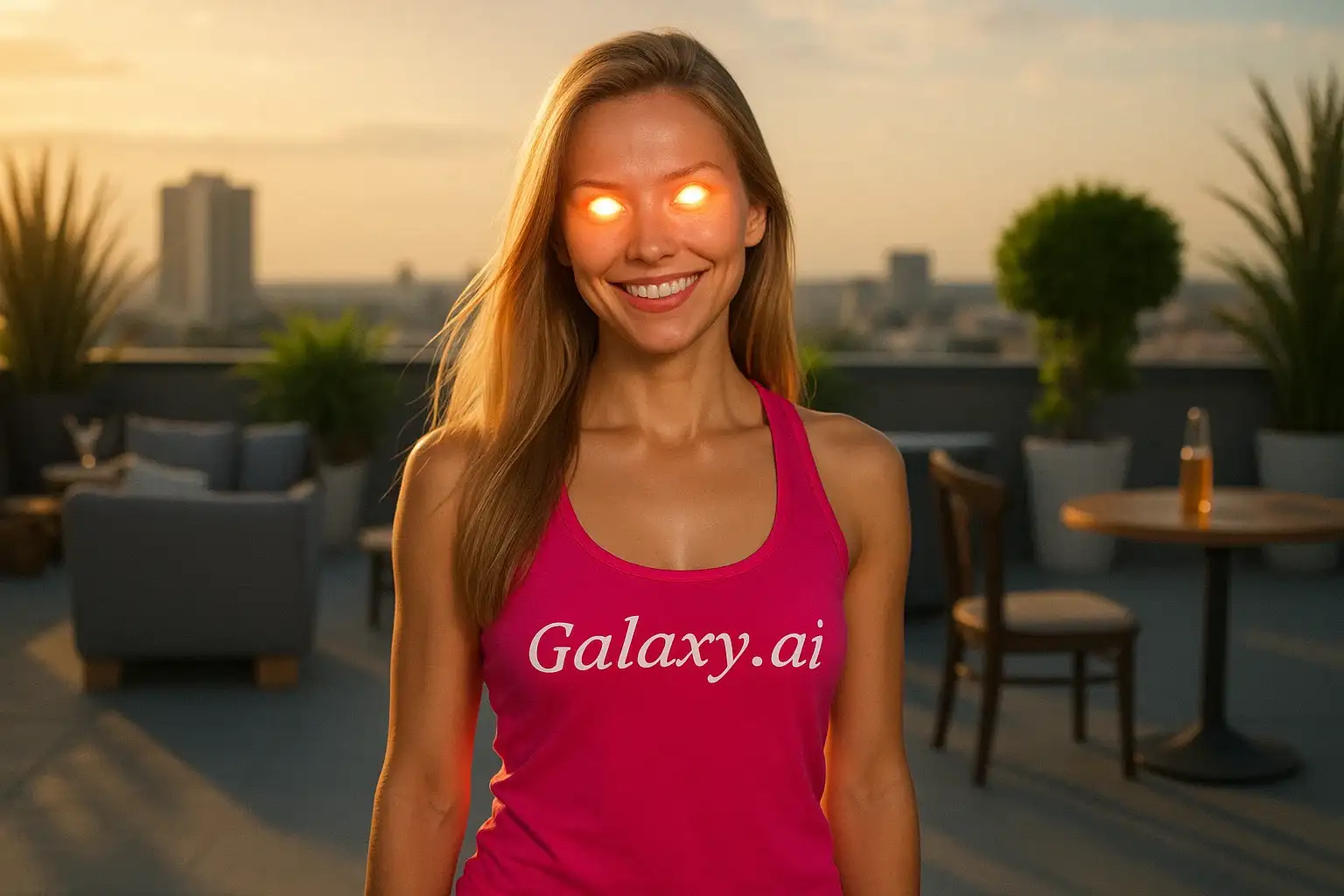
Compare the source image with each finished result.
Source image
Result
What Magica will ask for
The agent gathers these inputs and preferences in the conversation before it starts.
Upload Photos
attach a photo to apply the filter
Why Choose Our AI Glowing Eye Filter?
Transform your photos with mesmerizing glowing eyes that capture attention and add a supernatural touch. Experience the power of luminous eyes with just one click!
Stunning supernatural eye glow effect
Maintains natural facial features
Perfect intensity and luminosity balance
High-quality AI processing
Instant dramatic transformations
No editing skills required
Ideal for fantasy and sci-fi content
How Our AI Glowing Eye Filter Works
Create stunning glowing eyes in three simple steps:
01
Attach Your Photo
Select a clear photo where the eyes are visible. Well-lit portraits with direct eye contact work best for the most dramatic glowing effect!
02
Apply the Filter
ask Magica to generate the result and watch as our AI adds an intense, supernatural glow to the eyes in your photo.
03
Download & Share
Preview your glowing eye transformation and download your enhanced photo ready for sharing.
Key Features of the AI Glowing Eye Filter
Intense Eye Glow Effect
Creates authentic supernatural glowing eyes with luminous radiance that appears to emit light.
Smart Eye Recognition
Our AI accurately detects and enhances eyes while preserving natural facial structure and expressions.
Balanced Luminosity
Automatically adjusts glow intensity for dramatic yet believable results that don't overwhelm the image.
High-Resolution Output
Generates high-quality images perfect for social media, content creation, and digital art projects.
Who Can Benefit from the Glowing Eye Filter?
Our AI Glowing Eye Filter is perfect for anyone who wants to add a supernatural, sci-fi, or fantasy element to their photos.
Social Media Enthusiasts
Create eye-catching profile pictures and posts with supernatural glowing eyes that stand out in feeds.
Content Creators
Generate unique fantasy and sci-fi themed content for YouTube, TikTok, Instagram, and other platforms.
Gamers & Streamers
Create powerful avatar images and thumbnails with glowing eyes perfect for gaming channels and profiles.
Cosplayers
Enhance cosplay photos with supernatural eye effects for characters with glowing or powered-up eyes.
Digital Artists
Generate reference images and creative inspiration for fantasy artwork and character designs.
Creative Photographers
Add supernatural elements to portrait photography and create unique artistic pieces.
Tips for the Best Glowing Eye Effect
Tip 1
Use Clear, Well-Lit Photos
Ensure the eyes are clearly visible and well-lit for the AI to create the most dramatic glowing effect.
Tip 2
Direct Eye Contact Works Best
Photos where the subject is looking directly at the camera create the most striking glowing eye transformation.
Tip 3
High-Quality Images Yield Better Results
Better quality input photos result in more detailed and impressive glowing eye effects with crisp radiance.
Tip 4
Avoid Sunglasses or Closed Eyes
Make sure eyes are open and visible for the filter to work properly. Remove sunglasses or eyewear that obscures the eyes.
Tip 5
Experiment with Different Expressions
Try various expressions - intense stares create powerful supernatural looks, while neutral expressions give mysterious effects.
Frequently Asked Questions About Our Glowing Eye Filter
How realistic is the glowing eye effect?
Our AI creates dramatic yet believable glowing eye effects that look supernatural and otherworldly while maintaining photo quality. The glow appears to emanate naturally from the eyes with balanced luminosity.
What types of photos work best?
The filter works best on clear portrait photos with visible eyes and good lighting. Front-facing photos where the subject looks directly at the camera produce the most striking results. Avoid photos with sunglasses or closed eyes.
Can I control the intensity of the glow?
The AI automatically determines the optimal glow intensity based on your photo's lighting and composition. The result is designed to be dramatic yet natural-looking without overwhelming the image.
Does it work on group photos?
Yes! The AI can detect and apply glowing eyes to multiple people in a photo. However, for the best and most dramatic results, individual portraits are recommended.
Will my photo still look natural?
The glowing eye effect is intentionally supernatural and dramatic, perfect for fantasy, sci-fi, or creative content. The AI maintains your facial features and expression while adding the luminous eye glow.
What can I use this filter for?
This filter is perfect for social media posts, fantasy cosplay photos, gaming avatars, creative content, sci-fi themed projects, supernatural character designs, and any content where you want to add a powerful, otherworldly eye effect.
Is my photo safe to upload?
We prioritize user privacy. Your photos are used only for the transformation process and are not stored long-term or used for other purposes.