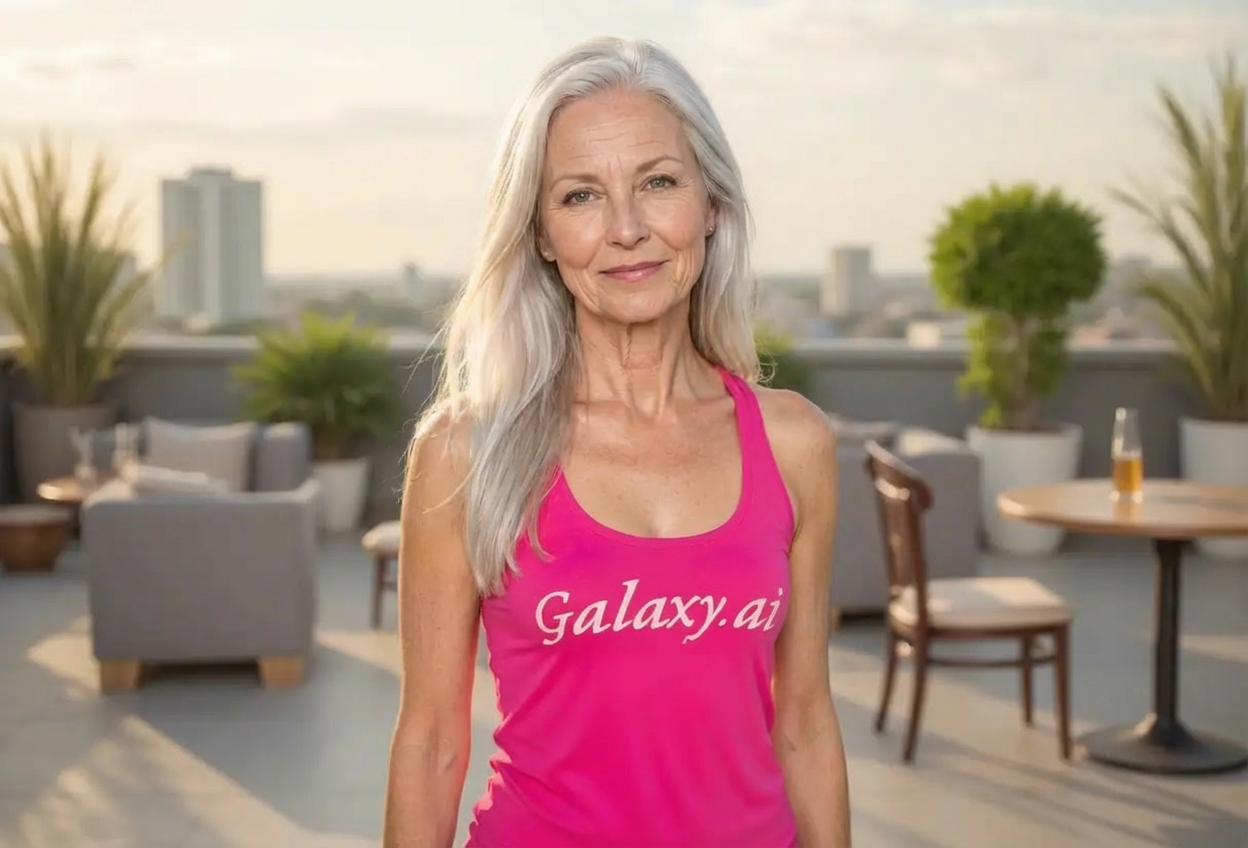
Compare the source image with each finished result.
Source image
Result
What Magica will ask for
The agent gathers these inputs and preferences in the conversation before it starts.
Attach Your Photo
attach a photo to apply the graceful elder filter
Why Choose Our AI Graceful Elder Filter?
Experience a glimpse into your future with our AI-powered aging transformation. See yourself with the grace and wisdom of your elder years in a positive, dignified way.
Realistic natural aging transformation
Maintains your recognizable facial features
Dignified and respectful portrayal of aging
High-quality AI processing for authentic results
Instant transformation in seconds
No photo editing skills required
Perfect for creative projects and self-reflection
How Our Graceful Elder Filter Works
See your future self with grace and dignity in three simple steps:
01
Attach Your Photo
Select a clear portrait photo where your face is clearly visible. Front-facing shots with good lighting work best!
02
Apply the Filter
ask Magica to generate the result and watch as our AI gracefully ages your photo, adding silver hair, gentle wrinkles, and the wisdom of years.
03
Download & Share
Preview your graceful elder transformation and download your aged portrait to share with friends and family.
Key Features of the AI Graceful Elder Filter
Natural Aging Process
Applies realistic aging characteristics including silver hair, gentle wrinkles, and age-appropriate skin texture while maintaining dignity.
Feature Preservation
Advanced AI maintains your key facial features so you can still recognize yourself in your elder years.
Dignified Portrayal
Creates respectful, graceful representations of aging that celebrate the beauty of growing older.
High-Resolution Output
Generates high-quality images perfect for sharing, printing, or creative projects.
Instant Results
See your future self in seconds with our fast AI processing technology.
Premium Quality
Delivers realistic aging transformations without compromising image quality or authenticity.
Who Can Benefit from the Graceful Elder Filter?
Our AI Graceful Elder Filter is perfect for anyone curious about their future appearance or wanting to create meaningful content about aging.
Individuals Curious About Aging
See yourself as you might look in your golden years and embrace the natural aging process.
Content Creators
Generate unique aged portraits for storytelling, time-lapse projects, or creative social media content.
Filmmakers & Artists
Create reference images for aging characters in films, animations, or artistic projects.
Family Members
Create fun family content showing how everyone might look in the future, perfect for gatherings and celebrations.
Social Media Enthusiasts
Share unique aged portraits that spark conversations and engagement on social platforms.
Educators & Presenters
Use aging transformations for educational content about life stages, health, or personal development.
Tips for the Best Graceful Elder Transformation
Tip 1
Use Clear, Well-Lit Photos
Ensure your face is clearly visible and well-lit for the most accurate aging transformation. Natural lighting works best.
Tip 2
Front-Facing Portraits Work Best
Photos where you're looking directly at the camera provide the most realistic and accurate aging results.
Tip 3
Choose High-Resolution Images
Use high-quality photos to ensure the aging details like wrinkles and silver hair are rendered beautifully and naturally.
Tip 4
Neutral or Gentle Expressions
A neutral or peaceful expression helps achieve that authentic, wise elder appearance with dignity.
Tip 5
Avoid Heavy Filters or Makeup
Use photos without heavy filters or makeup for the most natural aging transformation that truly represents how you might look.
Frequently Asked Questions About Our Graceful Elder Filter
How realistic is the aging transformation?
Our AI creates highly realistic aging transformations by analyzing facial structure and applying natural aging characteristics like silver hair, gentle wrinkles, and age-appropriate skin texture. The result maintains your recognizable features while showing how you might gracefully age.
Will I still look like myself in the aged photo?
Yes! Our AI is designed to preserve your key facial features while adding aging characteristics. You'll be able to recognize yourself in the transformed image, just as your older self.
Does it work on all ages?
The filter works best on adult photos (ages 18-60). While it can work on younger or already elderly subjects, the most dramatic and interesting transformations occur with young to middle-aged adults.
Can I control how old I look in the result?
The filter applies a standard aging transformation that typically shows you 30-40 years older. This creates a natural elderly appearance with dignity and grace.
Is this scientifically accurate?
While our AI creates realistic aging effects based on common aging patterns, it's not a medical prediction of your actual aging. Genetics, lifestyle, and health factors all influence how people age in reality.
What happens to my uploaded photos?
We prioritize user privacy. Your photos are used only for the aging transformation process and are not stored long-term or used for other purposes. The generated aged portrait is returned in the conversation for you to save.
Can I use this for creative projects?
Absolutely! The Graceful Elder Filter is perfect for creative projects, storytelling, educational content, or simply satisfying your curiosity about the future. The high-quality output is suitable for various uses.
Does it work on both men and women?
Yes! The AI adapts the aging characteristics appropriately for all genders, creating natural and dignified elderly transformations that respect the unique aging patterns of each individual.