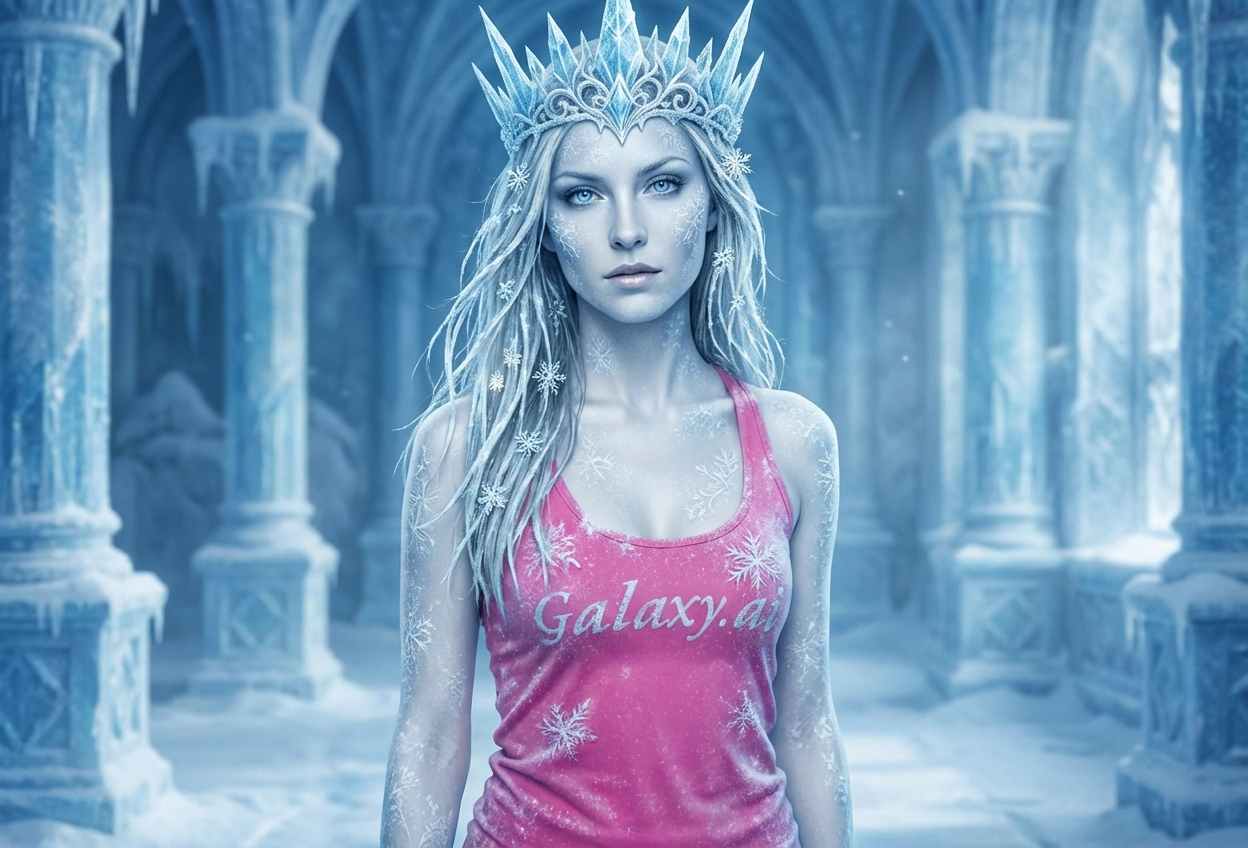
Compare the source image with each finished result.
Source image
Result
What Magica will ask for
The agent gathers these inputs and preferences in the conversation before it starts.
Upload Photos
attach a photo to apply the filter
Why Choose Our AI Ice Queen Filter?
Transform yourself into a powerful and elegant ice queen with our advanced AI. Experience the magic and majesty of winter royalty with stunning crystalline effects!
Stunning ice crystal crown and frost effects
Realistic frozen skin texture and icy blue eyes
Elegant snowflake details and winter atmosphere
Maintains natural facial features and proportions
High-quality fantasy transformation
Perfect for cosplay and creative content
Instant magical results powered by AI
How Our Ice Queen Filter Works
Transform into winter royalty with these simple steps:
01
Attach Your Photo
Select a clear portrait photo where your face is visible. Front-facing photos with good lighting work best for the ice queen transformation!
02
Apply the Filter
ask Magica to generate the result and watch as our AI transforms you into a majestic ice queen with crystalline crown, frosted features, and winter magic.
03
Download & Share
Preview your stunning ice queen transformation and download your magical portrait to share on social media.
Key Features of the AI Ice Queen Filter
Majestic Ice Crown
Adds a stunning crystalline crown with intricate ice details that shimmer with winter magic.
Frosted Skin Tone
Creates a beautiful icy complexion with subtle frost effects while maintaining natural features.
Icy Blue Eyes
Transforms eyes into mesmerizing glacial blue with a crystalline, magical appearance.
Winter Palace Background
Enhances the scene with a magical winter atmosphere fitting for ice royalty.
High-Resolution Output
Generates crisp, detailed images perfect for social media, cosplay, or creative projects.
Instant Transformation
Quick AI processing delivers your ice queen portrait in seconds with no editing skills required.
Who Can Benefit from the Ice Queen Filter?
Our AI Ice Queen Filter is perfect for anyone who loves fantasy aesthetics, winter themes, and magical transformations.
Social Media Enthusiasts
Create stunning ice queen profile pictures that stand out with magical winter aesthetics.
Cosplayers & Fantasy Fans
Perfect for Frozen, Game of Thrones, or original ice queen character concepts and costumes.
Content Creators
Generate unique winter-themed fantasy content for YouTube, Instagram, TikTok, and other platforms.
Streamers & Gamers
Create eye-catching fantasy avatars and profile images for gaming channels and streams.
Artists & Designers
Generate reference images for ice queen character designs, fantasy art, or creative projects.
Event Organizers
Create themed promotional materials for winter events, fantasy conventions, or themed parties.
Tips for the Best Ice Queen Transformation
Tip 1
Use Clear, Well-Lit Photos
Ensure your face is well-lit and clearly visible for the best ice queen transformation with sharp crystalline details.
Tip 2
Front-Facing Portrait Photos Work Best
Direct camera angles allow the AI to add the ice crown and frosted features more accurately and symmetrically.
Tip 3
Neutral or Regal Expressions
A calm, confident, or slightly stern expression enhances the powerful ice queen aesthetic.
Tip 4
High-Resolution Images Recommended
Better quality input photos result in more detailed ice crystal effects and sharper frost textures.
Tip 5
Simple Backgrounds Work Well
Photos with uncluttered backgrounds allow the AI to focus on your transformation and add winter atmosphere more effectively.
Frequently Asked Questions About Our Ice Queen Filter
How realistic is the ice queen transformation?
Our AI creates stunning ice queen transformations with realistic frost effects, crystalline crowns, and icy features while maintaining your natural facial structure. The result is a fantasy portrait that balances magical elements with believable details.
What types of photos work best with this filter?
The filter works best on clear, front-facing portrait photos with good lighting. While it can work on various photo types, we recommend close-up portraits for the most detailed ice crown and frost effects.
Can I use this for cosplay references?
Absolutely! Many cosplayers use this filter to visualize ice queen characters, plan makeup looks, or create promotional content for their costumes. It's perfect for Frozen, Game of Thrones, or original ice-themed characters.
Will the transformation look natural or overly edited?
The AI is designed to create a fantasy transformation that looks polished and magical while preserving your facial features. It adds ice crown, frosted skin, and winter elements in a way that looks artistic rather than awkwardly edited.
Is my uploaded photo safe and private?
We prioritize user privacy. Your photos are used only for the transformation process and are not stored long-term or used for other purposes. Your ice queen portrait is immediately available for download.
Can I adjust the intensity of the ice effects?
The filter applies a balanced set of ice queen effects optimized for most photos. For more customization options, you can use our advanced model settings when generating the image.
What inspired this filter?
The Ice Queen filter was inspired by popular ice-themed characters from movies, games, and fantasy literature. Users love the combination of regal power and ethereal winter beauty that ice queen aesthetics represent.
Can I use the generated images commercially?
Please review our terms of service for specific commercial use guidelines. Generally, images generated for personal, social media, and creative projects are encouraged.