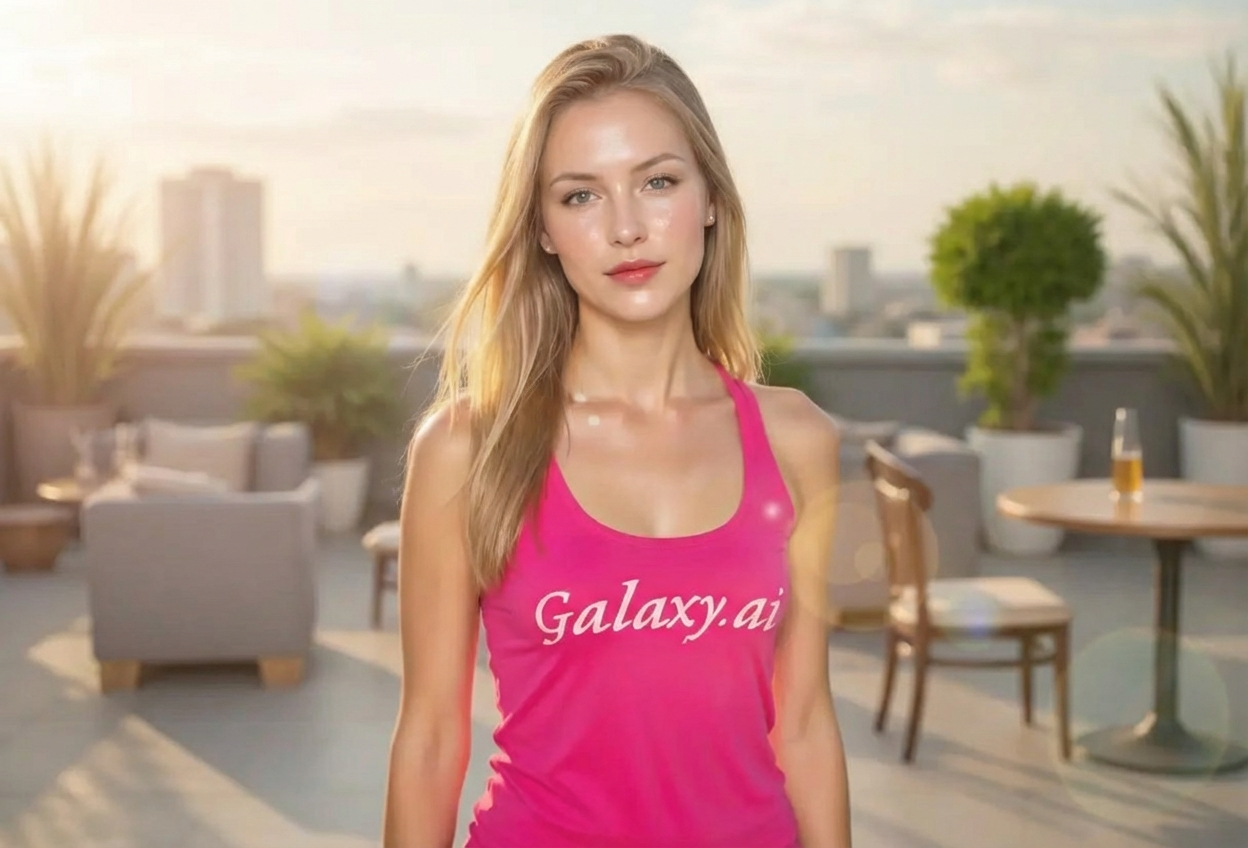
Compare the source image with each finished result.
Source image
Result
What Magica will ask for
The agent gathers these inputs and preferences in the conversation before it starts.
Upload Photos
attach a photo to apply the filter
Why Choose Our AI K-Drama Protagonist Filter?
Transform your photos into stunning K-Drama-worthy portraits with our AI. Experience the perfect glass skin, soft romantic features, and cinematic lighting that makes Korean drama protagonists look so captivating!
Authentic glass skin effect and luminous complexion
Soft romantic features characteristic of K-Drama leads
Korean drama cinematography and lighting style
Subtle, natural-looking makeup enhancement
Maintains your unique facial features
Instant transformation powered by AI
Perfect for social media and profile pictures
How Our K-Drama Protagonist Filter Works
Transform into a K-Drama protagonist with these simple steps:
01
Attach Your Photo
Select a clear portrait photo where your face is visible. Well-lit photos with neutral expressions work best for the K-Drama aesthetic!
02
Apply the Filter
ask Magica to generate the result and watch as our AI transforms you into a K-Drama protagonist with glass skin and romantic features.
03
Download & Share
Preview your K-Drama transformation and download your stunning portrait to share on social media.
Key Features of the AI K-Drama Protagonist Filter
Glass Skin Effect
Creates the signature smooth, luminous, poreless complexion that K-Drama protagonists are known for.
Soft Romantic Features
Enhances your features with the soft, gentle aesthetic characteristic of Korean drama lead actors.
Cinematic Lighting
Applies the dramatic yet gentle lighting style used in Korean drama cinematography.
Natural Enhancement
Subtly enhances your natural beauty while maintaining your unique features and expression.
High-Resolution Output
Generates high-quality images perfect for social media, profile pictures, and sharing.
Who Can Benefit from the K-Drama Protagonist Filter?
Our AI K-Drama Protagonist Filter is perfect for anyone who wants to capture the polished, romantic aesthetic of Korean drama characters.
K-Drama Fans
Create stunning portraits with that signature K-Drama protagonist look you admire on screen.
Social Media Enthusiasts
Stand out with professional-looking, K-Drama-style profile pictures and posts.
Content Creators
Generate Korean drama-inspired content for YouTube, Instagram, TikTok, and other platforms.
Cosplayers & Role Players
Perfect your K-Drama character look or create reference photos for costume planning.
Beauty Enthusiasts
Explore how Korean beauty standards and K-Drama aesthetics would look on you.
Photographers & Artists
Create K-Drama-inspired portraits or generate reference images for artistic projects.
Tips for the Best K-Drama Protagonist Look
Tip 1
Use Well-Lit, Clear Photos
Good lighting is essential for achieving that glass skin effect. Use photos taken in natural light or with soft, diffused lighting.
Tip 2
Front-Facing Portraits Work Best
Photos where you're facing the camera directly showcase the K-Drama aesthetic most effectively.
Tip 3
Start with Clean Skin
While the filter works on any photo, starting with a clear photo helps achieve the smoothest glass skin effect.
Tip 4
Neutral or Soft Expressions
A gentle smile or neutral expression captures that signature K-Drama protagonist look perfectly.
Tip 5
Higher Resolution for Better Results
Use high-quality photos to ensure the fine details of the glass skin and soft features are rendered beautifully.
Frequently Asked Questions About Our K-Drama Protagonist Filter
What is the 'glass skin' effect?
Glass skin is a Korean beauty term referring to an extremely smooth, luminous, poreless complexion that looks almost translucent. Our AI recreates this coveted K-Drama look by smoothing skin texture and adding a natural, healthy glow.
Will the transformation look natural?
Yes! Our AI is designed to enhance your features while maintaining your natural appearance. The result is a polished, K-Drama-style look that's still recognizably you, not an overly edited or artificial transformation.
Does it work for all skin tones and face shapes?
Absolutely! The K-Drama Protagonist Filter is designed to work beautifully on all skin tones, face shapes, and genders. The AI adapts the glass skin effect and soft features to complement your unique characteristics.
How is this different from regular beauty filters?
Unlike generic beauty filters, our AI specifically recreates the sophisticated cinematography and styling techniques used in Korean dramas. It goes beyond simple smoothing to capture the romantic, polished aesthetic that makes K-Drama protagonists so visually appealing.
What types of photos work best?
The filter works best on clear, front-facing portrait photos with good lighting. While it can work on various photo types, we recommend individual portraits with neutral backgrounds for the most dramatic K-Drama transformation.
Can I use this for professional purposes?
Yes! Many users create K-Drama-style portraits for social media, content creation, profile pictures, and artistic projects. The high-resolution output is suitable for both personal and professional use.
Is my photo safe to upload?
We prioritize user privacy. Your photos are used only for the transformation process and are not stored long-term or used for other purposes. The generated K-Drama portrait is returned in the conversation for you to save.
How many times can I use the filter?
You can use the filter as many times as you like! Each transformation uses a small amount of credits, allowing you to experiment with different photos and perfect your K-Drama protagonist look.