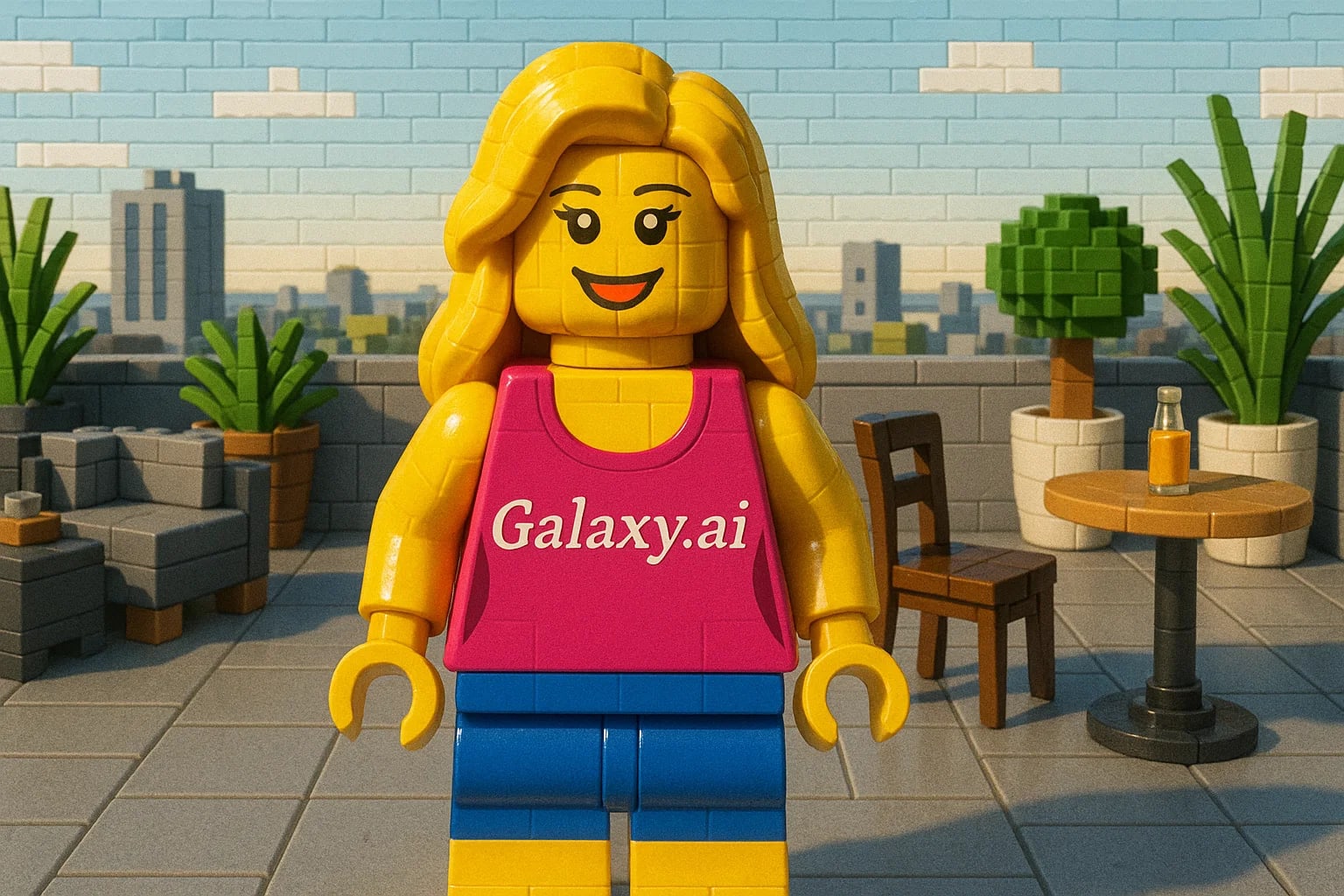
Compare the source image with each finished result.
Source image
Result
What Magica will ask for
The agent gathers these inputs and preferences in the conversation before it starts.
Upload Photos
attach a photo to apply the filter
Why Choose Our AI Lego Filter?
Transform your photos into amazing LEGO minifigure style with our advanced AI. Turn yourself into a LEGO character with just one click!
Authentic LEGO minifigure style transformation
Preserves facial features and expressions
Maintains proper LEGO proportions
Simple one-click operation
Fast processing powered by AI
No design skills needed
Perfect for social media and creative projects
How Our Lego Filter Works
Creating your LEGO minifigure portrait is incredibly simple:
01
Attach Your Photo
Select and attach a clear photo of yourself or someone else. Front-facing portraits work best!
02
Apply the Filter
ask Magica to generate the result and watch as our AI transforms your photo into LEGO style.
03
Download & Share
Preview your LEGO transformation and download your new minifigure portrait.
Key Features of the AI Lego Filter
Authentic LEGO Style
Creates genuine LEGO minifigure aesthetics with characteristic features and proportions.
Smart Feature Detection
Advanced AI accurately identifies and transforms facial features into LEGO style elements.
Color Accuracy
Maintains appropriate color schemes while adapting to LEGO's iconic style.
High-Quality Output
Generates high-resolution LEGO-style images perfect for sharing and printing.
Who Can Benefit from the Lego Filter?
Our AI Lego Filter is perfect for anyone who wants to see themselves or others as LEGO minifigures.
LEGO Enthusiasts
Create personalized LEGO-style portraits of yourself for social media or collection.
Content Creators
Generate unique LEGO-themed content for blogs, videos, or social media.
Gaming Fans
Create LEGO-style avatars for gaming profiles or streaming channels.
Photographers
Offer unique LEGO transformations as a fun add-on to photo sessions.
Parents & Kids
Create fun family portraits in LEGO style for unique wall art or gifts.
Artists
Generate LEGO-style reference images for custom minifigure designs.
Tips for the Best Lego Transformations
Tip 1
Use Clear, Front-Facing Photos
Choose photos where the face is clearly visible and looking straight ahead for best results.
Tip 2
Good Lighting Matters
Well-lit photos with even lighting help the AI create better LEGO transformations.
Tip 3
Simple Backgrounds Work Best
Photos with clean, simple backgrounds allow the LEGO transformation to stand out better.
Tip 4
Consider Your Expression
Clear expressions translate better into the characteristic LEGO minifigure style.
Frequently Asked Questions About Our Lego Filter
How accurate is the LEGO transformation?
Our AI is designed to create authentic LEGO minifigure-style transformations while maintaining recognizable features of the original photo. The result follows LEGO's iconic aesthetic while preserving the essence of the subject.
Can I use photos with multiple people?
Yes, the AI will attempt to transform all visible faces in the photo into LEGO style. However, single-person portraits typically yield the best and most detailed results.
Will the filter work on any photo?
The filter works best on clear, front-facing photos of people. It may not work as effectively on photos where faces are unclear, at extreme angles, or heavily obscured.
What resolution will my LEGO portrait be?
The tool maintains high resolution output suitable for both digital sharing and printing. The exact resolution will depend on your input image quality.
Is my photo data safe?
Yes, we take privacy seriously. Your photos are only used for the transformation process and are not stored long-term or used for other purposes. The generated LEGO-style image is available for you to download immediately.