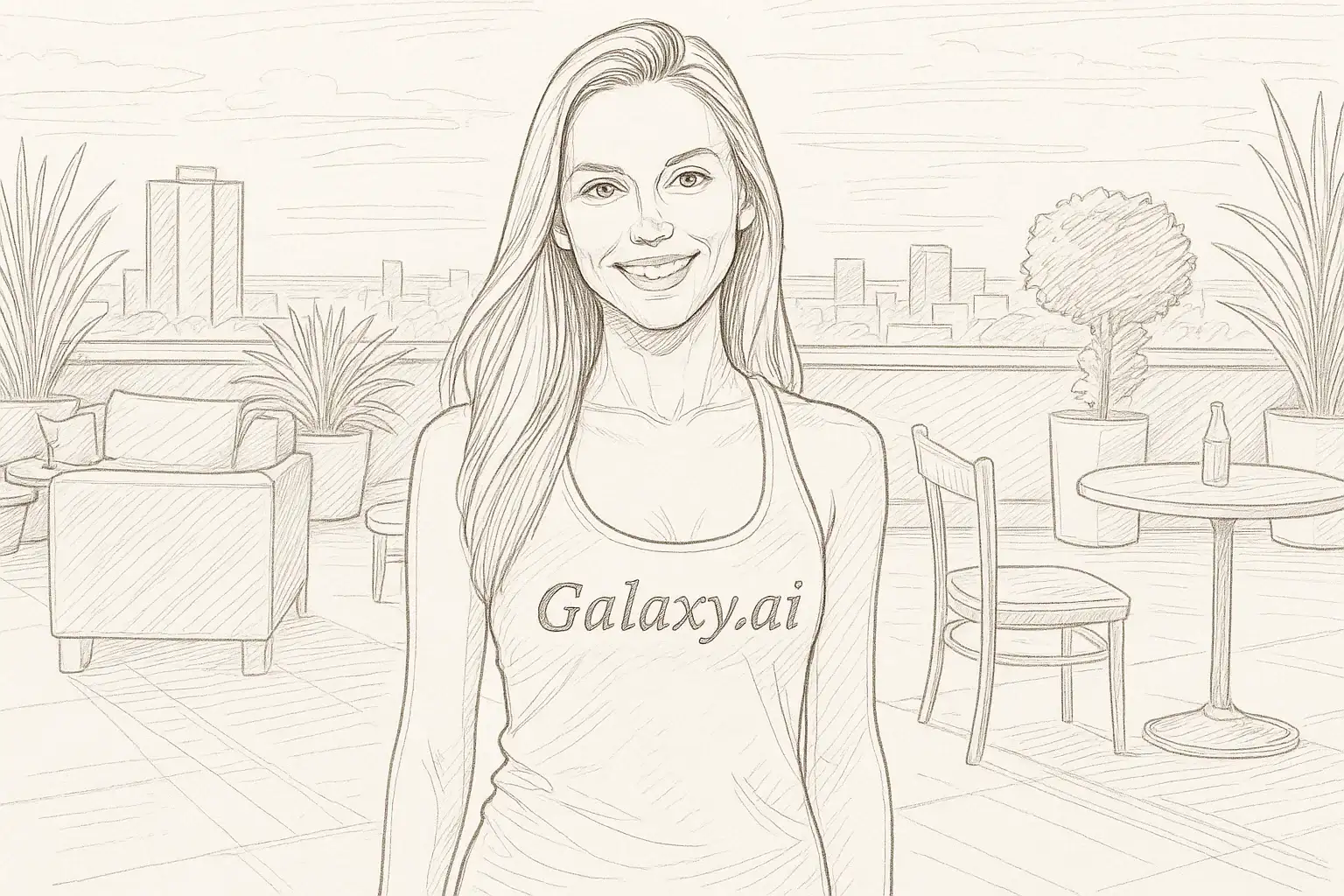
Compare the source image with each finished result.
Source image
Result
What Magica will ask for
The agent gathers these inputs and preferences in the conversation before it starts.
Upload Photo
attach a photo to transform into a line drawing
Why Choose Our AI Line Drawing Filter?
Transform your photos into elegant line drawings with our advanced AI. Experience the beauty of minimalist sketch art with just one click!
Clean and precise line art conversion
Maintains key features and composition
Professional sketch-style aesthetics
Instant transformation powered by AI
No artistic skills required
High-quality output perfect for printing
Ideal for creative projects and portfolios
How Our Line Drawing Filter Works
Create beautiful line art in three simple steps:
01
Attach Your Photo
Select a clear photo with good contrast. Photos with distinct subjects and well-defined features work best!
02
Apply the Filter
ask Magica to generate the result and watch as our AI transforms your photo into elegant line drawing artwork.
03
Download & Share
Preview your line drawing and download your artistic creation.
Key Features of the AI Line Drawing Filter
Precise Line Art Conversion
Creates clean, elegant line drawings with precise contours and artistic sketch lines that capture the essence of your photo.
Smart Detail Recognition
Advanced AI identifies key features and maintains important details while creating minimalist line art.
Artistic Sketch Style
Produces professional sketch-style results with clean lines and artistic hatching techniques.
High-Resolution Output
Generates crisp, high-quality line drawings perfect for printing, framing, or digital use.
Who Can Benefit from the Line Drawing Filter?
Our AI Line Drawing Filter is perfect for anyone looking to create artistic sketch-style artwork from their photos.
Artists & Illustrators
Create reference sketches, develop artistic concepts, or generate line art for further creative work.
Photographers
Transform portrait photos into elegant line drawings for unique artistic presentations.
Social Media Creators
Create distinctive profile pictures and artistic posts with minimalist line art style.
Graphic Designers
Generate line drawing elements for design projects, logos, or branding materials.
Content Creators
Produce unique visual content for blogs, websites, or creative portfolios.
Gift Makers
Create personalized artistic portraits perfect for custom gifts and special occasions.
Tips for the Best Line Drawing Results
Tip 1
Use High-Contrast Photos
Photos with clear contrast between subjects and backgrounds produce the most defined line drawings.
Tip 2
Choose Well-Lit Images
Good lighting helps the AI identify edges and contours more accurately for cleaner line art.
Tip 3
Simple Compositions Work Best
Photos with clear subjects and less cluttered backgrounds result in more elegant line drawings.
Tip 4
Use High-Resolution Images
Better quality input photos ensure crisp, detailed line art with smooth contours.
Tip 5
Portrait Photos Are Ideal
Close-up portraits with distinct facial features produce stunning line drawing portraits.
Frequently Asked Questions About Our Line Drawing Filter
How realistic is the line drawing effect?
Our AI creates authentic line drawing artwork that mimics hand-drawn sketch techniques. The result captures essential contours and details while maintaining an artistic, minimalist aesthetic that looks like professional sketch art.
What types of photos work best?
The filter works best on photos with good contrast, clear subjects, and well-defined features. Portrait photos, architectural shots, and images with distinct outlines produce excellent results. While it can work on complex scenes, simpler compositions yield cleaner line art.
Will the line drawing maintain recognizable features?
Yes, our AI is trained to preserve key features and characteristics while converting to line art. The transformation maintains composition and identifiable details, creating a recognizable artistic interpretation of your original photo.
Can I use the line drawings commercially?
The line drawings generated are yours to use for personal projects. For commercial use, please review our terms of service to ensure compliance with licensing requirements.
Is my photo safe to upload?
We prioritize user privacy. Your photos are used only for the transformation process and are not stored long-term or used for other purposes. The generated line drawing is returned in the conversation for you to save.
What format is the output?
The line drawing is delivered as a high-resolution image file that you can download and use immediately for printing, digital display, or further editing.