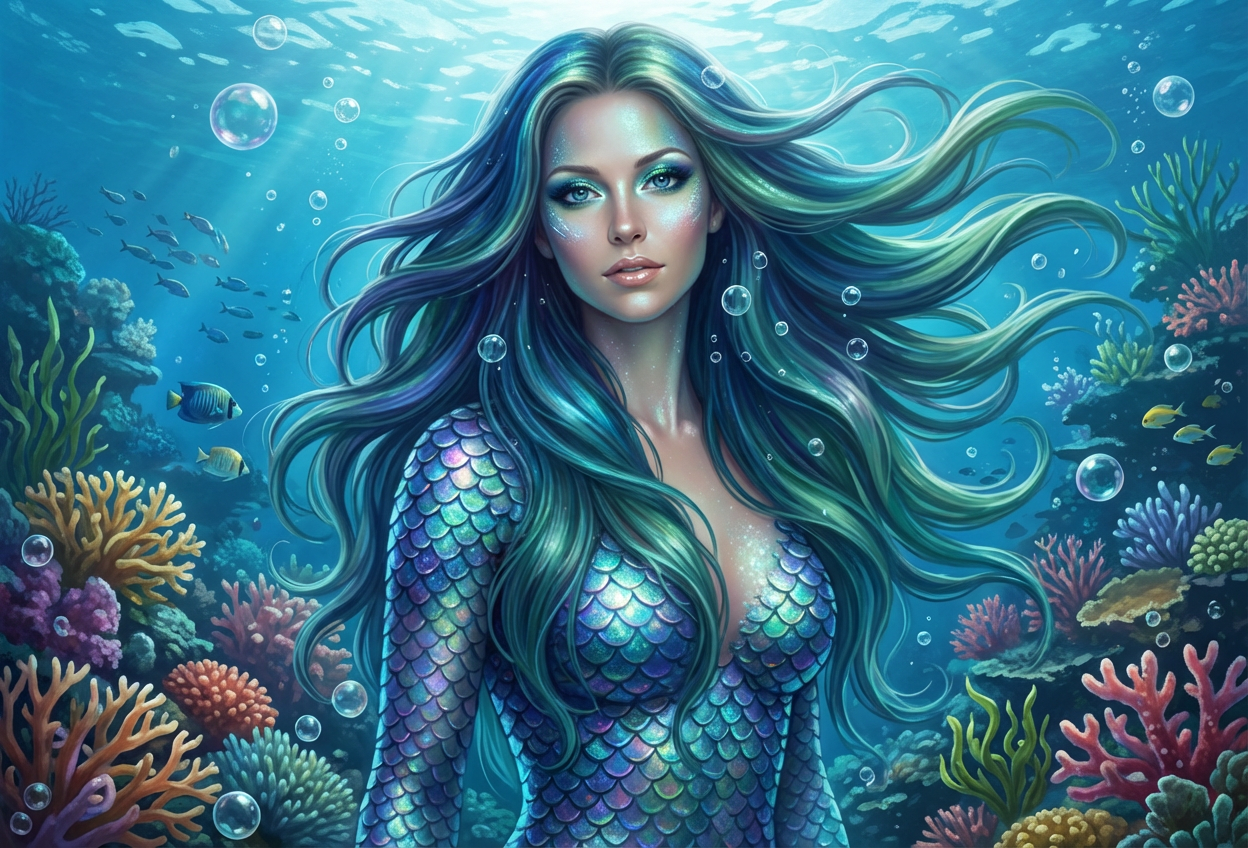
Compare the source image with each finished result.
Source image
Result
What Magica will ask for
The agent gathers these inputs and preferences in the conversation before it starts.
Upload Portrait Photo
attach a photo to apply the filter
Why Choose Our AI Mer-Person Filter?
Transform your photos into enchanting mer-person portraits with our advanced AI. Experience the magic and mystery of the ocean with just one click!
Authentic mermaid and merman transformations
Shimmering scales and ocean-inspired hair
Ethereal aquatic makeup and features
Beautiful underwater backgrounds
Maintains original photo quality
Instant transformation powered by AI
No editing skills required
Perfect for fantasy and ocean lovers
How Our Mer-Person Filter Works
Transform into a mythical ocean creature with these simple steps:
01
Attach Your Photo
Select a clear portrait photo where your face is clearly visible. Front-facing shots with good lighting work best!
02
Apply the Filter
ask Magica to generate the result and watch as our AI transforms you into a magical mer-person with shimmering scales and ocean features.
03
Download & Share
Preview your enchanting mer-person transformation and download your mystical underwater portrait.
Key Features of the AI Mer-Person Filter
Authentic Mer-Person Transformation
Creates magical underwater aesthetics with shimmering scales, ocean-colored hair, and mystical aquatic features.
Smart Feature Detection
Advanced AI accurately identifies and enhances facial features while adding ethereal mer-person characteristics.
Enchanting Details
Adds pearl accents, shell decorations, and bioluminescent elements for an authentic underwater fantasy look.
Underwater Backgrounds
Generates beautiful ocean scenes with coral reefs, bubbles, and mystical underwater lighting.
High-Resolution Output
Delivers high-quality transformations perfect for social media, profile pictures, and creative projects.
Magical Color Palette
Uses ocean-inspired colors including teals, blues, greens, and iridescent effects for enchanting results.
Who Can Benefit from the Mer-Person Filter?
Our AI Mer-Person Filter is perfect for anyone wanting to explore underwater fantasy or create unique ocean-themed content.
Social Media Enthusiasts
Create stunning mer-person profile pictures and posts that make a splash on your feeds.
Cosplayers & Fantasy Fans
Preview mermaid looks or enhance your ocean-themed costume photos with magical effects.
Content Creators
Generate unique mer-person content for YouTube, TikTok, Instagram, and other social platforms.
Ocean & Mythology Lovers
Bring your love of the sea and mythical creatures to life with enchanting transformations.
Artists & Designers
Generate reference images for mer-person artwork, character designs, or fantasy illustrations.
Event Organizers
Create themed promotional materials for ocean, beach, or fantasy-themed events and parties.
Tips for the Best Mer-Person Transformation
Tip 1
Use Clear, Well-Lit Photos
Ensure your face is clearly visible and well-lit for the best magical transformation results.
Tip 2
Front-Facing Portraits Work Best
Photos where you're looking directly at the camera provide the most accurate and enchanting mer-person transformations.
Tip 3
Higher Resolution is Better
Use high-quality photos to ensure the scales, aquatic features, and underwater details are crisp and beautiful.
Tip 4
Try Different Expressions
Experiment with serene, mysterious, or playful expressions to capture different mer-person vibes.
Tip 5
Natural Backgrounds Work Well
Photos with simple backgrounds allow the AI to create more detailed and immersive underwater scenes.
Frequently Asked Questions About Our Mer-Person Filter
How realistic is the mer-person transformation?
Our AI creates highly detailed mer-person transformations with authentic scales, ocean-colored hair, and enchanting aquatic features while maintaining your natural facial structure. The result is a magical blend that looks both fantastical and beautifully rendered.
Does it work on all types of photos?
The filter works best on clear, front-facing portrait photos with good lighting. While it can work on group photos or side profiles, we recommend individual front-facing portraits for the most enchanting results.
Can it transform both male and female subjects?
Yes! The AI adapts the mer-person features based on the subject, creating beautiful mermaid or merman appearances with appropriate aquatic characteristics for any gender.
What kind of underwater effects are added?
The filter adds shimmering iridescent scales, ocean-colored flowing hair (blues, greens, teals), pearl and shell accents, and creates an immersive underwater background with bubbles, coral reefs, and bioluminescent sea life.
Will the transformation look natural and magical?
Yes, our AI is trained to maintain your recognizable features while adding fantastical mer-person elements. The result is a balanced, enchanting blend that looks both magical and artistically beautiful.
What happens to my uploaded photos?
We prioritize user privacy. Your photos are used only for the transformation process and are not stored long-term or used for other purposes. The generated mer-person portrait is returned in the conversation for you to save.
Can I use the transformed image commercially?
The generated images are yours to use for personal projects, social media, and most creative purposes. For commercial use, please review our terms of service for specific guidelines.
How long does the transformation take?
The AI transformation typically takes just a few seconds to process. You'll see your magical mer-person portrait almost instantly after clicking 'Generate'.