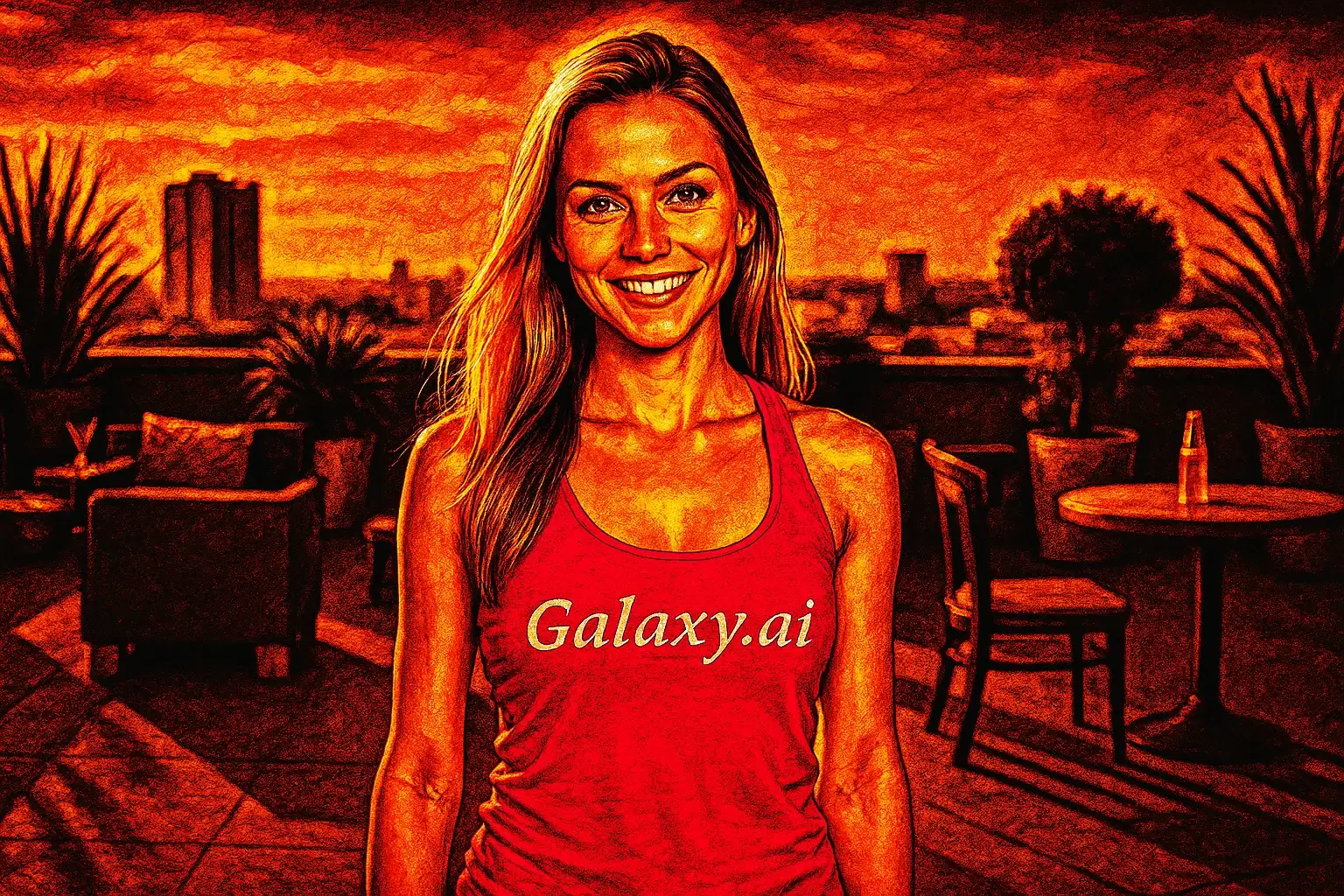
Compare the source image with each finished result.
Source image
Result
What Magica will ask for
The agent gathers these inputs and preferences in the conversation before it starts.
Upload Photos
attach a photo to apply the filter
Why Choose Our AI Mortal Kombat Filter?
Transform your photos into legendary Mortal Kombat warriors with our advanced AI. Experience the power and intensity of the iconic fighting game with just one click!
Authentic Mortal Kombat game art style
Dramatic combat-ready transformation
High-contrast cinematic lighting effects
Enhanced warrior features and intensity
Maintains original photo quality
Instant transformation powered by AI
No editing skills required
Perfect for gaming profiles and social media
How Our AI Mortal Kombat Filter Works
Transform into a legendary Mortal Kombat warrior in three simple steps:
01
Attach Your Photo
Select a clear photo where your face is clearly visible. Front-facing portraits with good lighting work best for the most dramatic transformation!
02
Apply the Filter
ask Magica to generate the result and watch as our AI transforms you into a fierce Mortal Kombat warrior with game-accurate styling and intensity.
03
Download & Share
Preview your warrior transformation and download your epic Mortal Kombat-style portrait to share with friends or use as your gaming profile picture.
Key Features of the AI Mortal Kombat Filter
Authentic Game Art Style
Creates the iconic Mortal Kombat visual aesthetic with dramatic lighting, intense expressions, and realistic yet stylized features that match the legendary fighting game series.
Warrior Transformation
Enhances your features with battle-ready intensity, adding warrior characteristics, enhanced definition, and combat-ready expressions while maintaining your likeness.
Cinematic Lighting
Applies dramatic high-contrast lighting effects that capture the epic, cinematic quality of Mortal Kombat character portraits.
High-Resolution Output
Generates high-quality images perfect for gaming profiles, social media posts, tournament posters, and fan content.
Smart Feature Enhancement
Our AI intelligently enhances facial features to match the Mortal Kombat style while preserving your unique characteristics.
Instant Processing
Get your Mortal Kombat transformation in seconds with our optimized AI processing technology.
Who Can Benefit from the Mortal Kombat Filter?
Our AI Mortal Kombat Filter is perfect for gamers, content creators, and fighting game fans who want to experience the legendary Mortal Kombat aesthetic.
Gamers & Fighting Game Fans
Create epic gaming profile pictures that showcase your love for Mortal Kombat and fighting games.
Social Media Enthusiasts
Stand out with unique Mortal Kombat-themed profile pictures and posts that capture attention.
Content Creators & Streamers
Generate eye-catching Mortal Kombat-style content for YouTube, Twitch, TikTok, and other platforms.
Esports Players
Create professional-looking warrior portraits for tournament profiles and team rosters.
Cosplayers
Visualize Mortal Kombat character concepts or enhance your cosplay photos with authentic game styling.
Fan Artists & Designers
Generate reference images for Mortal Kombat-themed artwork, designs, and fan creations.
Tips for the Best Mortal Kombat Transformation
Tip 1
Use Clear, Well-Lit Photos
Ensure your photo has good lighting and your face is clearly visible for the best warrior transformation results.
Tip 2
Front-Facing Portraits Work Best
Photos where you're looking directly at the camera provide the most dramatic and accurate Mortal Kombat-style transformations.
Tip 3
Try a Serious Expression
A serious, intense, or neutral expression helps achieve that authentic battle-ready Mortal Kombat warrior look.
Tip 4
Higher Resolution is Better
Use high-quality photos to ensure the dramatic lighting effects and warrior details are crisp and striking.
Tip 5
Experiment with Different Angles
While front-facing works best, slight angle variations can create unique warrior interpretations reminiscent of different Mortal Kombat characters.
Frequently Asked Questions About Our Mortal Kombat Filter
How accurate is the Mortal Kombat style transformation?
Our AI creates highly authentic Mortal Kombat-style transformations by analyzing the iconic visual aesthetic of the game series, including the dramatic lighting, realistic yet stylized features, and intense warrior characteristics that define Mortal Kombat character portraits.
What types of photos work best?
The filter works best on clear, front-facing portrait photos with good lighting. While it can work on various photo types, we recommend well-lit portraits where your face is clearly visible for the most dramatic and accurate warrior transformation.
Will my transformation look like a specific character?
The filter applies the general Mortal Kombat art style and warrior aesthetic rather than transforming you into a specific character. It maintains your unique features while adding the dramatic intensity, lighting, and styling characteristic of Mortal Kombat warriors.
Can I use this for gaming profiles and content?
Absolutely! The high-quality output is perfect for gaming profiles, social media, streaming platforms, tournament posters, and fan content. Many users create these transformations specifically for their gaming personas.
Is my photo safe to upload?
We prioritize user privacy. Your photos are used only for the transformation process and are not stored long-term or used for other purposes. The generated Mortal Kombat portrait is returned in the conversation for you to save.
Does it work for both male and female subjects?
Yes! The AI adapts the Mortal Kombat warrior aesthetic for any subject, creating appropriate warrior transformations regardless of gender while maintaining the iconic game art style.
How long does the transformation take?
The transformation is typically completed in seconds thanks to our optimized AI processing. You'll see your Mortal Kombat warrior portrait almost instantly after clicking Generate.
Can I adjust the intensity of the effect?
The filter applies a balanced transformation designed to capture the authentic Mortal Kombat aesthetic. For best results, use clear photos with good lighting, and the AI will automatically optimize the warrior intensity and dramatic effects.