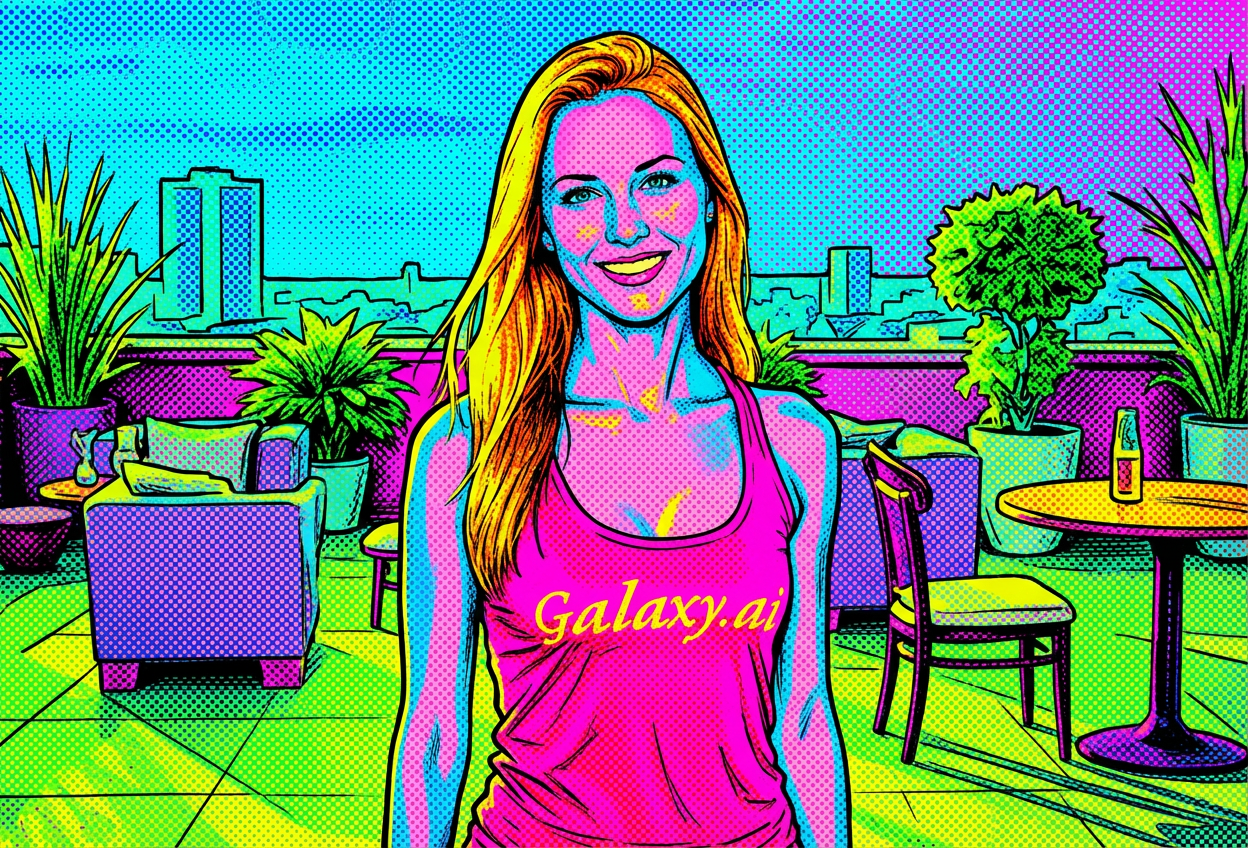
Compare the source image with each finished result.
Source image
Result
What Magica will ask for
The agent gathers these inputs and preferences in the conversation before it starts.
Upload Photos
attach a photo to apply the filter
Why Choose Our AI Neon Pop Art Filter?
Transform your photos into vibrant neon pop art masterpieces with our advanced AI. Create eye-catching, retro-modern artwork that combines Andy Warhol aesthetics with contemporary neon trends!
Authentic neon pop art transformation
Bold black comic book outlines
Classic halftone dot patterns
Vibrant fluorescent color palette
High-contrast graphic style
Instant AI-powered results
Perfect for social media content
How Our Neon Pop Art Filter Works
Transform your photos into bold neon pop art with these simple steps:
01
Attach Your Photo
Select a clear photo with good contrast. Portrait photos or images with distinct subjects work best for the pop art transformation!
02
Apply the Filter
ask Magica to generate the result and watch as our AI transforms your photo into a vibrant neon pop art masterpiece with bold outlines and halftone dots.
03
Download & Share
Preview your neon pop art creation and download your new artwork, ready to share on social media or print.
Key Features of the AI Neon Pop Art Filter
Vibrant Neon Colors
Creates stunning artwork with bright fluorescent colors and high-contrast neon palettes that pop off the screen.
Comic Book Outlines
Applies authentic bold black outlines and graphic elements reminiscent of classic comic book art.
Halftone Dot Patterns
Incorporates classic halftone dots and Ben-Day dots for an authentic vintage pop art aesthetic.
Andy Warhol Style
Captures the iconic pop art aesthetic pioneered by Andy Warhol with modern neon enhancements.
High-Resolution Output
Generates high-quality images perfect for social media, prints, and digital artwork collections.
Instant Transformation
AI-powered processing delivers professional pop art results in seconds, no manual editing required.
Who Can Benefit from the Neon Pop Art Filter?
Our AI Neon Pop Art Filter is perfect for anyone wanting to create bold, eye-catching artwork with a retro-modern aesthetic.
Social Media Influencers
Create standout profile pictures and posts with vibrant neon pop art that captures attention and increases engagement.
Content Creators
Generate unique neon pop art thumbnails and graphics for YouTube, TikTok, and Instagram content.
Digital Artists
Explore pop art aesthetics and create reference images or base artwork for further creative projects.
Marketing Professionals
Design eye-catching promotional materials and advertisements with bold neon pop art visuals.
Photography Enthusiasts
Transform ordinary photos into extraordinary pop art pieces perfect for portfolios and exhibitions.
Retro Art Fans
Celebrate 1960s pop art culture with modern neon aesthetics for personal collections and gifts.
Tips for the Best Neon Pop Art Effect
Tip 1
Use High-Contrast Photos
Photos with clear subjects and good contrast between light and dark areas produce the most striking pop art transformations.
Tip 2
Portrait Photos Work Best
Close-up portraits and headshots create the most impactful neon pop art images with bold outlines and vibrant colors.
Tip 3
Clear, Well-Defined Subjects
Images with distinct, well-defined subjects allow the AI to create cleaner outlines and more effective halftone patterns.
Tip 4
Experiment with Different Photos
Try various photo types - portraits, objects, pets, or landscapes - to discover unique neon pop art effects.
Tip 5
Consider Your Background
Simple or solid backgrounds help the neon pop art effect stand out, creating a cleaner, more focused result.
Frequently Asked Questions About Our Neon Pop Art Filter
What is neon pop art style?
Neon pop art combines the classic 1960s pop art aesthetic (bold outlines, halftone dots, comic book style) with modern vibrant neon colors. It creates eye-catching artwork inspired by Andy Warhol and Roy Lichtenstein, enhanced with contemporary fluorescent color palettes.
What types of photos work best with this filter?
The filter works best on clear photos with good contrast and well-defined subjects. Portrait photos, headshots, and images with distinct foreground subjects produce the most striking results. High-resolution photos will yield better detail in the halftone patterns.
Can I use the neon pop art images commercially?
You can use the generated neon pop art images for personal and commercial projects, subject to our terms of service. The images are perfect for social media, marketing materials, prints, and digital artwork.
How realistic are the halftone dots?
Our AI creates authentic halftone dot patterns similar to classic Ben-Day dots used in vintage comic books and pop art. The effect balances vintage authenticity with modern digital clarity for the best visual impact.
Will my photo still be recognizable?
Yes! While the neon pop art filter dramatically transforms your image with bold colors and graphic elements, the AI maintains the recognizable features and composition of your original photo.
Can I adjust the intensity of the neon colors?
The filter applies a standardized neon pop art transformation optimized for the best visual impact. The AI automatically balances vibrant neon colors with comic book outlines for authentic pop art results.
Is my uploaded photo safe and private?
We prioritize user privacy. Your photos are used only for the transformation process and are not stored long-term or used for other purposes. The generated neon pop art image is returned in the conversation for you to save.
How is this different from regular pop art filters?
Our neon pop art filter combines classic pop art techniques (halftone dots, bold outlines) with modern vibrant neon colors, creating a unique retro-futuristic aesthetic that stands out on social media and digital platforms.