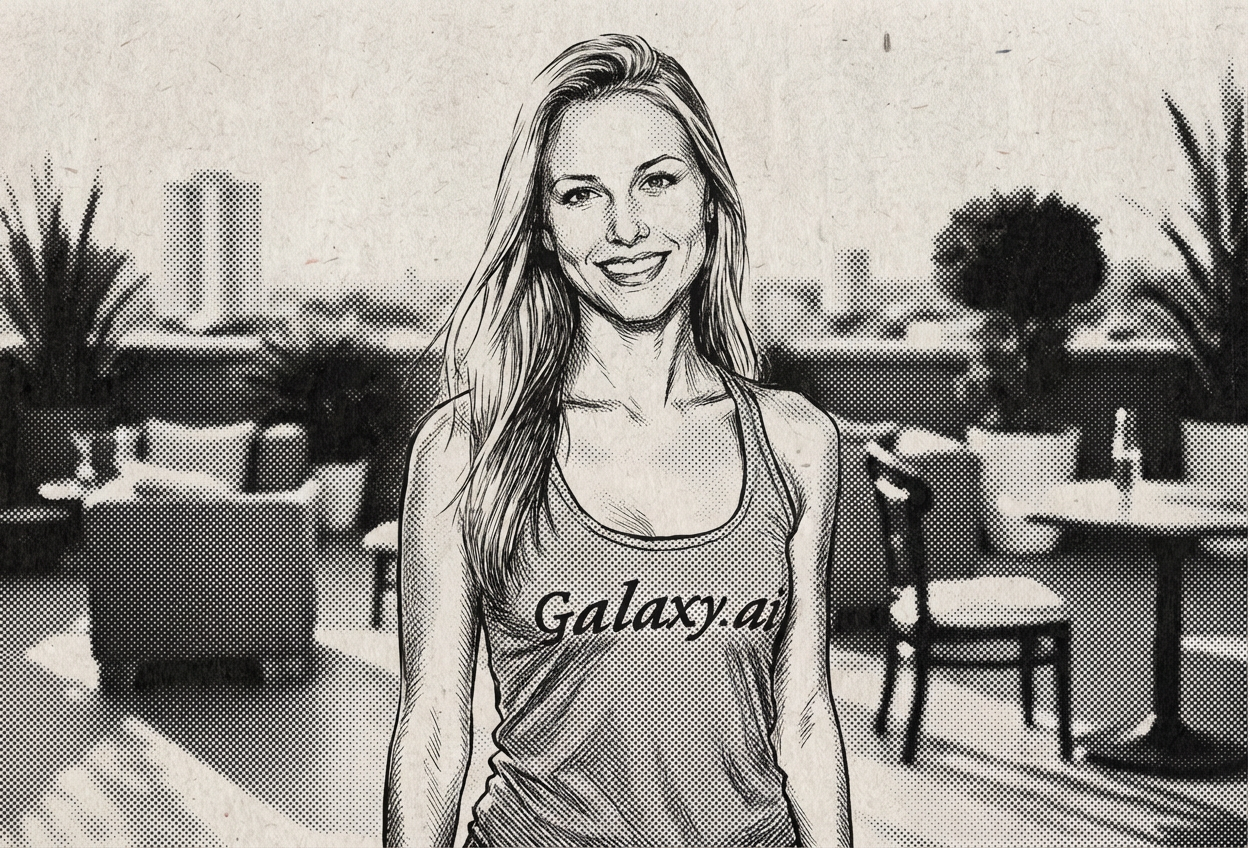
Compare the source image with each finished result.
Source image
Result
What Magica will ask for
The agent gathers these inputs and preferences in the conversation before it starts.
Upload Photo
attach a photo to apply the filter
Why Choose Our AI Newspaper Sketch Filter?
Transform your photos into timeless newspaper illustration sketches with our advanced AI. Experience the classic editorial aesthetic of vintage print media with just one click!
Authentic vintage newspaper illustration style
Detailed crosshatch shading and pen strokes
Classic halftone dot patterns
Maintains facial features and expressions
Instant transformation powered by AI
No artistic skills required
Perfect for vintage and retro aesthetics
How Our Newspaper Sketch Filter Works
Transform your photos into vintage newspaper sketches with these simple steps:
01
Attach Your Photo
Select a clear portrait photo where your face is clearly visible. Well-lit, front-facing photos work best!
02
Apply the Filter
ask Magica to generate the result and watch as our AI transforms your photo into a classic newspaper illustration sketch.
03
Download & Share
Preview your vintage newspaper sketch and download your artistic portrait.
Key Features of the AI Newspaper Sketch Filter
Authentic Newspaper Style
Creates genuine vintage newspaper illustration aesthetics with classic crosshatch shading and ink drawing techniques.
Detailed Pen & Ink Rendering
Advanced AI accurately converts photos into intricate pen and ink sketches with authentic linework and shading.
Halftone Dot Pattern
Applies classic halftone printing effects for that authentic vintage newspaper texture.
Feature Preservation
Maintains facial features and expressions while applying the vintage sketch transformation.
High-Quality Output
Generates high-resolution sketch illustrations perfect for printing or digital use.
Timeless Aesthetic
Creates classic, timeless portraits with historical editorial charm and artistic appeal.
Who Can Benefit from the Newspaper Sketch Filter?
Our AI Newspaper Sketch Filter is perfect for anyone wanting to create vintage, artistic portraits with classic editorial style.
Social Media Enthusiasts
Create unique vintage-style profile pictures and posts that stand out with classic charm.
Photographers
Add artistic vintage newspaper sketch effects to portrait photography for clients.
Content Creators
Generate unique vintage-themed content for blogs, articles, and social media platforms.
Authors & Publishers
Create editorial-style portraits for author bios, book covers, and historical publications.
Graphic Designers
Generate vintage newspaper sketch artwork for design projects and retro-themed campaigns.
History Enthusiasts
Create period-appropriate vintage portraits for historical projects and recreations.
Tips for the Best Newspaper Sketch Effect
Tip 1
Use Clear, Well-Lit Photos
Ensure your photo has good lighting and clear facial features for the best sketch transformation.
Tip 2
Front-Facing Portraits Work Best
Photos where you're looking directly at the camera provide the most authentic newspaper illustration results.
Tip 3
Higher Resolution is Better
Use high-quality photos to ensure the crosshatch details and halftone patterns are crisp and clear.
Tip 4
Neutral Backgrounds Enhance the Effect
Simple backgrounds help the newspaper sketch style focus on the subject, creating a more classic editorial look.
Tip 5
Consider Classic Poses
Traditional portrait poses and expressions enhance the vintage newspaper aesthetic.
Frequently Asked Questions About Our Newspaper Sketch Filter
How realistic is the newspaper sketch effect?
Our AI creates highly authentic vintage newspaper illustration sketches by applying genuine crosshatch shading, halftone dot patterns, and pen and ink techniques while maintaining your facial features. The result is a believable vintage editorial portrait.
Does it work on all types of photos?
The filter works best on clear, front-facing portrait photos with good lighting. While it can work on group photos, we recommend individual portraits for the most authentic newspaper sketch effect.
Will my photo still be recognizable?
Yes! Our AI maintains your key facial features and expressions while applying the vintage newspaper sketch style. The result is an artistic transformation that preserves your identity with classic editorial charm.
What makes this different from other sketch filters?
Our newspaper sketch filter specifically recreates the authentic vintage editorial illustration style found in classic newspapers and periodicals, with characteristic crosshatch shading, halftone dots, and ink drawing techniques that were used by newspaper illustrators.
Can I use the sketches for commercial purposes?
The generated newspaper sketches can be used for personal and commercial projects. They're perfect for author bios, editorial content, vintage-themed marketing materials, and artistic portraits.
Is my photo safe to upload?
We prioritize user privacy. Your photos are used only for the transformation process and are not stored long-term or used for other purposes. The generated newspaper sketch is returned in the conversation for you to save.