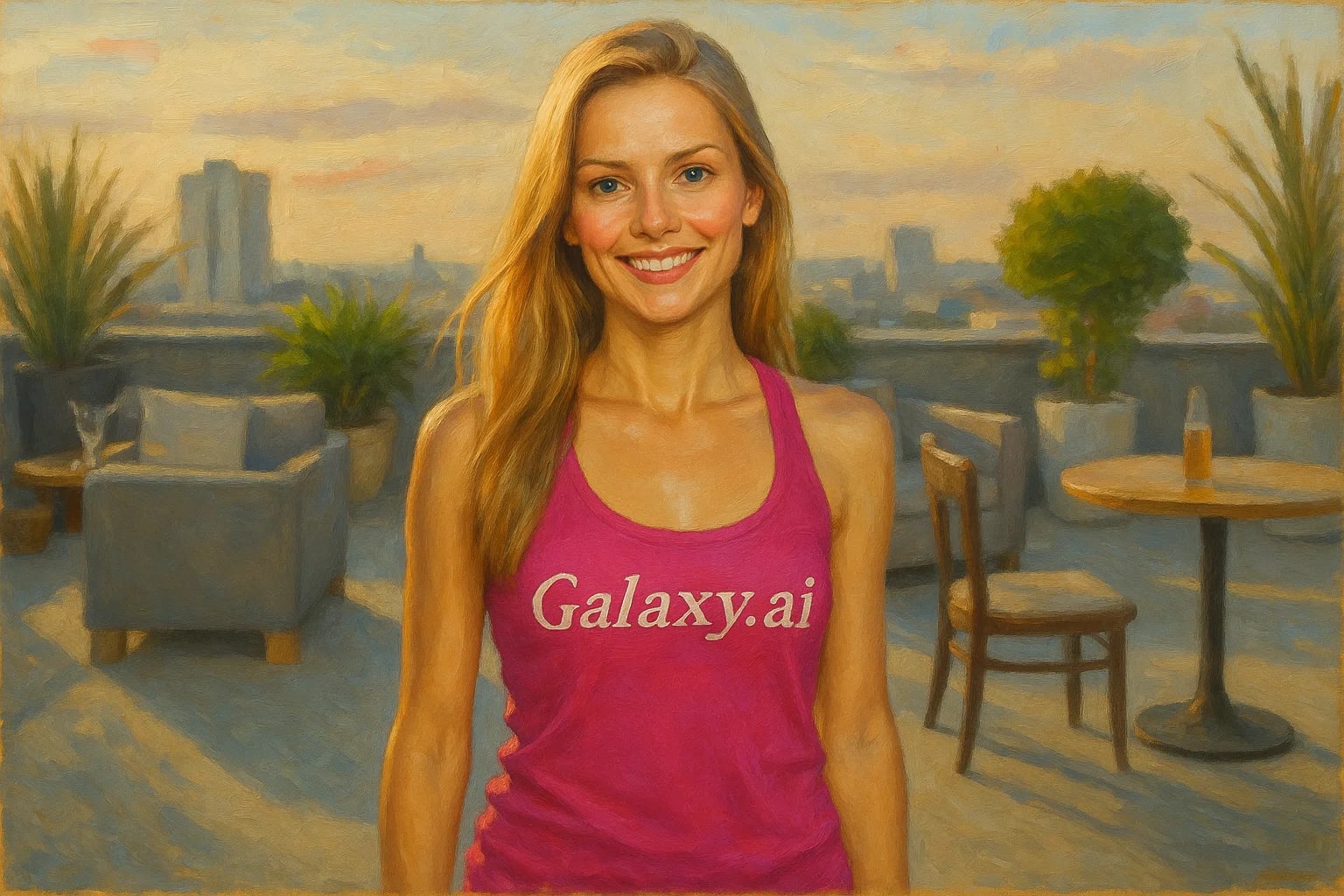
Compare the source image with each finished result.
Source image
Result
What Magica will ask for
The agent gathers these inputs and preferences in the conversation before it starts.
Upload Photos
attach a photo to apply the filter
Why Choose Our AI Oil Painting Filter?
Transform your photos into stunning oil paintings with our advanced AI. Create museum-worthy art from any image in seconds!
Realistic oil painting texture and brushstrokes
Preserves original composition and colors
Maintains artistic integrity of the image
One-click transformation process
Instant results powered by AI
No artistic skills required
Perfect for creating wall art and decorative pieces
How Our Oil Painting Filter Works
Creating beautiful oil painting effects from your photos is simple:
01
Attach Your Photo
Select any photo you'd like to transform into an oil painting.
02
Apply the Filter
ask Magica to generate the result and watch as our AI transforms your photo with realistic brushstrokes and textures.
03
Download & Share
Preview your artistic masterpiece and download the high-resolution painting.
Key Features of the AI Oil Painting Filter
Authentic Brushstrokes
Creates realistic oil painting textures with visible brushstrokes that mimic traditional painting techniques.
Color Preservation
Maintains the rich colors of your original photo while adding artistic depth and texture.
Composition Balance
Preserves the key elements and composition of your photo while adding artistic flair.
Artistic Detail
Adds subtle artistic elements like texture variations and paint thickness effects.
Who Can Benefit from the Oil Painting Filter?
Our AI Oil Painting Filter is perfect for anyone looking to transform their photos into artistic masterpieces.
Interior Decorators
Create custom artwork from photos for client spaces and design projects.
Photographers
Offer artistic variations of photos to clients or create unique mixed-media pieces.
Home Decorators
Transform personal photos into beautiful wall art for your home.
Artists
Generate artistic references or create base layers for mixed-media artwork.
Social Media Content Creators
Create unique, artistic content for your social media platforms.
Gift Makers
Turn cherished photos into personalized painted artwork for special occasions.
Tips for the Best Oil Painting Results
Tip 1
Choose High-Contrast Images
Photos with good contrast and clear subjects tend to create more striking oil painting effects.
Tip 2
Consider the Composition
Images with strong compositional elements like landscapes or portraits work particularly well.
Tip 3
Use High-Quality Photos
Better quality input photos result in more detailed and refined painting effects.
Tip 4
Think About Colors
Photos with rich, vibrant colors often produce more dramatic and appealing results.
Frequently Asked Questions About Our Oil Painting Filter
How realistic is the oil painting effect?
Our AI creates highly realistic oil painting effects with authentic-looking brushstrokes, textures, and color blending that mimics traditional oil painting techniques.
What types of photos work best with this filter?
While the filter works on any photo, images with good lighting, clear subjects, and strong composition tend to produce the most striking results. Landscapes, portraits, and still life photos work particularly well.
Can I adjust the intensity of the painting effect?
Currently, the filter applies an optimized oil painting effect that balances realism with artistic style. Each transformation is uniquely generated based on your specific image.
What resolution will my output image be?
The tool maintains the resolution of your original upload while adding the oil painting effect. We recommend using high-quality input images for the best results.
Is my photo data safe?
Yes, we take privacy seriously. Your photos are only used for the filtering process and are not stored long-term or used for other purposes. The generated painting is available for you to download immediately.