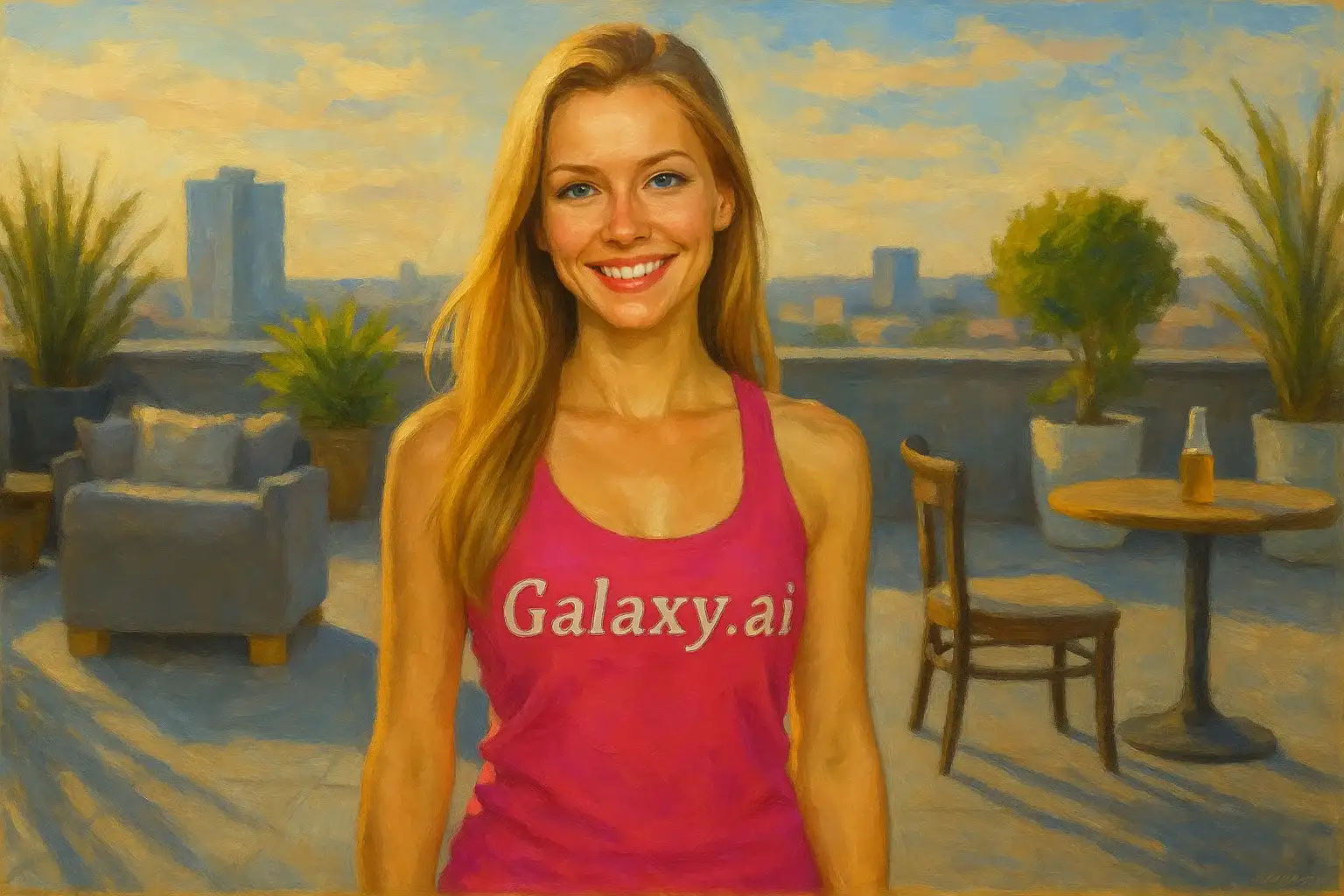
Compare the source image with each finished result.
Source image
Result
What Magica will ask for
The agent gathers these inputs and preferences in the conversation before it starts.
Upload Photos
attach a photo to apply the filter
Why Choose Our AI Painting Filter?
Transform your photos into stunning artistic paintings with our advanced AI. Experience the beauty of traditional painting techniques with just one click!
Authentic painting aesthetics with brushstroke textures
Rich, vibrant color palettes
Professional artistic interpretation
Maintains subject composition and features
Instant transformation powered by AI
No artistic skills required
Perfect for creating unique wall art and gifts
How Our Painting Filter Works
Transform your photos into artistic paintings with these simple steps:
01
Attach Your Photo
Select any photo you want to transform. Portraits, landscapes, and still life photos all work beautifully!
02
Apply the Filter
ask Magica to generate the result and watch as our AI transforms your photo into a stunning painted artwork.
03
Download & Share
Preview your artistic painting and download your masterpiece.
Key Features of the AI Painting Filter
Authentic Brushstroke Textures
Creates realistic painting effects with visible brushstrokes and artistic texture that mimics traditional painting techniques.
Rich Color Enhancement
Enhances colors with artistic interpretation, creating vibrant and harmonious palettes typical of painted artworks.
Smart Composition Preservation
Maintains the subject and composition of your original photo while applying artistic painting effects.
Multiple Painting Styles
AI intelligently applies various painting techniques including oil painting, acrylic, and impressionist styles.
High-Resolution Artwork
Generates high-quality painted images perfect for printing, framing, and professional display.
Instant Transformation
Get your artistic painting in seconds without any manual editing or artistic expertise required.
Who Can Benefit from the Painting Filter?
Our AI Painting Filter is perfect for anyone who wants to transform photos into beautiful artistic paintings.
Photography Enthusiasts
Turn your favorite photos into unique artistic interpretations perfect for display and portfolios.
Home Decorators
Create custom painted artwork from personal photos for unique wall decorations and interior design.
Gift Creators
Transform cherished memories into artistic paintings for meaningful and personalized gifts.
Artists & Designers
Use as reference material or create artistic variations of photos for creative projects.
Social Media Creators
Create eye-catching painted artwork for Instagram, Pinterest, and other visual platforms.
Business Owners
Generate artistic imagery for marketing materials, websites, and professional branding.
Tips for the Best Painting Effect
Tip 1
Use High-Quality Photos
Start with clear, well-composed photos to ensure the painted result has good detail and composition.
Tip 2
Choose Photos with Good Lighting
Photos with interesting lighting and shadows create more dynamic and visually appealing paintings.
Tip 3
Consider Color and Contrast
Images with good color variety and contrast translate beautifully into painted artwork with rich visual depth.
Tip 4
Try Different Photo Types
Experiment with portraits, landscapes, architecture, and still life photos - each creates unique painted effects.
Tip 5
Think About Final Use
Consider where you'll display the artwork - portraits work great for gifts, landscapes for wall art.
Frequently Asked Questions About Our Painting Filter
What painting styles does the filter create?
Our AI Painting Filter creates authentic painting effects inspired by oil painting, acrylic, and impressionist techniques. The filter intelligently applies brushstroke textures, color enhancement, and artistic interpretation to create paintings that look hand-crafted by skilled artists.
What types of photos work best?
The filter works beautifully on all types of photos including portraits, landscapes, architecture, pets, and still life. For best results, use clear photos with good lighting and composition. High-quality images with interesting subjects and color variety produce the most striking painted effects.
Will the painting still look like my original photo?
Yes! The AI maintains the key composition, subject matter, and recognizable features of your original photo while transforming it into an artistic painting. The result is a beautiful balance between artistic interpretation and faithful representation of your image.
Can I print the painted images?
Absolutely! The filter generates high-resolution painted artwork that's perfect for printing. You can create canvas prints, framed wall art, greeting cards, or any other printed materials. The painterly texture and colors look stunning when printed.
Is my photo safe to upload?
We prioritize user privacy and security. Your photos are used only for the painting transformation process and are not stored long-term or used for other purposes. The generated artwork is returned in the conversation for you to save and remains private to you.
How is this different from painting apps?
Unlike simple filter apps, our AI Painting Filter uses advanced artificial intelligence to create authentic artistic interpretations with realistic brushstrokes, color theory application, and professional painting techniques. The results are more sophisticated and artistic than basic photo filters.