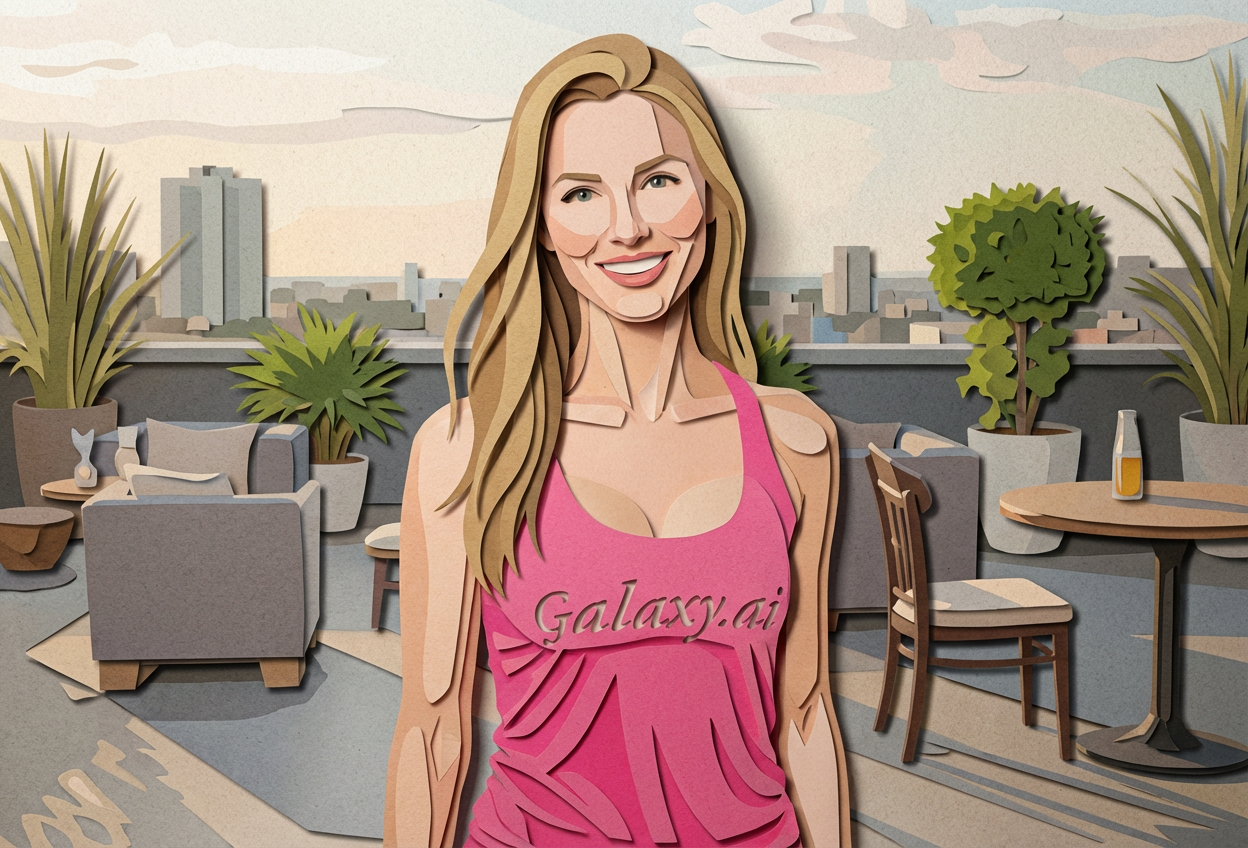
Compare the source image with each finished result.
Source image
Result
What Magica will ask for
The agent gathers these inputs and preferences in the conversation before it starts.
Attach Your Photo
attach a photo to apply the paper cutout filter
Why Choose Our AI Paper Cutout Filter?
Transform your photos into beautiful layered paper craft artwork with our advanced AI. Experience the distinctive handmade aesthetic that stands out from digital filters and appeals to craft enthusiasts!
Authentic layered paper craft appearance
Dimensional shadows for realistic depth
Textured paper surface effects
Clean geometric shapes and edges
Maintains photo recognition and quality
Instant transformation powered by AI
No crafting skills required
Perfect for artistic social media posts
How Our Paper Cutout Filter Works
Transform your photos into paper craft art with these simple steps:
01
Attach Your Photo
Select a clear photo with good contrast and distinct subjects. Photos with defined edges and shapes work best for the paper cutout effect!
02
Apply the Filter
ask Magica to generate the result and watch as our AI transforms your photo into layered paper craft artwork with dimensional shadows.
03
Download & Share
Preview your paper cutout art and download your unique handmade-style creation.
Key Features of the AI Paper Cutout Filter
Layered Depth Effect
Creates authentic multi-layer paper craft appearance with realistic dimensional shadows and depth.
Clean Geometric Shapes
Transforms elements into crisp, clean shapes that mimic precision paper cutting techniques.
Textured Paper Appearance
Applies realistic paper texture that enhances the handmade craft aesthetic of your image.
Smart Edge Detection
Advanced AI identifies important edges and contours to create believable paper cutout layers.
High-Quality Output
Generates high-resolution paper craft images perfect for printing or digital sharing.
One-Click Transformation
Instantly convert any photo into paper cutout art without manual editing or crafting skills.
Who Can Benefit from the Paper Cutout Filter?
Our AI Paper Cutout Filter is perfect for anyone wanting to create unique paper craft aesthetic imagery without the time and skill required for manual paper cutting.
Social Media Enthusiasts
Create distinctive paper craft-style profile pictures and posts that stand out with artistic flair.
Content Creators
Generate unique paper cutout art content for Instagram, Pinterest, and other visual platforms.
Craft Enthusiasts
Explore paper craft aesthetics digitally and create inspiration for physical craft projects.
Designers & Artists
Generate paper cutout style references and mockups for design projects and client presentations.
Marketing Professionals
Create eye-catching paper craft-style visuals for campaigns, ads, and promotional materials.
Personal Projects
Transform family photos and memories into unique paper craft artwork for gifts and decorations.
Tips for the Best Paper Cutout Effect
Tip 1
Use Photos with Good Contrast
Images with clear contrast between subjects and backgrounds produce the most distinct paper layers and shadows.
Tip 2
Choose Photos with Defined Edges
Photos with clear shapes and edges convert better into paper cutout style, creating cleaner layer separation.
Tip 3
Higher Resolution for Better Detail
Use high-quality photos to ensure the textured paper appearance and layered effects are crisp and detailed.
Tip 4
Simple Compositions Work Best
Photos with clear focal points and simpler compositions translate more effectively into the paper craft aesthetic.
Tip 5
Experiment with Different Photo Types
Try portraits, landscapes, and objects - each creates unique paper cutout effects with different layering characteristics.
Frequently Asked Questions About Our Paper Cutout Filter
How realistic is the paper cutout effect?
Our AI creates highly convincing paper craft aesthetics by simulating layered paper depth, textured surfaces, and dimensional shadows. The result mimics authentic handmade paper cutout art while maintaining the recognizability of your original photo.
What types of photos work best with this filter?
The filter works best on photos with good contrast, clear edges, and defined subjects. Portraits, nature scenes, and simple objects all produce excellent results. Photos with very busy backgrounds or extremely fine details may have less distinct paper layers.
Can I use this for commercial projects?
Yes! The paper cutout images you create can be used for personal and commercial projects, including social media marketing, design presentations, and printed materials. The unique handmade aesthetic is perfect for standing out in advertising.
Will the photo still be recognizable?
Absolutely! Our AI maintains the essential features and composition of your original photo while applying the paper craft styling. The result is an artistic transformation that keeps your subject clearly identifiable.
How does this differ from other artistic filters?
The Paper Cutout Filter creates a distinctive handmade paper craft aesthetic with dimensional layering and shadows that's different from digital painting or cartoon effects. It offers a unique tactile, crafted appearance that appeals to craft enthusiasts and stands out from typical digital filters.
Is my photo safe and private?
We prioritize user privacy. Your photos are used only for the transformation process and are not stored long-term or used for other purposes. The generated paper cutout artwork is returned in the conversation for you to save.
Can I adjust the intensity of the effect?
The filter applies a standard paper cutout transformation optimized for the best results. For most photos, this creates an ideal balance of paper craft aesthetics while maintaining photo quality and recognizability.
What resolution are the output images?
The filter generates high-quality output images suitable for both digital sharing and printing. The exact resolution depends on your input image, but the AI maintains quality throughout the transformation process.