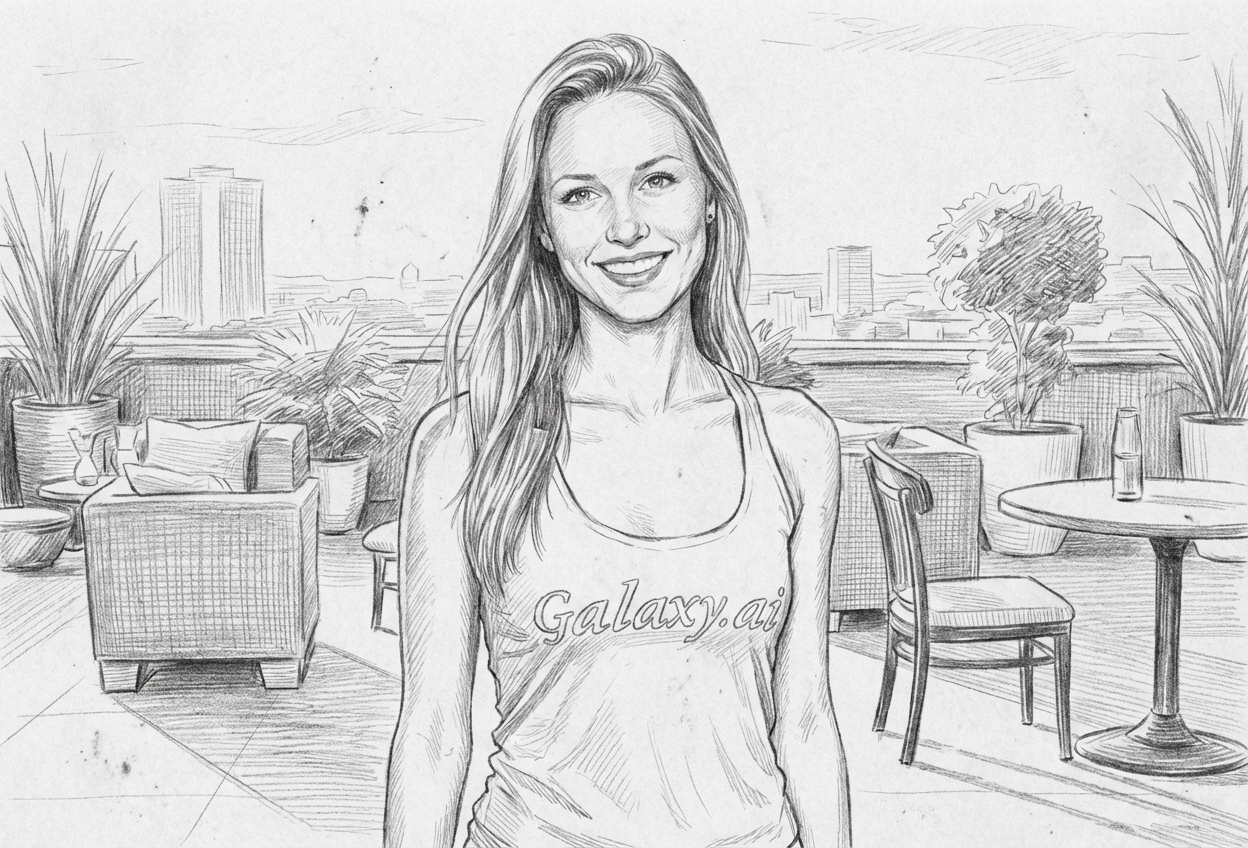
Compare the source image with each finished result.
Source image
Result
What Magica will ask for
The agent gathers these inputs and preferences in the conversation before it starts.
Upload Photo
attach a photo to apply the pencil sketch filter
Why Choose Our AI Pencil Sketch Filter?
Transform your photos into classic pencil sketch artwork with our advanced AI. Experience the timeless beauty of hand-drawn graphite art with just one click!
Authentic graphite pencil drawing effect
Realistic crosshatch shading technique
Natural paper grain texture
Preserves key details and proportions
Hand-drawn artistic appearance
Instant transformation powered by AI
Perfect for artistic portfolio presentations
How Our Pencil Sketch Filter Works
Transform your photos into beautiful pencil sketches with these simple steps:
01
Attach Your Photo
Select a clear photo with good contrast. Portraits and well-defined subjects work best for pencil sketch conversion!
02
Apply the Filter
ask Magica to generate the result and watch as our AI transforms your photo into a detailed graphite pencil drawing with crosshatch shading.
03
Download & Share
Preview your pencil sketch artwork and download your artistic creation.
Key Features of the AI Pencil Sketch Filter
Authentic Pencil Drawing Effect
Creates genuine graphite pencil sketch aesthetics with characteristic line work and shading techniques.
Smart Detail Recognition
Advanced AI accurately identifies key features and edges to create compelling sketch outlines and shading.
Crosshatch Shading
Applies realistic crosshatch shading patterns typical of professional pencil drawings.
Paper Grain Texture
Adds natural paper grain texture for an authentic hand-drawn appearance on sketch paper.
High-Resolution Output
Generates high-quality pencil sketch images perfect for printing and portfolio presentations.
Who Can Benefit from the Pencil Sketch Filter?
Our AI Pencil Sketch Filter is perfect for anyone wanting to create artistic pencil drawing effects or explore classic sketch aesthetics.
Artists & Designers
Create reference sketches or explore pencil drawing styles for your artistic portfolio.
Photographers
Transform your photographs into timeless pencil sketch artwork for unique presentations.
Social Media Creators
Generate unique pencil sketch content that stands out on Instagram, Pinterest, and other platforms.
Art Students
Study pencil sketch techniques and create artistic references for learning traditional drawing methods.
Gift Makers
Create personalized pencil sketch portraits as unique and thoughtful gifts for loved ones.
Content Marketers
Generate artistic pencil sketch visuals for blog posts, presentations, and marketing materials.
Tips for the Best Pencil Sketch Effect
Tip 1
Use High-Contrast Photos
Photos with good contrast between light and dark areas produce more dramatic and detailed pencil sketches.
Tip 2
Clear Subject Definition
Images with well-defined subjects and clear edges translate better into pencil sketch line work.
Tip 3
Good Lighting is Essential
Well-lit photos with natural shadows help the AI create more realistic crosshatch shading patterns.
Tip 4
Portrait Photos Work Exceptionally Well
Portrait photographs with clear facial features create stunning pencil sketch portraits reminiscent of classical drawings.
Tip 5
Higher Resolution for Fine Details
Use high-quality images to ensure fine pencil sketch details and textures are crisp and visible.
Frequently Asked Questions About Our Pencil Sketch Filter
How realistic is the pencil sketch effect?
Our AI creates highly realistic pencil sketch transformations with authentic graphite pencil aesthetics, including crosshatch shading, sketch lines, and paper grain texture. The result closely resembles traditional hand-drawn pencil artwork.
What types of photos work best?
The filter works best on photos with good contrast and well-defined subjects. Portraits, landscape photos, and images with clear details produce excellent pencil sketch results. While it can work on any photo, we recommend well-lit images with distinct features for the best artistic effect.
Can I use this for professional artwork?
Absolutely! The high-resolution pencil sketch output is perfect for artistic portfolios, gallery presentations, professional prints, and commercial projects. Many artists use it as a reference or as finished artwork.
Does it look hand-drawn or computer-generated?
Our AI is specifically trained to replicate authentic hand-drawn pencil sketch characteristics, including natural line variation, crosshatch shading patterns, and paper texture. The result appears genuinely hand-drawn rather than computer-generated.
Will fine details be preserved?
Yes, our AI intelligently preserves important details while converting them into pencil sketch line work. Key features, edges, and defining characteristics are maintained and translated into appropriate pencil sketch elements.
Is my photo safe to upload?
We prioritize user privacy. Your photos are used only for the pencil sketch transformation process and are not stored long-term or used for other purposes. The generated sketch artwork is returned in the conversation for you to save.
Can I adjust the sketch intensity?
The filter applies a balanced pencil sketch effect optimized for most photos. For the best results, we recommend starting with photos that have the contrast and lighting characteristics you want reflected in the final sketch.