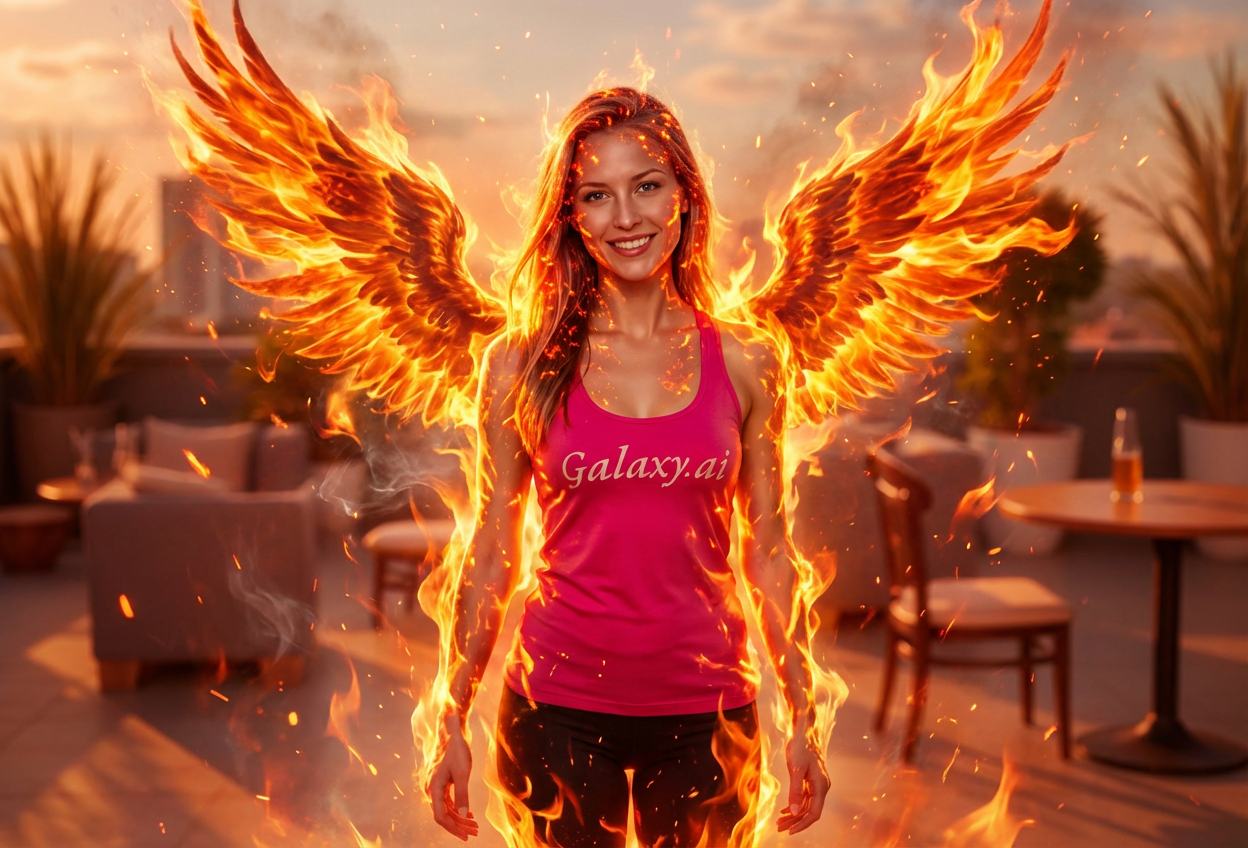
Enhances your features with glowing ember effects, creating a supernatural and powerful appearance.
Rebirth Symbolism
Captures the essence of phoenix mythology with transformative visual elements representing renewal and power.
Feature Preservation
Maintains your natural facial features while adding mythical phoenix characteristics seamlessly.
High-Resolution Output
Generates high-quality images perfect for social media, avatars, and fantasy content.
Who Can Benefit from the Phoenix Fire Filter?
Our AI Phoenix Fire Filter is perfect for anyone seeking empowering, mythical imagery that represents transformation and strength.
Social Media Enthusiasts
Create stunning phoenix-themed profile pictures and posts that showcase power and transformation.
Content Creators
Generate unique mythical phoenix content for YouTube, TikTok, Instagram, and streaming platforms.
Fantasy Enthusiasts
Bring your love of mythology and fantasy to life with personalized phoenix transformations.
Artists & Designers
Generate reference images for phoenix-themed artwork, character designs, or creative projects.
Gamers & RPG Players
Create epic character avatars for games, Discord profiles, or role-playing communities.
Empowerment Seekers
Express personal transformation, resilience, and renewal through powerful phoenix imagery.
Tips for the Best Phoenix Fire Transformation
Tip 1
Use Clear, Well-Lit Photos
Ensure your face is clearly visible with good lighting for the best transformation results and fire effects.
Tip 2
Front-Facing Portraits Work Best
Photos where you're looking directly at the camera provide the most dramatic phoenix wing placement.
Tip 3
Higher Resolution is Better
Use high-quality photos to ensure the fire effects, wings, and ember highlights are crisp and detailed.
Tip 4
Neutral Backgrounds Enhance Effects
Photos with simple backgrounds allow the fire effects and phoenix wings to stand out more dramatically.
Tip 5
Confident Expressions Work Best
A strong, confident expression helps convey the powerful, empowering nature of the phoenix transformation.
Frequently Asked Questions About Our Phoenix Fire Filter
How realistic are the fire effects?
Our AI creates highly realistic fire effects with vibrant orange, red, and golden tones that appear to dance naturally around your form. The flames are carefully blended to look authentic while maintaining a mythical aesthetic.
What types of photos work best?
The filter works best on clear, front-facing portrait photos with good lighting. Photos with simple backgrounds allow the phoenix wings and fire effects to be more prominent. While it can work on various photos, we recommend individual portraits for the most dramatic results.
Will the transformation look natural?
Yes! Our AI maintains your natural facial features while seamlessly adding phoenix characteristics, fire effects, and wings. The result is a balanced blend that looks both authentic and fantastical.
Can I use this for profile pictures?
Absolutely! The phoenix fire transformation creates stunning, eye-catching profile pictures perfect for social media, gaming platforms, Discord, and any online presence where you want to stand out.
What does the phoenix symbolize?
The phoenix is a powerful mythical creature representing rebirth, transformation, resilience, and renewal. It's perfect for expressing personal growth, overcoming challenges, or showcasing inner strength and power.
Is my photo safe to upload?
We prioritize user privacy. Your photos are used only for the transformation process and are not stored long-term or used for other purposes. The generated phoenix portrait is returned in the conversation for you to save.
Can the filter work on group photos?
While the filter is optimized for individual portraits where the phoenix transformation can be most dramatic, it can work on group photos. However, for the best wing placement and fire effects, we recommend individual shots.
What makes this different from other fantasy filters?
Our Phoenix Fire Filter specifically focuses on the powerful symbolism of the phoenix with authentic fire effects, dramatic wings, and glowing ember highlights. It's designed to create empowering imagery that represents transformation and strength, not just decorative fantasy elements.