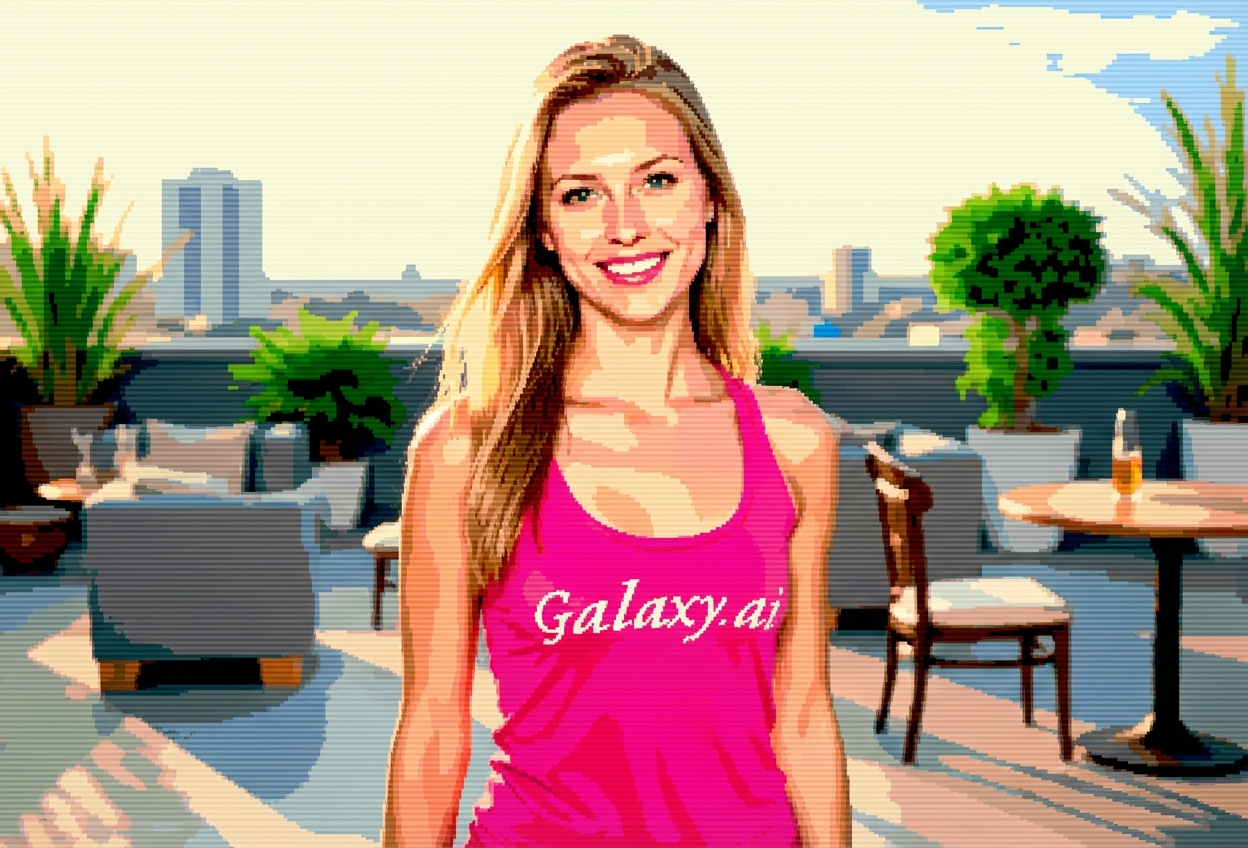
Compare the source image with each finished result.
Source image
Result
What Magica will ask for
The agent gathers these inputs and preferences in the conversation before it starts.
Upload Photos
attach a photo to apply the filter
Why Choose Our AI Pixelated 8bit Filter?
Transform your photos into nostalgic 8-bit pixel art with our advanced AI. Experience the charm of classic video games with authentic retro aesthetics!
Authentic 8-bit pixel art transformation
Limited color palette for vintage gaming look
Blocky pixel aesthetic with sharp edges
Maintains photo composition and recognizability
Instant retro gaming style conversion
No design skills required
Perfect for social media and digital art
How Our Pixelated 8bit Filter Works
Transform into retro pixel art with these simple steps:
01
Attach Your Photo
Select a clear photo with good contrast and visible features. Photos with distinct shapes and colors work best!
02
Apply the Filter
ask Magica to generate the result and watch as our AI transforms your photo into nostalgic 8-bit pixel art.
03
Download & Share
Preview your pixelated transformation and download your retro gaming-style image.
Key Features of the AI Pixelated 8bit Filter
Authentic 8-bit Style
Creates genuine retro gaming aesthetics with characteristic blocky pixels and limited color palettes reminiscent of classic video games.
Smart Pixelation
Advanced AI intelligently converts your photos into pixel art while maintaining recognizable features and composition.
Vintage Color Palette
Applies authentic limited color palettes that capture the essence of classic 8-bit video game graphics.
Instant Processing
Lightning-fast transformation delivers your retro pixel art in seconds, ready for immediate use.
High-Quality Output
Generates crisp pixel art with sharp edges perfect for digital use, social media, and printing.
Who Can Benefit from the Pixelated 8bit Filter?
Our AI Pixelated 8bit Filter is perfect for anyone wanting to create nostalgic retro gaming content or unique digital art.
Social Media Enthusiasts
Create unique retro-style profile pictures and posts that capture attention with nostalgic gaming aesthetics.
Gamers & Streamers
Generate pixel art avatars and thumbnails that showcase your love for classic gaming culture.
Content Creators
Produce eye-catching retro gaming content for YouTube, TikTok, Instagram, and other platforms.
Digital Artists
Create pixel art references or starting points for retro-style digital artwork and designs.
Indie Game Developers
Generate pixel art concepts and character designs for retro-inspired indie game projects.
Marketing Professionals
Create nostalgic retro-themed visuals for campaigns targeting gaming audiences and millennials.
Tips for the Best Pixelated 8bit Effect
Tip 1
Use High Contrast Photos
Photos with clear contrast between subject and background create more distinct and recognizable pixel art.
Tip 2
Choose Photos with Clear Features
Well-defined facial features or objects translate better into blocky pixel art, maintaining recognizability.
Tip 3
Start with Simple Compositions
Photos with fewer details and simpler backgrounds often produce cleaner, more authentic 8-bit results.
Tip 4
Experiment with Different Photo Types
Try portraits, landscapes, and objects to discover which styles work best for your desired retro aesthetic.
Tip 5
Embrace the Blocky Aesthetic
Remember that pixel art is meant to be blocky and simplified - this is part of its nostalgic charm!
Frequently Asked Questions About Our Pixelated 8bit Filter
What exactly is 8-bit pixel art?
8-bit pixel art is a digital art style characterized by blocky pixels and limited color palettes, reminiscent of classic video games from the 1980s and early 1990s. Our AI recreates this nostalgic aesthetic by transforming modern photos into retro gaming-style images.
Will my photo still be recognizable after pixelation?
Yes! Our AI is designed to maintain the key features and composition of your photo while applying the pixel art transformation. The result is a pixelated version that preserves recognizability while embracing the retro gaming aesthetic.
What types of photos work best with this filter?
Photos with good contrast, clear features, and simple compositions tend to produce the best results. Portraits with distinct facial features, objects with defined shapes, and images with solid backgrounds work particularly well for 8-bit conversion.
Can I use the pixel art commercially?
The generated pixel art is yours to use for personal projects, social media, and most creative purposes. For commercial usage in products or marketing materials, please review our terms of service for specific guidelines.
How does this compare to manual pixel art creation?
Manual pixel art creation can take hours or days of skilled work. Our AI filter instantly transforms your photos into pixel art in seconds, making it perfect for quick projects, social media content, or inspiration for manual pixel artists.
Is my uploaded photo safe and private?
Absolutely! We prioritize user privacy. Your photos are used only for the transformation process and are not stored long-term or used for other purposes. The generated pixel art is returned in the conversation for you to save.
Can I adjust the level of pixelation?
The filter applies an authentic 8-bit style pixelation designed to capture the nostalgic gaming aesthetic. The AI automatically determines the optimal pixel size and color palette to create the most authentic retro gaming look.
What makes your filter different from other pixelation tools?
Our AI-powered filter doesn't just reduce resolution - it intelligently applies authentic 8-bit gaming aesthetics including limited color palettes, characteristic pixel patterns, and sharp edges that truly capture the retro gaming spirit, going beyond simple pixelation.