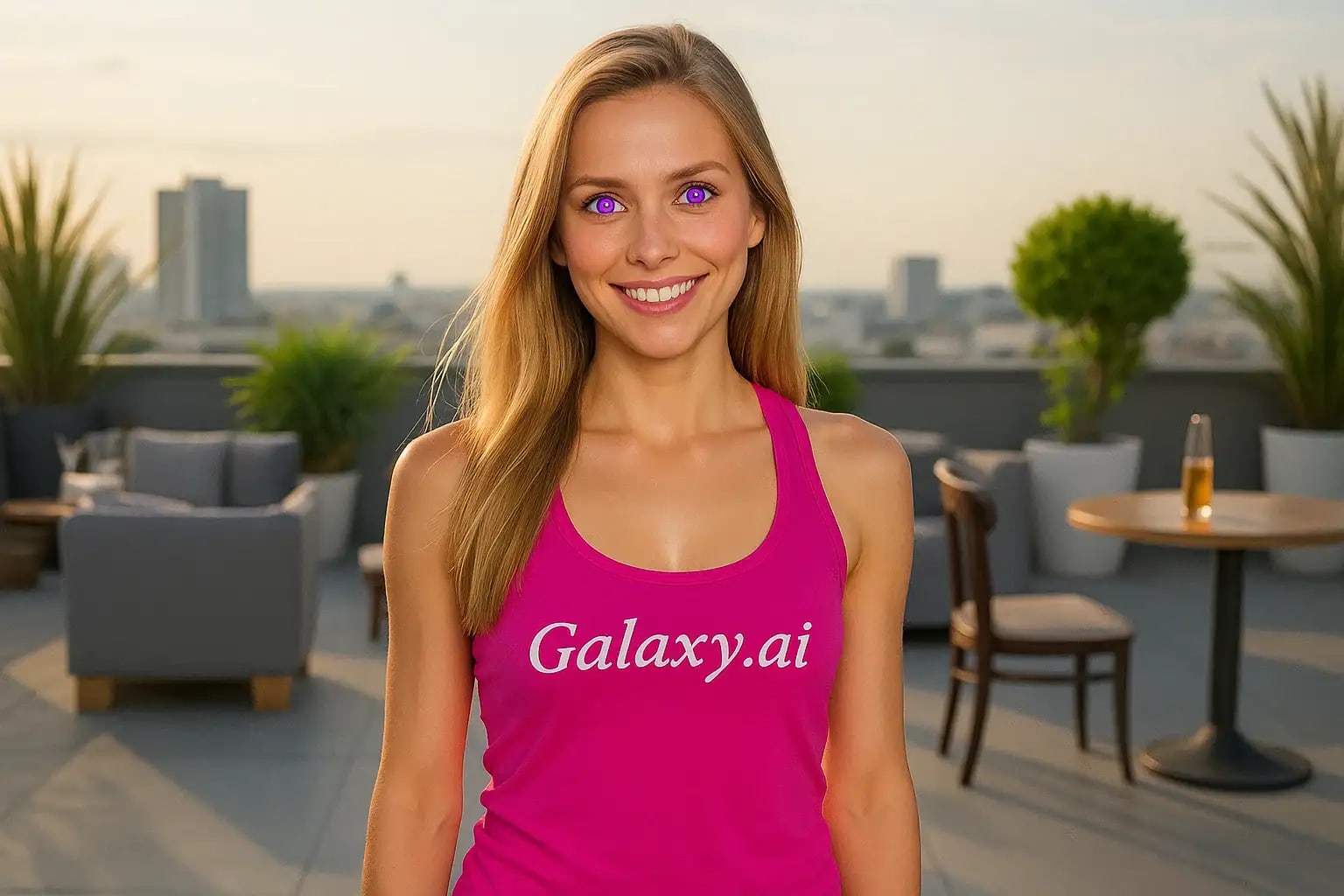
Compare the source image with each finished result.
Source image
Result
What Magica will ask for
The agent gathers these inputs and preferences in the conversation before it starts.
Upload Face Photo
attach a photo to apply the filter
Why Choose Our AI Purple Eye Filter?
Transform your photos with enchanting purple eyes using our advanced AI. Create mesmerizing, fantasy-inspired looks while maintaining natural authenticity!
Stunning purple eye color transformation
Maintains natural eye shine and reflections
Preserves original photo quality
Simple one-click application
Ultra-fast AI processing
No photo editing expertise needed
Perfect for fantasy and creative portraits
How Our Purple Eye Filter Works
Transform your eyes to a magical purple shade in just three simple steps:
01
Attach Your Photo
Choose a clear photo where the eyes are visible. Front-facing portraits work best!
02
Apply the Filter
ask Magica to generate the result and watch as our AI magically transforms your eye color to a stunning purple shade.
03
Download & Share
Preview your enchanting new look and download your transformed image in high resolution.
Key Features of the AI Purple Eye Filter
Magical Purple Hue
Creates a captivating purple eye color that looks both mystical and believable, perfect for fantasy-inspired looks.
Smart Eye Detection
Advanced AI precisely identifies and transforms eyes while preserving natural features and expressions.
Natural Detail Retention
Keeps the original eye sparkle, depth, and reflections for a realistic magical effect.
Premium Quality Output
Delivers high-resolution images that maintain the original photo's clarity and detail.
Who Can Benefit from the Purple Eye Filter?
Our AI Purple Eye Filter is perfect for anyone wanting to add a touch of magic and fantasy to their photos.
Social Media Creators
Create eye-catching content with unique purple eyes for Instagram, TikTok, or other platforms.
Cosplay Enthusiasts
Perfect for fantasy character portrayals requiring magical purple eyes.
Digital Artists
Quickly create reference photos or enhance digital artwork with purple-eyed characters.
Fantasy Photographers
Add magical elements to portrait photography for unique creative projects.
Creative Experimenters
Anyone curious to see themselves with mystical purple eyes can easily try this filter!
Content Creators
Create engaging visual content with a magical twist for various platforms and projects.
Tips for Perfect Purple Eyes
Tip 1
Choose Well-Lit Photos
Use photos taken in good lighting to ensure the purple color appears vibrant and natural.
Tip 2
Direct Eye Contact
Photos where eyes are clearly visible and facing the camera produce the most striking results.
Tip 3
Quality Matters
Higher resolution photos allow for more detailed and realistic purple eye transformations.
Tip 4
Clear Eye Visibility
Avoid photos where eyes are partially covered by hair, heavy shadows, or reflective glasses.
Frequently Asked Questions About Our Purple Eye Filter
How natural does the purple eye color look?
Our AI creates a balanced purple hue that, while clearly magical, blends naturally with your facial features and lighting. It's designed to look enchanting yet believable.
Can I use this filter on group photos?
Yes, the AI will detect and transform all visible human eyes in the photo. However, for the best results, we recommend using individual portraits.
Will the filter work with any eye color?
Yes! Our AI can transform any natural eye color to purple while maintaining the eye's natural depth and highlights.
Does the filter affect image quality?
No, our filter maintains the original photo's resolution and quality. You'll receive a high-quality image with just the eye color transformed.
Is my photo data safe?
We take privacy seriously. Your photos are only used for the filtering process and are not stored long-term or used for other purposes. You can safely download your transformed image and the original is discarded.