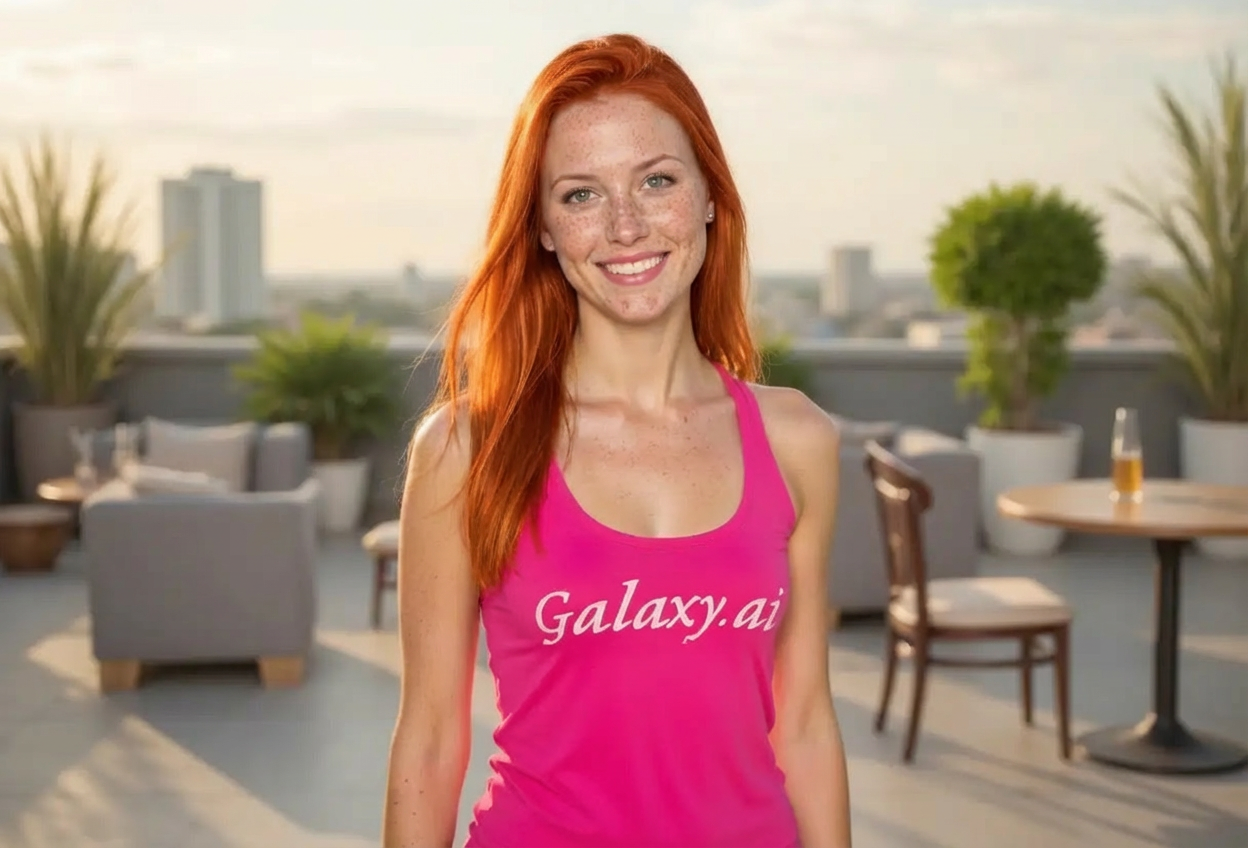
Compare the source image with each finished result.
Source image
Result
What Magica will ask for
The agent gathers these inputs and preferences in the conversation before it starts.
Attach Your Photo
attach a photo to apply the redhead filter
Why Choose Our AI Redhead Filter?
Transform your hair color to stunning redhead tones with our advanced AI. Experience the beauty of vibrant red, copper, and ginger shades with just one click!
Authentic redhead hair color transformation
Natural-looking copper and ginger tones
Complementary complexion adjustments with freckles
Maintains original photo quality and facial features
Instant transformation powered by AI
No editing skills or photo expertise required
Perfect for experimenting with rare hair colors
How Our Redhead Filter Works
Transform your hair color to beautiful redhead tones with these simple steps:
01
Attach Your Photo
Select a clear photo where your hair is visible. Photos with good lighting and front-facing poses work best!
02
Apply the Filter
ask Magica to generate the result and watch as our AI transforms your hair to vibrant red or copper tones with matching complexion.
03
Download & Share
Preview your stunning redhead transformation and download your new look to share with friends.
Key Features of the AI Redhead Filter
Vibrant Red Hair Tones
Creates authentic redhead hair colors including vibrant red, copper, auburn, and warm ginger shades.
Natural Complexion Adjustments
Automatically adjusts skin tone with fair complexion and subtle freckles for a natural redhead appearance.
Smart Hair Recognition
Advanced AI accurately identifies hair areas and applies color while preserving texture and natural highlights.
Instant Results
Get your redhead transformation in seconds without manual editing or complicated software.
High-Quality Output
Generates high-resolution images perfect for social media, profile pictures, and personal use.
Premium Quality
Delivers professional-grade color transformations that look natural and authentic.
Who Can Benefit from the Redhead Filter?
Our AI Redhead Filter is perfect for anyone who wants to experiment with rare, eye-catching red hair colors before making a commitment.
Social Media Enthusiasts
Create stunning redhead profile pictures and posts that grab attention and stand out in feeds.
Hair Color Explorers
Try out different redhead shades virtually before dyeing your hair to see what suits you best.
Content Creators
Generate diverse looks for social media content, YouTube thumbnails, or brand photography.
Cosplayers & Character Artists
Preview character looks with red hair for cosplay planning or creative projects.
Fashion & Style Bloggers
Showcase different hair color trends and create style guides with redhead variations.
Beauty Enthusiasts
Experiment with the rare beauty of red hair and discover new looks without commitment.
Tips for the Best Redhead Transformation
Tip 1
Use Well-Lit Photos
Ensure your photo has good, natural lighting to help the AI accurately identify hair areas and apply color realistically.
Tip 2
Show Your Hair Clearly
Photos where your hair is fully visible and not covered by hats or accessories produce the best results.
Tip 3
Higher Resolution for Better Details
Use high-quality photos to ensure the red hair color, highlights, and complexion adjustments are crisp and detailed.
Tip 4
Try Different Hair Lengths
The filter works beautifully on all hair lengths, from short pixie cuts to long flowing locks.
Tip 5
Neutral Backgrounds Work Best
Plain or simple backgrounds help the AI focus on transforming your hair color accurately.
Frequently Asked Questions About Our Redhead Filter
How realistic does the redhead transformation look?
Our AI creates highly realistic redhead transformations with natural-looking copper, auburn, and ginger tones. The filter also adjusts your complexion subtly to match the warm red hair tones, creating an authentic overall appearance.
What shades of red hair can I get?
The filter applies vibrant red, copper, auburn, and warm ginger shades. The AI selects complementary tones based on your original photo's lighting and coloring to ensure the most natural-looking result.
Will it add freckles to my face?
Yes, the filter adds subtle, natural-looking freckles along with fair complexion adjustments to create an authentic redhead appearance. The effect is balanced and realistic, not overdone.
Does it work on all hair types and lengths?
Absolutely! The AI Redhead Filter works on all hair types, textures, and lengths. Whether you have straight, wavy, curly hair, or short to long styles, the transformation will look natural and beautiful.
Can I use this before dyeing my hair red?
Yes! This is perfect for previewing how you'd look as a redhead before committing to hair dye. You can see how different red tones complement your features and skin tone.
What types of photos work best?
The filter works best on clear, well-lit photos where your hair is visible and not covered. Front-facing or slightly angled photos with good lighting produce the most accurate and natural redhead transformations.
Is my uploaded photo kept private?
We prioritize user privacy. Your photos are used only for the transformation process and are not stored long-term or used for other purposes. Your redhead transformation is returned in the conversation for you to save.
Can I apply this filter to multiple people in one photo?
The filter works best on individual portraits. For group photos, we recommend uploading photos of each person separately for the most accurate redhead transformation.