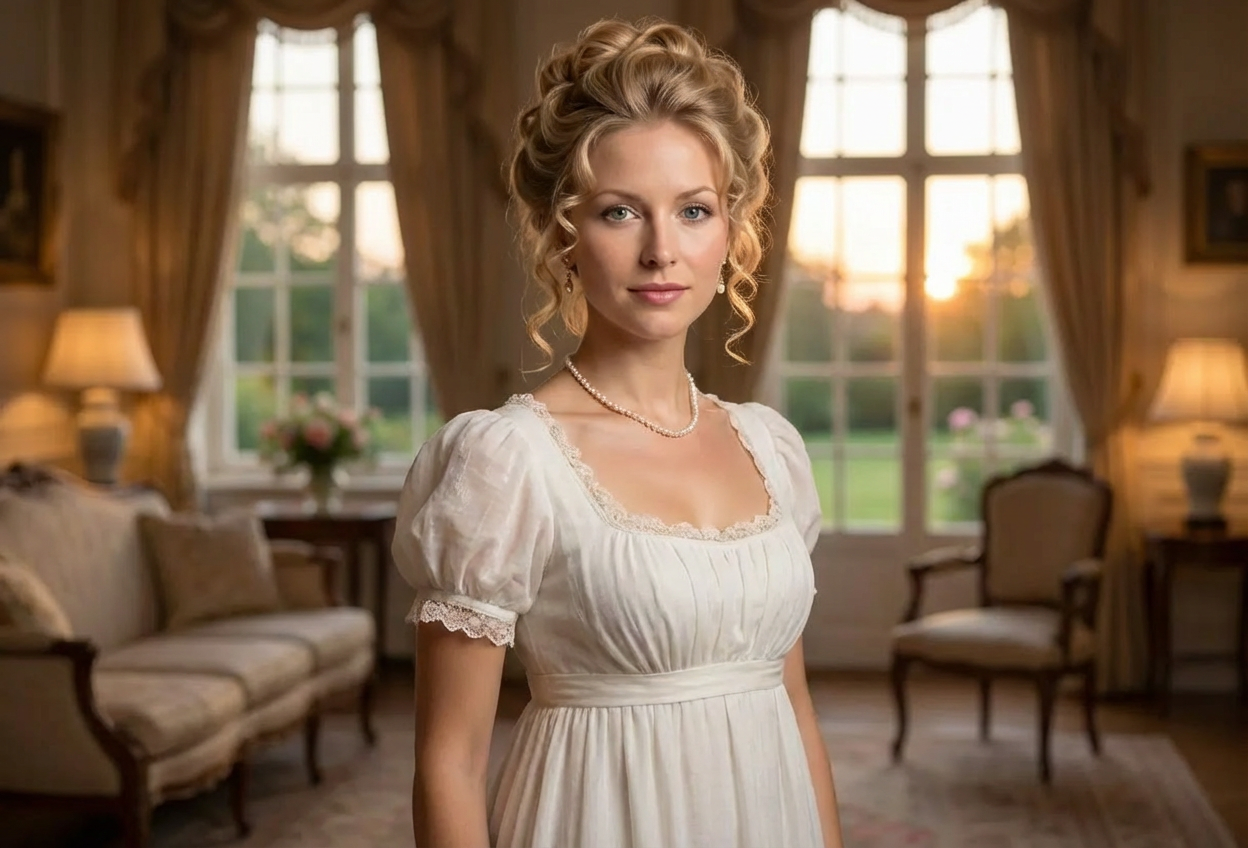
Compare the source image with each finished result.
Source image
Result
What Magica will ask for
The agent gathers these inputs and preferences in the conversation before it starts.
Upload Portrait Photo
attach a photo to apply the filter
Why Choose Our AI Regency Era Filter?
Transform your photos into elegant Regency period portraits inspired by Jane Austen's world. Experience the romance and refinement of the early 19th century with authentic period styling!
Authentic Regency period fashion and styling
Empire waist gowns and period-accurate attire
Elegant upswept hairstyles with delicate details
Soft romantic lighting and atmosphere
Perfect for Bridgerton and historical romance fans
Maintains original photo quality
Instant transformation with one click
How Our Regency Era Filter Works
Step into the world of Jane Austen with these simple steps:
01
Attach Your Photo
Select a clear portrait photo where your face is clearly visible. Front-facing or slightly angled portraits work best for period transformations!
02
Apply the Filter
ask Magica to generate the result and watch as our AI transforms you into an elegant Regency era character with period-accurate clothing, hairstyles, and styling.
03
Download & Share
Preview your Regency transformation and download your elegant historical portrait to share with friends!
Key Features of the AI Regency Era Filter
Authentic Period Fashion
Creates historically accurate Regency era clothing with empire waist silhouettes, delicate fabrics, and period-appropriate details.
Elegant Hairstyling
Adds authentic upswept hairstyles with curls, braids, and delicate accessories typical of the early 1800s.
Soft Romantic Lighting
Applies period-appropriate lighting that creates a soft, romantic atmosphere reminiscent of historical portraits.
High-Quality Output
Generates high-resolution images perfect for social media, profile pictures, or creative projects.
Jane Austen Aesthetic
Captures the refined elegance and romantic sensibility of the Regency period popularized by Jane Austen novels.
Who Can Benefit from the Regency Era Filter?
Our AI Regency Era Filter is perfect for anyone who loves historical romance, period dramas, and the elegant aesthetics of early 19th century Britain.
Bridgerton Fans
Create stunning Regency-style portraits inspired by your favorite period drama and share your own ballroom-ready look.
Social Media Enthusiasts
Stand out with unique historical portraits for Instagram, TikTok, and other social platforms.
Book Lovers & Authors
Visualize characters from Regency romance novels or create author portraits for historical fiction writers.
Historical Romance Fans
Experience the elegance of Jane Austen's era and imagine yourself in Pride and Prejudice or Emma.
Cosplayers & Historical Reenactors
Preview period looks or enhance photos from Regency-themed events and balls.
Event Organizers
Create promotional materials for Regency balls, Jane Austen festivals, or period-themed parties.
Tips for the Best Regency Era Transformation
Tip 1
Use Clear, Well-Lit Photos
Ensure your face is clearly visible with good lighting for the most authentic period transformation.
Tip 2
Try Front or Three-Quarter Poses
Front-facing or slightly angled portraits (three-quarter view) work best for historical period styling and capture the elegance of Regency portraiture.
Tip 3
Higher Resolution Photos Work Best
Use high-quality images to ensure delicate period details like lace, jewelry, and hairstyling appear crisp and refined.
Tip 4
Neutral to Gentle Expressions
A soft smile or serene expression enhances the romantic and refined aesthetic of the Regency era.
Tip 5
Simple Backgrounds Are Ideal
Photos with uncluttered backgrounds allow the AI to focus on creating beautiful period clothing and styling.
Frequently Asked Questions About Our Regency Era Filter
How historically accurate is the Regency transformation?
Our AI creates authentic Regency era transformations based on historical fashion from 1811-1820, including empire waist gowns, period-appropriate hairstyles, and the refined aesthetic popularized by Jane Austen novels and shows like Bridgerton. The result maintains your facial features while adding genuine historical styling.
Will I look like a Bridgerton character?
Yes! The filter is inspired by the elegant Regency period aesthetic featured in Bridgerton, including empire waist gowns, delicate jewelry, romantic lighting, and sophisticated hairstyles. It captures the same refined elegance and romance of the show's costume design.
Does it work for all genders?
Yes! The AI adapts period styling appropriately, creating Regency gentleman's attire (tailcoats, cravats, waistcoats) for male subjects and elegant gowns with empire waists for female subjects, both with period-accurate styling.
What types of photos work best?
The filter works best on clear portrait photos with good lighting. Front-facing or three-quarter view portraits are ideal. While it can work on various photo types, we recommend individual portraits with simple backgrounds for the most elegant results.
Can I use this for profile pictures?
Absolutely! The Regency era transformation creates stunning, unique profile pictures perfect for social media, dating apps, or any platform where you want to stand out with elegant historical styling.
Will the transformation look natural?
Yes, our AI maintains your natural facial features and expressions while seamlessly adding period clothing, hairstyles, and atmospheric lighting. The result is a believable blend that looks both authentic and elegant.
Is my photo safe to upload?
We prioritize user privacy. Your photos are used only for the transformation process and are not stored long-term or used for other purposes. The generated Regency portrait is returned in the conversation for you to save.
Can I create multiple transformations?
Yes! You can upload different photos or try the same photo multiple times. Each transformation may vary slightly, giving you options to choose your favorite Regency portrait.