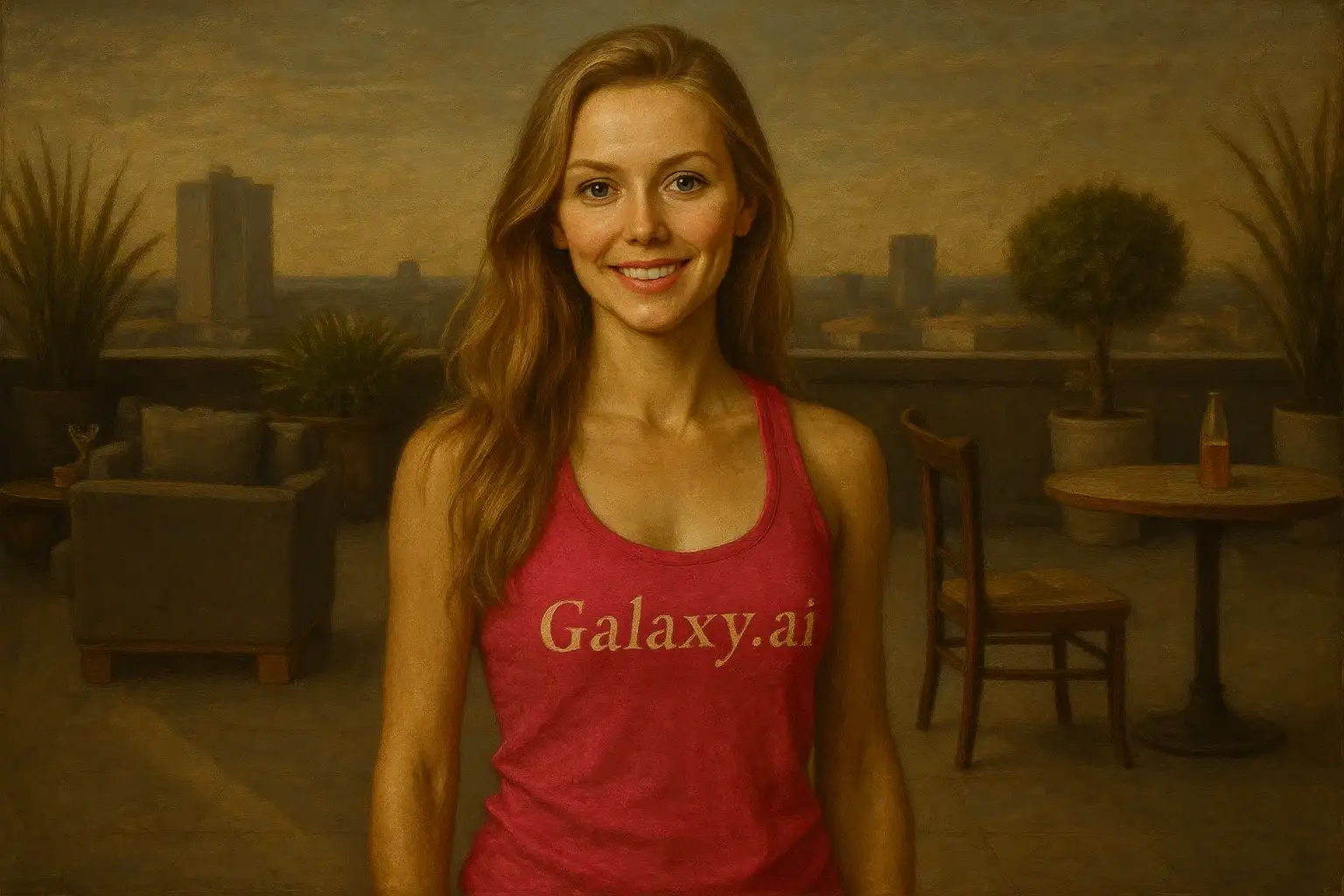
Compare the source image with each finished result.
Source image
Result
What Magica will ask for
The agent gathers these inputs and preferences in the conversation before it starts.
Upload Portrait Photo
attach a photo to transform into Renaissance art
Why Choose Our AI Renaissance Filter?
Transform your photos into timeless Renaissance masterpieces with our advanced AI. Experience the elegance and grandeur of classical art with just one click!
Authentic Renaissance painting style with period-accurate details
Rich oil painting textures and classical composition
Dramatic chiaroscuro lighting like the Old Masters
Ornate period clothing and elegant accessories
Maintains original facial features with artistic enhancement
High-quality transformations suitable for printing
No art skills or editing experience required
Perfect for unique gifts and elegant profile pictures
How Our Renaissance Filter Works
Transform yourself into a Renaissance masterpiece with these simple steps:
01
Attach Your Photo
Select a clear portrait photo where your face is clearly visible. Well-lit photos with neutral backgrounds work best for the Renaissance transformation!
02
Apply the Filter
ask Magica to generate the result and watch as our AI transforms you into an elegant Renaissance painting with classical styling, period clothing, and authentic oil painting effects.
03
Download & Share
Preview your Renaissance masterpiece and download your classical portrait. Share your timeless artwork on social media or print it as unique wall art!
Key Features of the AI Renaissance Filter
Authentic Renaissance Style
Creates genuine Renaissance paintings with characteristic warm tones, rich colors, and classical composition inspired by masters like Leonardo da Vinci and Raphael.
Oil Painting Textures
Applies realistic oil painting textures with visible brushstrokes, craquelure effects, and aged canvas appearance for museum-quality authenticity.
Period Costume & Jewelry
Adds ornate Renaissance-era clothing, elegant jewelry, and luxurious fabrics typical of 15th-16th century noble portraits.
Chiaroscuro Lighting
Implements dramatic light-and-shadow techniques (chiaroscuro) characteristic of Renaissance masters for depth and dimension.
Classical Composition
Applies Renaissance principles of balance, harmony, and proportion to create aesthetically perfect portrait compositions.
High-Resolution Output
Generates high-quality images perfect for printing, framing, or displaying as fine art reproductions.
Who Can Benefit from the Renaissance Filter?
Our AI Renaissance Filter is perfect for anyone who wants to experience the timeless elegance of classical art or create unique, sophisticated imagery.
Social Media Enthusiasts
Create elegant, eye-catching Renaissance-style profile pictures that stand out with classical sophistication and artistic flair.
Art Lovers & History Buffs
Visualize yourself as a Renaissance noble or explore how you would appear in a classical masterpiece painting.
Content Creators
Generate unique Renaissance-themed content for YouTube thumbnails, Instagram posts, or historical content series.
Professional Photographers
Offer clients unique Renaissance portrait packages or create artistic variations of standard portrait sessions.
Event Planners
Create Renaissance-themed invitations, promotional materials, or immersive experiences for period events and exhibitions.
Gift Seekers
Create unique, personalized Renaissance portrait gifts for special occasions, anniversaries, or art-loving friends and family.
Tips for the Best Renaissance Transformation
Tip 1
Use Clear, Well-Lit Photos
Ensure your photo has good lighting and clear facial features. Natural daylight or soft studio lighting works best for Renaissance-style transformations.
Tip 2
Choose Front-Facing or Three-Quarter Portraits
Renaissance portraits typically featured subjects looking directly at the viewer or in three-quarter view. These angles produce the most authentic classical results.
Tip 3
Neutral or Elegant Expressions
Subtle, serene expressions with slight smiles (like the Mona Lisa) or dignified neutral expressions work best for authentic Renaissance portraiture.
Tip 4
High-Resolution Images Yield Better Details
Use high-quality photos to capture fine Renaissance details like ornate jewelry, fabric textures, and delicate brushstroke effects in the final artwork.
Tip 5
Simple Backgrounds Work Best
Photos with plain or simple backgrounds allow the AI to focus on the Renaissance transformation and add period-appropriate backgrounds if needed.
Frequently Asked Questions About Our Renaissance Filter
How authentic is the Renaissance style transformation?
Our AI creates highly authentic Renaissance paintings by analyzing thousands of masterpieces from the period. The filter applies genuine techniques including oil painting textures, chiaroscuro lighting, period-accurate clothing, warm golden tones, and classical composition principles used by Renaissance masters like Leonardo da Vinci, Raphael, and Titian.
What types of photos work best with the Renaissance filter?
The filter works best on clear portrait photos with good lighting and neutral backgrounds. Front-facing or three-quarter view portraits with serene expressions produce the most authentic Renaissance results. While it can work on various photo types, individual portraits with good facial detail are recommended for optimal classical transformation.
Will I get Renaissance-era clothing and accessories in the result?
Yes! The AI automatically adds period-appropriate Renaissance clothing, elegant jewelry, ornate accessories, and luxurious fabrics typical of 15th-16th century noble portraits. Your transformation will include authentic period details that enhance the classical masterpiece aesthetic.
Can I print my Renaissance portrait as wall art?
Absolutely! Our high-resolution output is specifically designed to be print-ready. The Renaissance transformations work beautifully as framed wall art, canvas prints, or fine art reproductions. The aged canvas effects and oil painting textures look stunning when printed.
Does it work for both male and female subjects?
Yes! The AI adapts the Renaissance style appropriately for all subjects, applying period-accurate features, clothing, and styling based on the subject while maintaining their natural facial characteristics. Both male and female Renaissance portraits have distinct elegant characteristics that the AI captures beautifully.
How long does the transformation take?
The Renaissance transformation is typically completed within seconds to a minute, depending on server load. Our AI processes your image quickly while maintaining the high quality and intricate details characteristic of Renaissance masterpieces.
Is my uploaded photo kept private and secure?
We prioritize user privacy and security. Your photos are used only for the Renaissance transformation process and are not stored long-term or used for other purposes. The generated Renaissance artwork is returned in the conversation for you to save and you maintain full ownership of your images.
Can I use my Renaissance portrait commercially?
Yes, you can use your transformed Renaissance portraits for personal and commercial purposes. The generated artwork is yours to use for profile pictures, marketing materials, prints, gifts, or any other creative projects you have in mind.