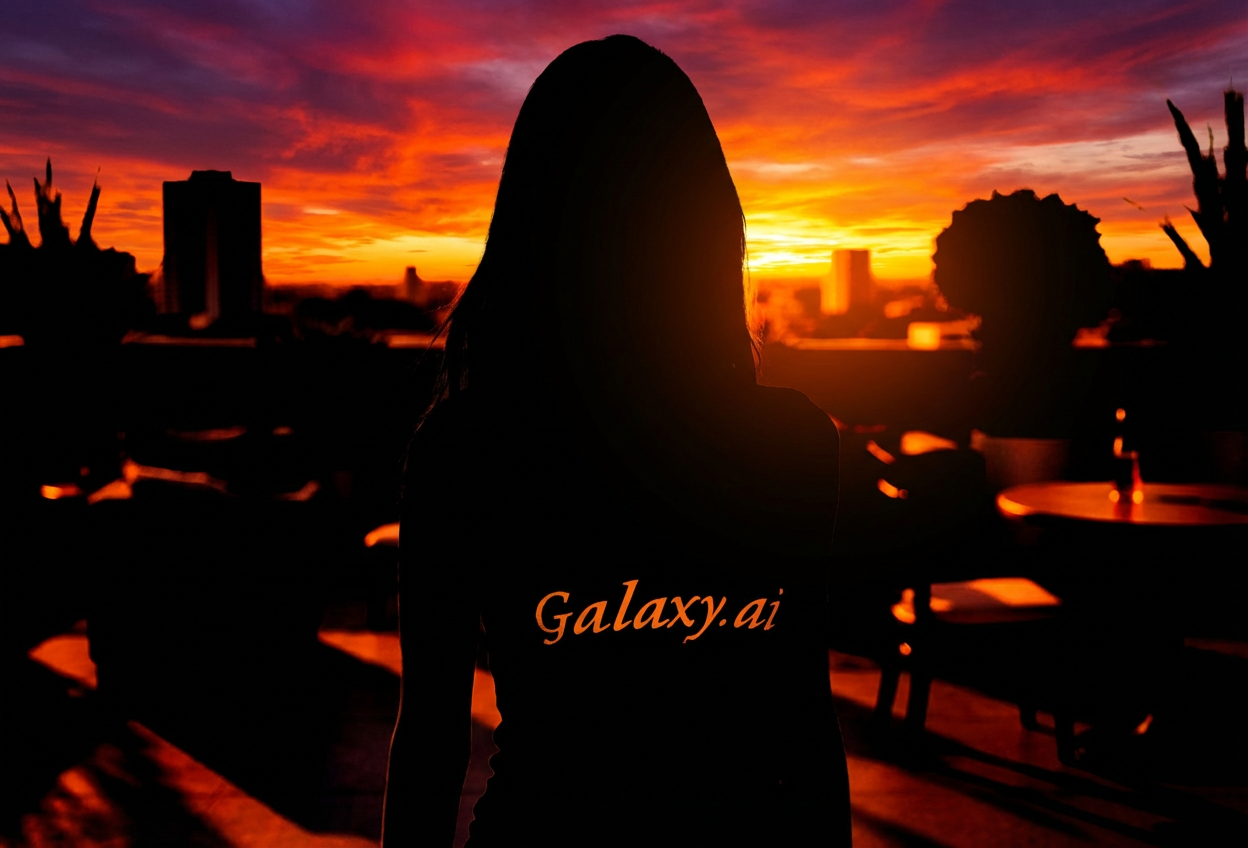
Compare the source image with each finished result.
Source image
Result
What Magica will ask for
The agent gathers these inputs and preferences in the conversation before it starts.
Upload Photos
attach a photo to apply the filter
Why Choose Our AI Silhouette Art Filter?
Transform your photos into striking silhouette artwork with our advanced AI. Create bold, modern art-style images that capture attention with high-contrast drama and minimalist beauty.
Dramatic high-contrast black silhouettes
Vibrant, eye-catching backgrounds
Artistic negative space composition
Professional minimalist aesthetic
Perfect for modern art lovers
Instant transformation with one click
No design skills required
Ideal for posters and profile pictures
How Our Silhouette Art Filter Works
Create stunning silhouette artwork in three simple steps:
01
Attach Your Photo
Select a photo with clear subject definition and good contrast. Photos with distinct outlines work best for silhouette conversion.
02
Apply the Filter
ask Magica to generate the result and watch as our AI transforms your photo into bold silhouette art with dramatic contrast and vibrant backgrounds.
03
Download & Share
Preview your silhouette artwork and download your high-quality artistic image ready for social media or printing.
Key Features of the AI Silhouette Art Filter
High-Contrast Transformation
Creates striking black silhouettes against vibrant, colorful backgrounds for maximum visual impact.
Smart Edge Detection
Advanced AI accurately identifies subject outlines and preserves recognizable shapes while creating artistic simplification.
Artistic Negative Space
Expertly balances subject and background to create compelling compositions with professional minimalist design.
High-Quality Output
Generates crisp, print-ready images suitable for posters, social media, and professional presentations.
Instant Results
Lightning-fast AI processing delivers your silhouette artwork in seconds, no waiting required.
Modern Aesthetic
Creates contemporary art-style images perfect for modern design trends and minimalist aesthetics.
Who Can Benefit from the Silhouette Art Filter?
Our AI Silhouette Art Filter is perfect for anyone wanting to create striking, modern artwork with bold visual impact and minimalist beauty.
Social Media Enthusiasts
Create eye-catching profile pictures and posts that stand out with bold, artistic silhouette designs.
Graphic Designers
Generate unique silhouette artwork for client projects, presentations, and creative portfolios.
Content Creators
Produce striking thumbnails, channel art, and promotional materials with dramatic visual appeal.
Art Enthusiasts
Explore minimalist aesthetics and create modern art-style images for personal collections or gifts.
Marketing Professionals
Design attention-grabbing visuals for campaigns, posters, and brand materials with high contrast impact.
Event Planners
Create stylish promotional materials, invitations, and signage with contemporary artistic flair.
Tips for the Best Silhouette Art
Tip 1
Choose Photos with Clear Subjects
Photos with well-defined subject outlines and distinct shapes produce the most striking silhouette art.
Tip 2
Good Contrast is Essential
Images with clear separation between subject and background work best for creating dramatic silhouette effects.
Tip 3
Side Profiles Work Great
Profile shots and subjects with recognizable outlines create the most iconic and visually appealing silhouettes.
Tip 4
Avoid Cluttered Backgrounds
Photos with simpler backgrounds allow the AI to better isolate the subject and create cleaner silhouette art.
Tip 5
Use High-Resolution Images
Higher quality input photos result in sharper, more detailed silhouette artwork with crisp edges.
Frequently Asked Questions About Our Silhouette Art Filter
What makes silhouette art effective?
Silhouette art captures attention through high contrast and simplicity. Our AI creates bold black shapes against vibrant backgrounds, using negative space to create striking, memorable images with modern minimalist appeal.
What types of photos work best?
The filter works best on photos with clear subject definition and good contrast. Profile shots, distinct poses, and images with simple backgrounds produce the most dramatic results. While it works on various photo types, we recommend images where the subject has a recognizable outline.
Can I use the silhouette art commercially?
Yes! The generated silhouette artwork is yours to use. It's perfect for posters, social media graphics, marketing materials, presentations, and any creative project requiring bold, modern visuals.
Will the subject still be recognizable?
Absolutely! Our AI is designed to preserve the recognizable outline and key features of your subject while transforming it into artistic silhouette form. The result maintains the essence and identity of the original subject.
What backgrounds does the filter create?
The AI generates vibrant, eye-catching backgrounds that complement the silhouette. These can include bold colors, gradients, or artistic patterns that enhance the dramatic contrast and overall visual impact of the artwork.
Is my uploaded photo kept private?
We prioritize user privacy. Your photos are used only for the transformation process and are not stored long-term or used for other purposes. The generated silhouette art is returned in the conversation for you to save.
Can I print the silhouette art?
Yes! Our filter generates high-quality images suitable for printing. The bold, high-contrast design works beautifully for posters, wall art, and professional materials.
How is this different from simple photo editing?
Our AI doesn't just darken your photo—it intelligently analyzes the composition, creates artistic negative space, generates complementary backgrounds, and balances the entire image for professional-quality silhouette art that would take hours to create manually.