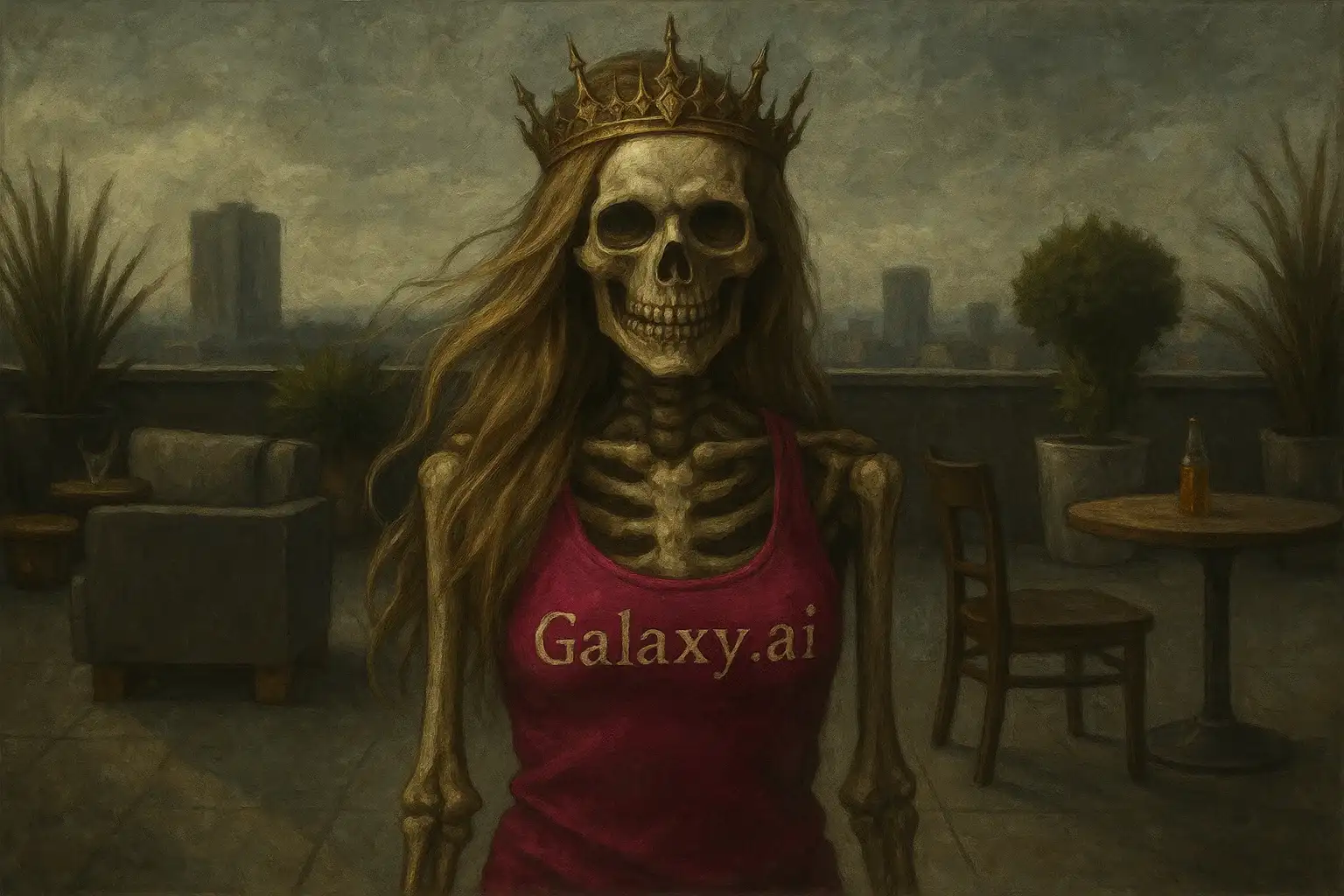
Compare the source image with each finished result.
Source image
Result
What Magica will ask for
The agent gathers these inputs and preferences in the conversation before it starts.
Upload Portrait Photo
attach a photo to apply the filter
Why Choose Our AI Skeleton Queen Filter?
Transform your photos into hauntingly beautiful Skeleton Queen portraits with our advanced AI. Experience the perfect blend of gothic elegance and regal majesty with just one click!
Elegant skeletal features with regal aesthetics
Ornate crown and royal attire rendering
Ethereal glowing eyes effect
Maintains original photo quality
Perfect gothic and royal blend
Instant AI-powered transformation
No editing skills required
Ideal for Halloween and gothic themes
How Our Skeleton Queen Filter Works
Transform into a majestic undead monarch with these simple steps:
01
Attach Your Photo
Select a clear portrait photo where your face is clearly visible. Front-facing shots with good lighting work best for capturing royal elegance!
02
Apply the Filter
ask Magica to generate the result and watch as our AI transforms you into a hauntingly beautiful Skeleton Queen with ethereal features and regal attire.
03
Download & Share
Preview your Skeleton Queen transformation and download your gothic masterpiece to share on social media or use for special occasions.
Key Features of the AI Skeleton Queen Filter
Regal Crown & Royal Attire
Adds an ornate crown and elegant royal garments that blend perfectly with the skeletal aesthetic, creating a majestic undead monarch appearance.
Elegant Skeletal Features
Creates beautiful bone structure visible through translucent skin, maintaining an artistic and dignified appearance rather than frightening.
Ethereal Glowing Eyes
Generates mystical glowing eyes that add an otherworldly, supernatural quality to your Skeleton Queen transformation.
Gothic Elegance
Perfectly balances gothic and royal aesthetics, creating a hauntingly beautiful portrait that's both elegant and mysterious.
Artistic Quality
High-quality artistic rendering that maintains photo realism while adding fantastical skeletal elements for a stunning visual effect.
Who Can Benefit from the Skeleton Queen Filter?
Our AI Skeleton Queen Filter is perfect for anyone who wants to create hauntingly beautiful gothic portraits with regal elegance.
Social Media Enthusiasts
Create unique gothic-themed profile pictures that blend elegance with supernatural aesthetics for maximum impact.
Halloween Celebrators
Perfect for Halloween parties, costume contests, or creating memorable seasonal profile pictures with a regal twist.
Cosplayers & Fantasy Fans
Ideal for fantasy character creation, cosplay references, or bringing your undead queen character concepts to life.
Content Creators
Generate stunning gothic-themed content for YouTube thumbnails, Twitch overlays, or spooky streaming events.
Artists & Designers
Use as reference material for gothic art, dark fantasy illustrations, or character design inspiration.
Gothic Culture Enthusiasts
Express your love for gothic aesthetics and dark royalty themes with elegant skeleton queen portraits.
Tips for the Best Skeleton Queen Transformation
Tip 1
Use Clear, Well-Lit Photos
Ensure your face is clearly visible with good lighting to capture all the intricate skeletal and royal details effectively.
Tip 2
Front-Facing Portraits Work Best
Photos where you're looking directly at the camera provide the most dramatic and regal Skeleton Queen transformations.
Tip 3
Neutral or Serious Expressions
A calm, neutral, or slightly stern expression helps achieve that authentic, dignified undead monarch appearance.
Tip 4
High-Resolution Images
Use high-quality photos to ensure the crown, bone structure, and ethereal effects are rendered with maximum detail and clarity.
Tip 5
Consider Your Background
Simple backgrounds work best to keep the focus on your Skeleton Queen transformation and regal features.
Frequently Asked Questions About Our Skeleton Queen Filter
How realistic is the Skeleton Queen transformation?
Our AI creates an artistic blend of skeletal features and royal elegance, maintaining a hauntingly beautiful aesthetic rather than gruesome. The result is a fantasy-style portrait that's elegant and otherworldly, perfect for gothic and Halloween themes.
Does it work on all types of photos?
The filter works best on clear, front-facing portrait photos with good lighting. While it can process various photo types, individual portraits with visible facial features produce the most striking Skeleton Queen transformations.
Will the transformation be scary or elegant?
The Skeleton Queen filter emphasizes elegance and regal beauty over horror. It creates a hauntingly beautiful, gothic aesthetic with ornate details and ethereal features rather than a frightening appearance.
Can I use this for Halloween costumes?
Absolutely! The Skeleton Queen filter is perfect for Halloween inspiration, costume planning, or creating unique Halloween-themed profile pictures and social media content.
What makes it different from regular skeleton filters?
Unlike standard skeleton filters, our Skeleton Queen filter adds regal elements like ornate crowns, royal attire, and elegant bone structure. It combines gothic aesthetics with royal majesty for a unique, sophisticated undead monarch appearance.
Is my photo safe to upload?
Yes, we prioritize user privacy. Your photos are used only for the transformation process and are not stored long-term or used for other purposes. Your generated Skeleton Queen portrait is returned in the conversation for you to save.
Can I adjust the intensity of the effect?
The filter applies a balanced transformation designed to look hauntingly beautiful. While the effect intensity is optimized by our AI, you can try different source photos or expressions to achieve varying levels of dramatic effect.
What file formats are supported?
Our filter supports common image formats including JPG, PNG, and WEBP. For best results, use high-resolution images in any of these formats.