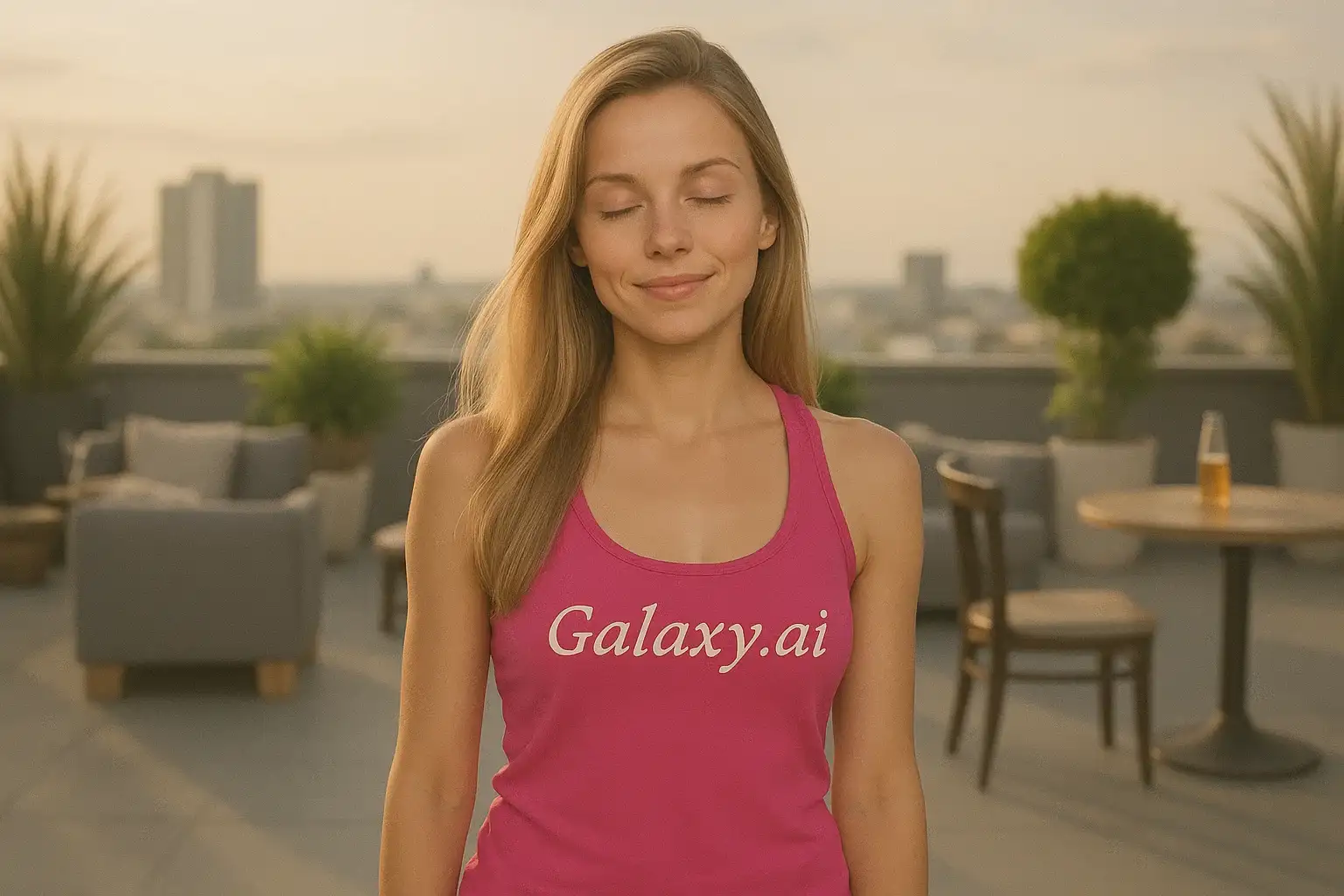
Compare the source image with each finished result.
Source image
Result
What Magica will ask for
The agent gathers these inputs and preferences in the conversation before it starts.
Upload Photos
attach a photo to apply the filter
Why Choose Our AI Sleepy Filter?
Transform your photos with a dreamy, sleepy aesthetic using advanced AI. Create unique drowsy looks perfect for creative content and social media with just one click!
Authentic sleepy appearance with droopy eyelids
Natural tired facial expressions
Subtle under-eye darkening for realism
Maintains original photo quality
Instant transformation powered by AI
No editing skills required
Perfect for creative and humorous content
How Our AI Sleepy Filter Works
Transform your photos into dreamy sleepy portraits in three simple steps:
01
Attach Your Photo
Select a clear photo where facial features are visible. Portrait photos with good lighting work best for the sleepy transformation.
02
Apply the Filter
ask Magica to generate the result and watch as our AI transforms the photo into a sleepy, drowsy appearance with droopy eyes and relaxed features.
03
Download & Share
Preview your sleepy transformation and download your dreamy portrait to share on social media.
Key Features of the AI Sleepy Filter
Authentic Sleepy Eyes
Creates realistic droopy eyelids and half-closed eyes that capture the essence of a sleepy appearance.
Smart Expression Adjustment
Our AI accurately transforms facial expressions to appear relaxed and drowsy while maintaining natural features.
Natural Tired Look
Adds subtle under-eye effects and tired facial characteristics for a realistic sleepy aesthetic.
High-Resolution Output
Generates high-quality images perfect for social media, memes, and creative projects.
One-Click Transformation
Simple and fast transformation process that requires no manual editing or technical skills.
Dreamy Aesthetic
Creates a peaceful, drowsy atmosphere perfect for artistic and creative photo projects.
Who Can Benefit from the Sleepy Filter?
Our AI Sleepy Filter is perfect for anyone wanting to create unique, humorous, or artistic sleepy-themed content.
Social Media Enthusiasts
Create funny and relatable sleepy profile pictures and posts that resonate with tired audiences.
Content Creators
Generate unique sleepy-themed content for memes, jokes, and relatable social media posts.
Meme Makers
Perfect for creating tired, exhausted, or Monday morning themed memes and humorous content.
Artists & Photographers
Add a dreamy, sleepy aesthetic to artistic projects and creative photography portfolios.
Students & Night Owls
Express those late-night study sessions or all-nighter feelings with relatable sleepy photos.
Marketing Teams
Create attention-grabbing sleepy-themed visuals for campaigns related to sleep, rest, or relaxation products.
Tips for the Best Sleepy Effect
Tip 1
Use Clear, Well-Lit Photos
Ensure your photo has good lighting and facial features are visible for the best sleepy transformation.
Tip 2
Choose Front-Facing Portraits
Photos where eyes are clearly visible and facing the camera work best for creating the droopy-eyed sleepy effect.
Tip 3
Use High-Quality Images
Better quality input photos result in more detailed and natural-looking sleepy effects.
Tip 4
Try Neutral or Calm Expressions
Photos with relaxed or neutral expressions enhance the sleepy aesthetic more effectively than overly animated poses.
Tip 5
Consider the Background
Photos with simple backgrounds help emphasize the sleepy facial transformation without distractions.
Frequently Asked Questions About Our Sleepy Filter
How realistic is the sleepy transformation?
Our AI creates highly realistic sleepy transformations by adding droopy eyelids, tired expressions, and subtle under-eye effects while maintaining natural facial structure. The result is a believable sleepy appearance that looks natural and authentic.
What types of photos work best?
The filter works best on clear, front-facing portrait photos with good lighting where the eyes are clearly visible. While it can work on various photo types, we recommend individual portraits for the best sleepy transformation results.
Will my photo look natural?
Yes, our AI is trained to maintain natural-looking features while applying the sleepy effect. The result is a balanced blend that looks both authentic and drowsy without appearing overly edited.
Can I use this on group photos?
While the filter can work on group photos, it's optimized for individual portraits. For best results, we recommend using photos with one clearly visible face.
Is my photo safe to upload?
We prioritize user privacy. Your photos are used only for the transformation process and are not stored long-term or used for other purposes.
What is the sleepy effect good for?
The sleepy filter is perfect for creating humorous memes, relatable social media content, artistic projects, or any creative content that needs a tired, drowsy, or peaceful aesthetic.
How long does the transformation take?
The AI transformation is quick and typically takes just a few seconds to process your image and apply the sleepy effect.
Can I adjust how sleepy the effect looks?
The filter applies a balanced sleepy effect designed to look natural. If you'd like different variations, you can try uploading the same photo multiple times for slightly different results.