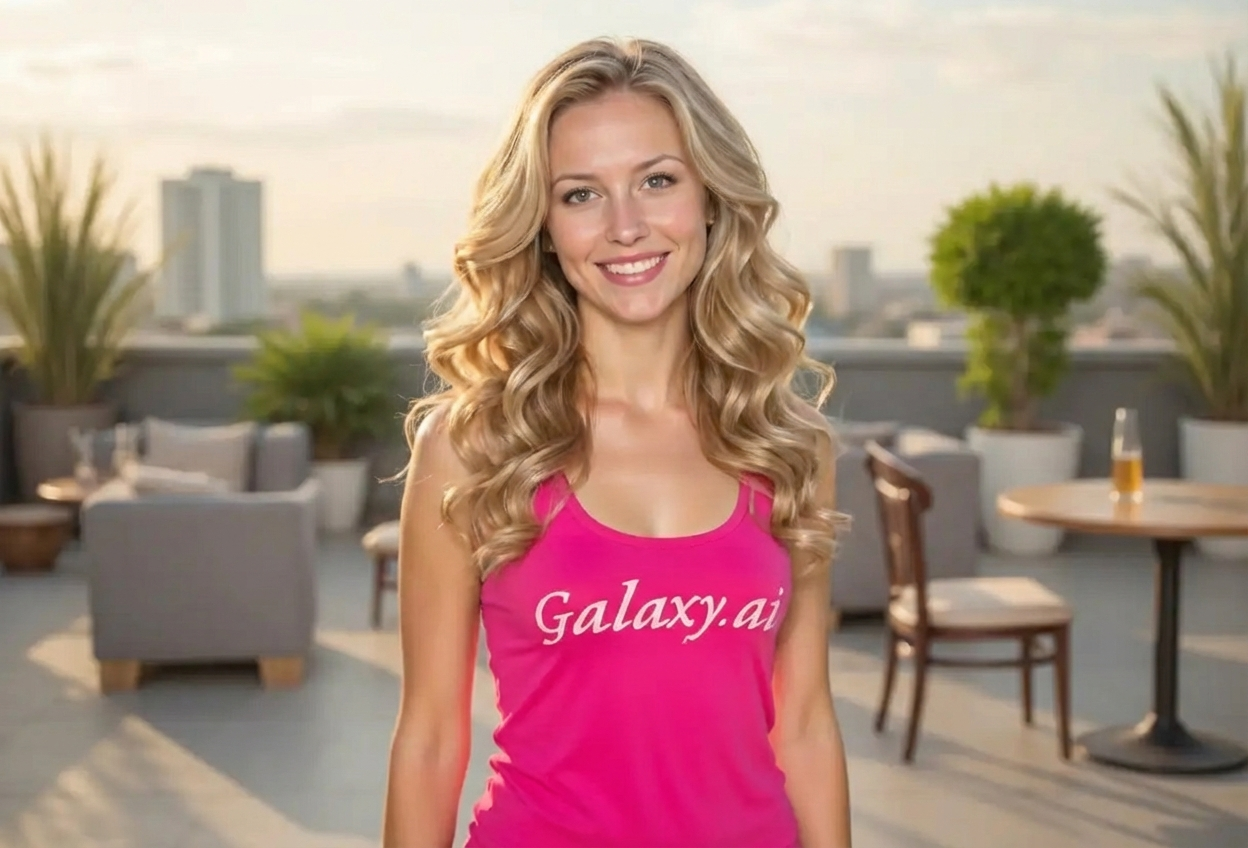
Compare the source image with each finished result.
Source image
Result
What Magica will ask for
The agent gathers these inputs and preferences in the conversation before it starts.
Attach Your Photo
attach a photo to apply the soft curls filter
Why Choose Our AI Soft Curls Filter?
Transform your hair with beautiful, voluminous soft curls instantly. Experience salon-quality styling with natural bounce and romantic appeal in just one click!
Natural-looking soft curls with realistic bounce
Voluminous styling perfect for special occasions
Glossy, healthy-looking finish
Maintains your facial features and skin tone
Instant results without salon appointments
No hairstyling skills required
Perfect for previewing hairstyle changes
How Our AI Soft Curls Filter Works
Get beautiful soft curls in three simple steps:
01
Attach Your Photo
Select a clear photo where your hair is visible. Front-facing or side-angle portraits work best!
02
Apply the Filter
ask Magica to generate the result and watch as our AI transforms your hair into soft, voluminous curls with natural bounce.
03
Download & Share
Preview your new curly hairstyle and download your transformed photo instantly.
Key Features of the AI Soft Curls Filter
Natural Curl Formation
Creates authentic soft curls with natural wave patterns and realistic bounce that looks professionally styled.
Glossy Finish
Adds a healthy, glossy shine to your curls for a salon-fresh, well-maintained appearance.
Romantic Styling
Achieves a romantic, elegant look perfect for weddings, dates, and special events.
High-Resolution Output
Generates high-quality images perfect for social media, profile pictures, and printing.
Who Can Benefit from the Soft Curls Filter?
Our AI Soft Curls Filter is perfect for anyone wanting to preview curly hairstyles or create beautiful styled photos for any occasion.
Social Media Influencers
Create stunning profile pictures and content with elegant curly hairstyles that capture attention.
Brides & Event Planners
Preview wedding hairstyles or special occasion looks before committing to a salon appointment.
Fashion Enthusiasts
Experiment with different curly hairstyles to find your perfect look for any outfit or occasion.
Party Goers
See how you'd look with glamorous curls before your next celebration or night out.
Content Creators
Generate diverse hairstyle content for beauty, fashion, or lifestyle channels and posts.
Hairstylists & Beauty Professionals
Show clients how different curl styles would look before performing the actual styling service.
Tips for the Best Soft Curls Result
Tip 1
Use Clear, Well-Lit Photos
Ensure your hair is clearly visible with good lighting for the most accurate curl transformation.
Tip 2
Show Your Full Hair
Photos where your hair is fully visible and not obscured work best for comprehensive curl application.
Tip 3
Higher Resolution Photos Work Better
Use high-quality images to ensure the curls appear detailed and natural-looking.
Tip 4
Front or Side Angles Are Ideal
Face-forward or three-quarter angle photos provide the best canvas for soft curl transformations.
Tip 5
Avoid Already Heavily Styled Hair
Photos with natural or lightly styled hair allow the AI to create the most realistic curl transformations.
Frequently Asked Questions About Our Soft Curls Filter
How realistic do the soft curls look?
Our AI creates highly realistic soft curls with natural bounce and volume. The curls maintain your hair's natural flow while adding beautiful waves and styling that looks professionally done.
Can I use this to preview a hairstyle change?
Absolutely! The Soft Curls Filter is perfect for previewing how you'd look with curly hair before getting a perm, using curling tools, or booking a salon appointment. It helps you make confident styling decisions.
Will the filter work on all hair lengths?
The filter works best on medium to long hair where curls can naturally form. While it can work on shorter hair, longer lengths provide more dramatic and visible curl transformations.
Does it preserve my natural hair color?
Yes! The filter maintains your original hair color while adding the curl pattern, volume, and glossy finish. It only transforms the texture and style, not the color.
Will my facial features stay the same?
Absolutely. Our AI focuses exclusively on transforming your hair into soft curls while keeping your facial features, skin tone, and overall appearance unchanged.
Is this suitable for professional headshots?
Yes! The natural-looking soft curls created by our filter are elegant and professional, making them suitable for LinkedIn profiles, business headshots, and professional portfolios.
Can I use the results for social media?
Definitely! The high-resolution output is perfect for Instagram, Facebook, TikTok, and other social media platforms. The romantic, styled look is especially popular for profile pictures and special occasion posts.
How is my photo privacy protected?
We take privacy seriously. Your photos are used only for the curl transformation process and are not stored long-term or used for any other purposes. Your transformed image is returned in the conversation for you to save.