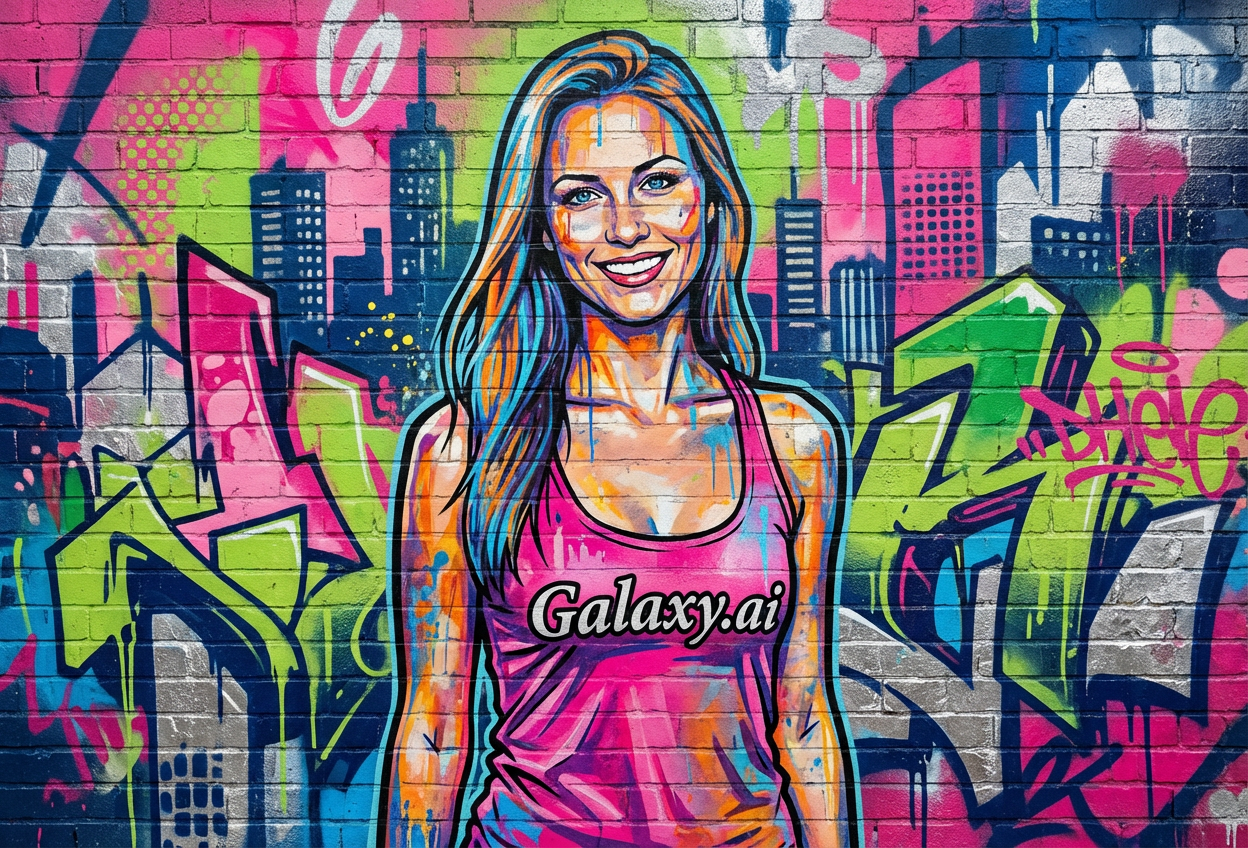
Compare the source image with each finished result.
Source image
Result
What Magica will ask for
The agent gathers these inputs and preferences in the conversation before it starts.
Upload Photos
attach a photo to apply the filter
Why Choose Our AI Street Art Filter?
Transform your photos into vibrant urban masterpieces with our advanced AI. Experience the bold energy and contemporary edge of street art culture with just one click!
Authentic graffiti and spray paint aesthetics
Bold colors and dynamic urban style
Professional street art quality
Maintains photo recognition while transforming
Instant transformation powered by AI
No artistic skills required
Perfect for social media and urban content
How Our Street Art Filter Works
Transform your photos into bold street art with these simple steps:
01
Attach Your Photo
Select a clear photo with good contrast. Portrait and face shots work particularly well for street art transformation!
02
Apply the Filter
ask Magica to generate the result and watch as our AI transforms your photo into vibrant graffiti-style street art with spray paint effects.
03
Download & Share
Preview your street art transformation and download your bold urban artwork.
Key Features of the AI Street Art Filter
Authentic Street Art Style
Creates genuine graffiti aesthetics with spray paint effects, bold outlines, and urban color palettes characteristic of contemporary street art.
Smart Feature Recognition
Our AI accurately identifies and enhances key features while applying street art aesthetics, maintaining photo recognition.
Dynamic Urban Colors
Applies vibrant, bold color schemes typical of street murals and graffiti art for maximum visual impact.
High-Resolution Output
Generates high-quality street art images perfect for prints, social media, and digital displays.
Who Can Benefit from the Street Art Filter?
Our AI Street Art Filter is perfect for anyone wanting to embrace urban culture and create bold, contemporary artistic content.
Social Media Enthusiasts
Create eye-catching street art profile pictures and posts that stand out with urban edge.
Content Creators
Generate unique street art-style content for YouTube, TikTok, Instagram, and other platforms.
Urban Culture Fans
Express your love for street art, hip-hop culture, and urban aesthetics through transformed photos.
Artists & Designers
Generate street art references or create urban-themed designs for projects and portfolios.
Brand Marketers
Create edgy, youth-oriented promotional content with street art aesthetics for campaigns.
Music Artists
Generate bold street art-style visuals for album covers, promotional materials, and music videos.
Tips for the Best Street Art Results
Tip 1
Use Photos with Good Contrast
Photos with clear contrast between subject and background produce the most striking street art transformations.
Tip 2
Portrait Photos Work Best
Face and portrait shots are ideal for street art filters, as they allow for bold facial feature emphasis typical of graffiti murals.
Tip 3
Higher Resolution for Detail
Use high-quality photos to ensure the spray paint textures and bold outlines are crisp and detailed.
Tip 4
Experiment with Different Expressions
Bold or confident expressions often work best for street art style, creating more impactful urban artwork.
Tip 5
Consider Your Background
Simple backgrounds allow the street art transformation to shine, while complex backgrounds add urban texture.
Frequently Asked Questions About Our Street Art Filter
How authentic is the street art transformation?
Our AI creates highly authentic street art transformations by applying genuine graffiti aesthetics including spray paint effects, bold outlines, and urban color palettes. The result captures the energy and style of contemporary street murals and graffiti art.
What types of photos work best?
The filter works best on clear portrait photos with good contrast. While it can transform any photo, we recommend face and upper body shots for the most impactful street art results, similar to famous street art murals.
Will my photo still be recognizable?
Yes! Our AI maintains key facial features and recognizability while applying bold street art aesthetics. The transformation creates an artistic interpretation rather than completely abstracting your image.
Can I use this for commercial purposes?
The street art filter is perfect for social media, personal projects, and creative content. For commercial use including merchandise or advertising, please review our terms of service or contact us for commercial licensing.
Is my photo safe to upload?
We prioritize user privacy. Your photos are used only for the transformation process and are not stored long-term or used for other purposes. The generated street art image is returned in the conversation for you to save.
What makes this different from other art filters?
Our street art filter specifically captures the bold, contemporary aesthetic of urban graffiti and street murals with authentic spray paint effects, dynamic colors, and that characteristic urban edge that defines modern street art culture.