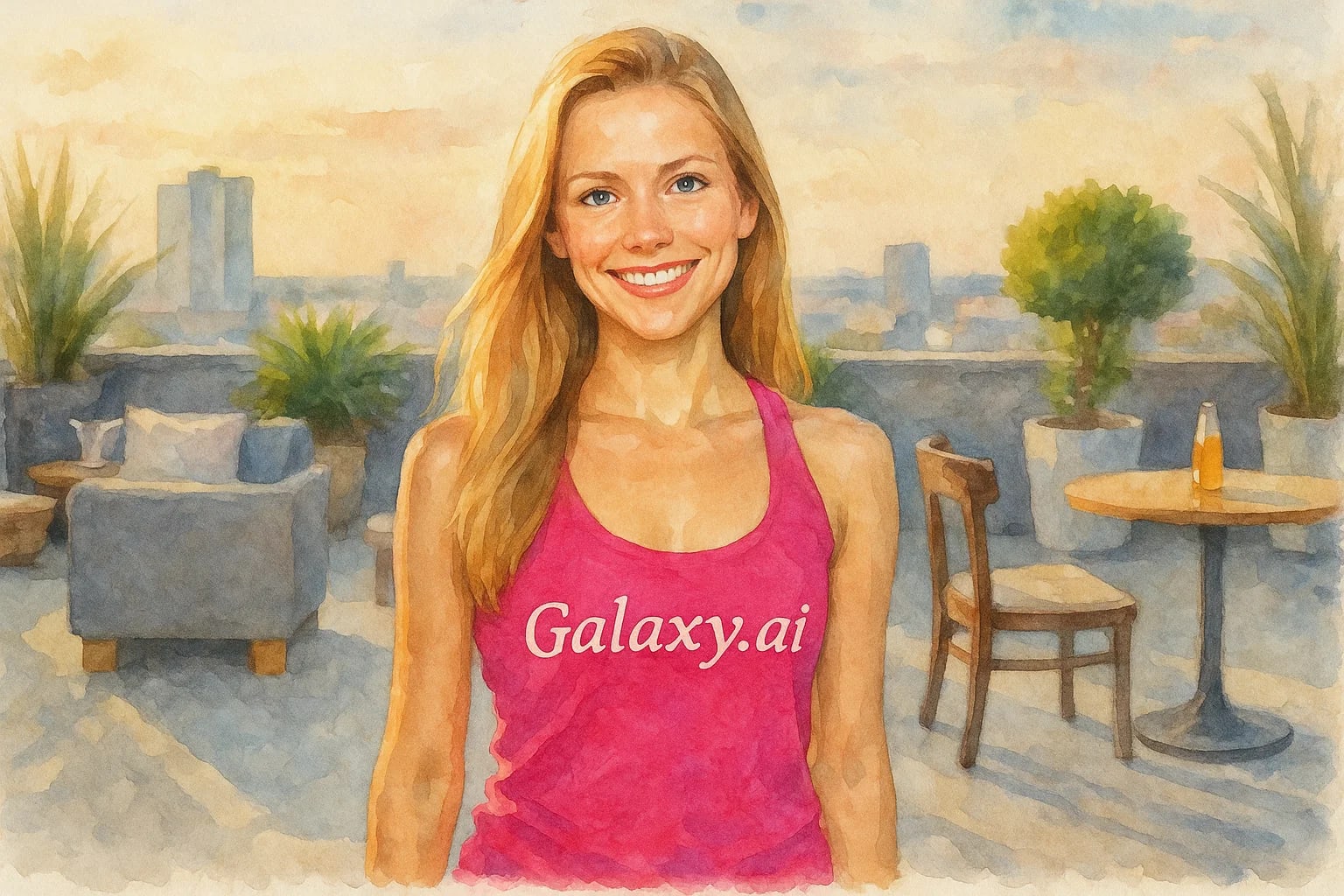
Compare the source image with each finished result.
Source image
Result
What Magica will ask for
The agent gathers these inputs and preferences in the conversation before it starts.
Upload Photos
attach a photo to apply the filter
Why Choose Our AI Watercolor Filter?
Transform your photos into stunning watercolor artworks instantly with our advanced AI. Create beautiful, artistic renditions of your images with just one click!
Beautiful watercolor painting effect
Preserves important image details
Natural color bleeding and texture
One-click artistic transformation
Fast processing powered by AI
No artistic skills required
Perfect for creating wall art and digital content
How Our Watercolor Filter Works
Creating beautiful watercolor art from your photos is incredibly simple:
01
Attach Your Photo
Select and upload any photo you'd like to transform into a watercolor painting.
02
Apply the Filter
Click the 'Generate' button. Our AI instantly transforms your photo into a watercolor style artwork.
03
Download & Share
Preview your beautiful watercolor artwork and download the high-resolution image.
Key Features of the AI Watercolor Filter
Authentic Watercolor Effect
Creates realistic watercolor textures with natural color bleeding and paper grain effects.
Smart Detail Preservation
Our AI carefully maintains important details while applying the artistic effect.
Beautiful Color Harmony
Intelligently adjusts colors to create harmonious watercolor palettes while staying true to the original.
High-Quality Output
Generates high-resolution watercolor artworks perfect for printing or digital use.
Who Can Benefit from the Watercolor Filter?
Our AI Watercolor Filter is perfect for anyone looking to create beautiful artistic versions of their photos.
Photographers
Transform your photos into unique watercolor artworks to offer clients or create artistic prints.
Digital Artists
Quickly create watercolor-style bases for your digital artwork or mixed media projects.
Social Media Creators
Create stunning artistic content for your social media posts and stories.
Interior Decorators
Generate beautiful watercolor artwork from photos for wall art and decor.
Content Creators
Create unique artistic visuals for blogs, websites, and marketing materials.
Art Enthusiasts
Turn your favorite photos into watercolor-style artwork without needing painting skills.
Tips for the Best Watercolor Results
Tip 1
Choose High-Contrast Images
Photos with good contrast and clear subjects tend to create more striking watercolor effects.
Tip 2
Consider the Composition
Simple, clear compositions often work best for watercolor transformations.
Tip 3
Use High-Quality Photos
Better quality input photos will result in more detailed and beautiful watercolor artworks.
Tip 4
Think About Colors
Photos with complementary or harmonious colors often create the most appealing watercolor results.
Frequently Asked Questions About Our Watercolor Filter
How realistic is the watercolor effect?
Our AI creates highly authentic watercolor effects with natural color bleeding, paper texture, and brush-like strokes while maintaining the essence of your original image.
What types of photos work best?
While the filter works on any photo, images with clear subjects, good lighting, and strong contrasts typically produce the most striking watercolor results.
Can I adjust the intensity of the watercolor effect?
Currently, the filter applies an optimized watercolor effect. We're working on adding customization options in future updates.
What resolution will my watercolor artwork be?
The tool maintains the resolution of your original photo while applying the watercolor effect, ensuring high-quality output suitable for printing.
Is my photo safe to upload?
Yes, we prioritize user privacy. Your photos are used only for the filtering process and are not stored long-term or used for other purposes.