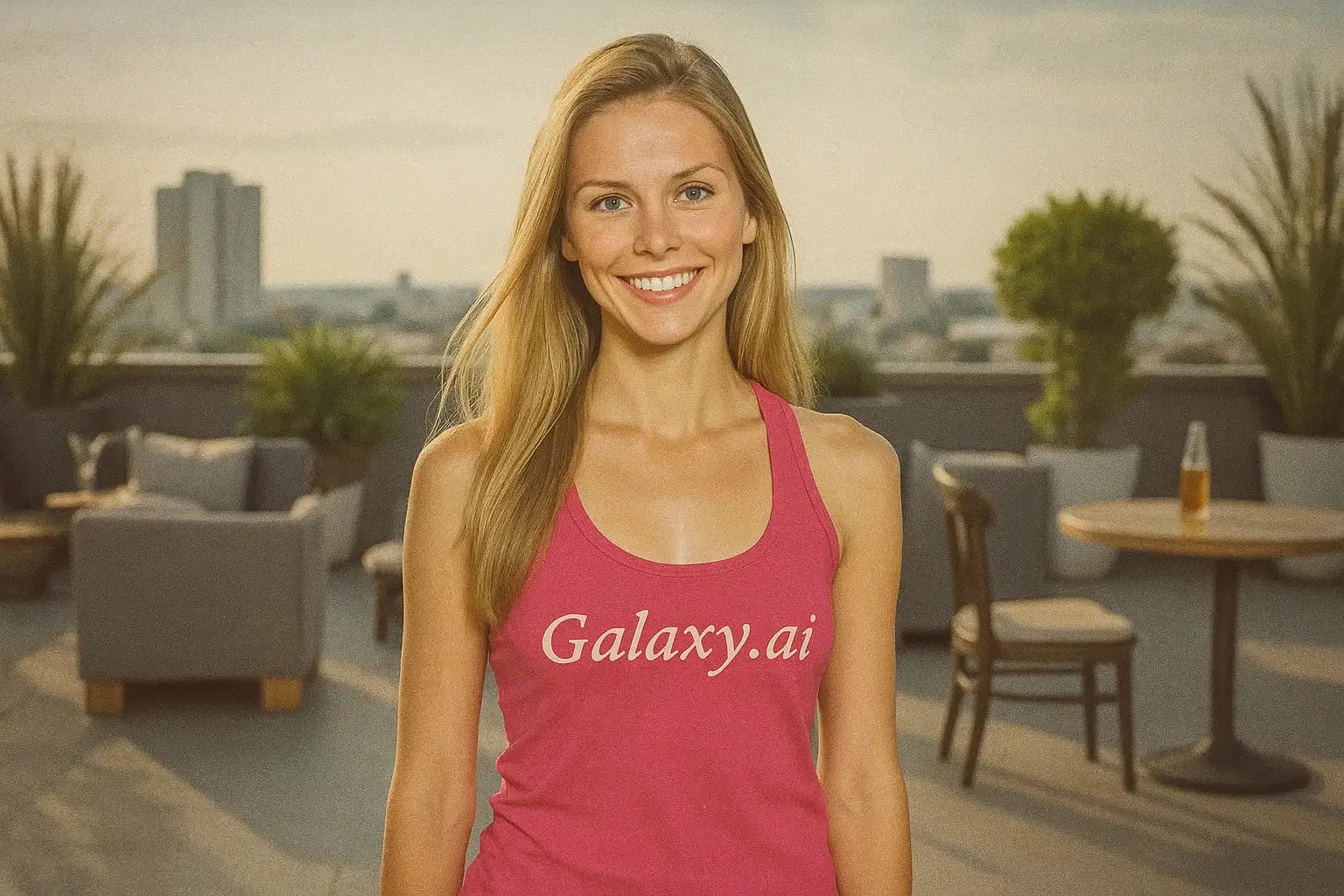
Compare the source image with each finished result.
Source image
Result
What Magica will ask for
The agent gathers these inputs and preferences in the conversation before it starts.
Upload Portrait Photo
attach a photo to apply the filter
Why Choose Our AI Yearbook Filter?
Transform your modern photos into timeless yearbook-style portraits with our advanced AI. Capture that classic, professional yearbook aesthetic instantly!
Authentic yearbook photo transformation
Professional studio lighting effects
Clean, classic background adjustment
Formal attire enhancement
Instant nostalgic yearbook aesthetic
One-click transformation process
Perfect for reunion photos and memories
How Our Yearbook Filter Works
Creating the perfect yearbook-style photo is simple and quick:
01
Attach Your Portrait
Select a clear, front-facing portrait photo where your face is clearly visible.
02
Apply the Filter
ask Magica to generate the result and watch as our AI transforms your photo into a classic yearbook style portrait.
03
Download Your Photo
Preview your transformed yearbook photo and download the high-resolution image.
Key Features of the AI Yearbook Filter
Classic Yearbook Style
Recreates the iconic look of professional yearbook photos with perfect positioning and composition.
Professional Lighting
Applies studio-quality lighting adjustments to achieve that perfect yearbook photo illumination.
Background Enhancement
Creates a clean, professional background typical of classic yearbook photos.
Formal Appearance
Enhances the photo to give a more formal, polished yearbook appearance.
Who Can Benefit from the Yearbook Filter?
Our AI Yearbook Filter is perfect for anyone wanting to recreate that classic yearbook photo aesthetic.
Students & Alumni
Create matching yearbook-style photos for reunions or memory books.
Photographers
Quickly transform casual portraits into professional yearbook-style photos.
Reunion Organizers
Create consistent yearbook-style photos for reunion materials and displays.
School Staff
Transform student photos into consistent yearbook-style portraits.
Nostalgia Enthusiasts
Recreate the classic yearbook photo style with any modern portrait.
Social Media Users
Create fun throwback posts with authentic yearbook-style transformations.
Tips for Perfect Yearbook Photos
Tip 1
Use Front-Facing Photos
Choose photos where you're facing directly toward the camera with good posture.
Tip 2
Good Lighting is Key
Start with well-lit photos for the best yearbook transformation results.
Tip 3
Choose High Quality
Use clear, high-resolution photos for the most professional-looking results.
Tip 4
Natural Expression
A natural smile works best for authentic yearbook-style photos.
Frequently Asked Questions About Our Yearbook Filter
How authentic does the yearbook effect look?
Our AI is specifically trained to recreate the classic yearbook photo style, including professional lighting, clean backgrounds, and that distinctive formal appearance that characterized yearbook photos from the 80s and 90s.
Can I use group photos?
The filter works best with individual portraits. For best results, we recommend using single-person photos where the face is clearly visible and centered.
Will the filter adjust my clothing?
The AI will enhance the appearance of your clothing to look more formal and yearbook-appropriate, but for best results, start with photos wearing darker, solid-colored tops.
What happens to my photo quality?
We maintain the original resolution while applying the yearbook effect. The output will be a high-quality image suitable for printing or digital use.
Is my photo data secure?
Yes, we take privacy seriously. Your photos are only used for the filtering process and are not stored long-term or used for any other purpose. You can download your transformed photo immediately.