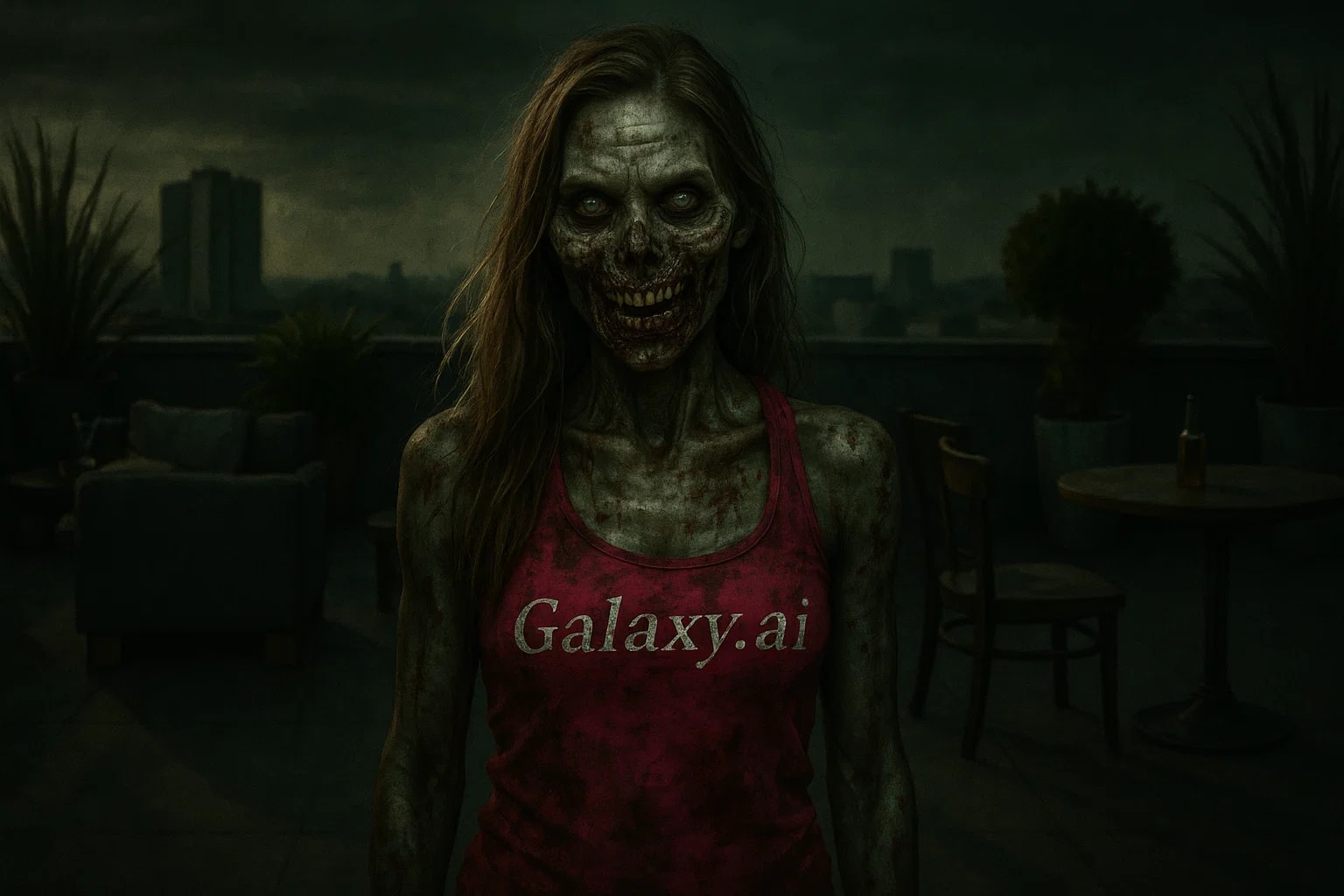
Compare the source image with each finished result.
Source image
Result
What Magica will ask for
The agent gathers these inputs and preferences in the conversation before it starts.
Upload Portrait Photo
attach a photo to apply the filter
Why Choose Our AI Zombie Filter?
Transform your ordinary photos into spine-chilling zombie portraits with our advanced AI. Create professional-quality horror effects instantly!
Realistic zombie transformation effects
Decaying skin and flesh textures
Dark sunken eyes and pale complexion
Blood and gore effects
Professional horror movie quality
One-click transformation process
Perfect for Halloween and horror themes
How Our Zombie Filter Works
Creating the perfect zombie transformation is simple and quick:
01
Attach Your Portrait
Select a clear, front-facing portrait photo where your face is clearly visible.
02
Apply the Filter
ask Magica to generate the result and watch as our AI transforms your photo into a terrifying zombie portrait.
03
Download Your Photo
Preview your zombie transformation and download the high-resolution horror portrait.
Key Features of the AI Zombie Filter
Realistic Undead Effects
Creates authentic zombie appearance with decaying flesh, wounds, and supernatural features.
Blood & Gore Details
Adds realistic blood stains, wounds, and gore effects for maximum horror impact.
Haunting Eyes
Transforms eyes into dark, sunken, or milky white undead appearance.
Decay Textures
Applies realistic skin decay, visible veins, and deteriorating flesh textures.
Who Can Benefit from the Zombie Filter?
Our AI Zombie Filter is perfect for anyone wanting to create horror-themed content and spooky transformations.
Halloween Enthusiasts
Create terrifying profile pictures and party invitations for Halloween events.
Content Creators
Generate horror-themed content for videos, thumbnails, and social media posts.
Gamers & Streamers
Create zombie avatars and horror-themed profile pictures for gaming platforms.
Photographers
Offer unique zombie transformations for themed photoshoots and events.
Digital Artists
Use as reference or starting point for horror artwork and illustrations.
Event Organizers
Create themed materials for horror events, escape rooms, and haunted attractions.
Tips for Perfect Zombie Transformations
Tip 1
Use Clear Portraits
Choose photos with clearly visible facial features for the most detailed zombie transformation.
Tip 2
Front-Facing Works Best
Direct front-facing photos create the most impactful zombie effects.
Tip 3
High Resolution Recommended
Use high-quality photos to capture all the gruesome zombie details.
Tip 4
Good Lighting Helps
Well-lit original photos allow for better contrast in the zombie transformation.
Frequently Asked Questions About Our Zombie Filter
How realistic are the zombie effects?
Our AI creates professional horror movie quality zombie transformations with realistic decay, wounds, blood effects, and undead features. The results are detailed enough to be genuinely scary while maintaining the recognizable features of the original person.
Can I control the level of gore?
The filter applies a balanced level of zombie effects suitable for most horror content. The AI automatically determines the appropriate level of transformation to create a convincing zombie appearance without being excessively graphic.
Will it work on group photos?
The filter works best with individual portraits where the face is clearly visible. For group photos, we recommend cropping to individual faces or using separate photos for each person you want to transform.
Is the content appropriate for all ages?
The zombie filter creates horror-themed content that may be frightening or disturbing to some viewers, especially children. We recommend using discretion when sharing zombie transformations on public platforms.
Can I use these for commercial projects?
Yes, you can use the zombie transformations for personal and commercial projects, including Halloween events, horror content creation, and themed marketing materials. The transformed images are yours to use as needed.