
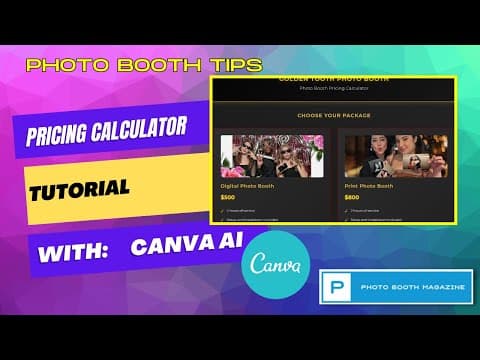
This article explores how photo booth business owners can leverage Canva AI to create a custom pricing calculator. It details the process of using Canva's AI features with a Pro subscription to design a sleek, branded calculator that clients can use to estimate rental packages and add-ons. This affordable alternative is ideal for startups not ready to invest in full CRM systems, offering a professional and functional tool to streamline client interactions.
Most photo booth business owners are familiar with Canva, a versatile design tool widely used for creating promotional materials and templates. However, Canva's capabilities extend beyond simple design — with its AI features, you can build a custom pricing calculator tailored specifically for your photo booth business. This article will guide you through the process of using Canva AI to create a sleek, functional pricing calculator that can help you present your services professionally and simplify client interactions.
If you are just starting out or have a smaller volume of business, investing in a robust Customer Relationship Management (CRM) system like Boothbook, Check Cherry, or Honeybook might not be feasible. Canva AI offers an affordable and accessible alternative to create a presentable calculator-like CRM interface for your clients.
With a Canva Pro subscription, you gain access to advanced AI functionalities that allow you to generate interactive elements such as pricing calculators. This tool can help you:
Once your business grows and requires more advanced features, transitioning to a dedicated CRM is recommended. But Canva AI is an excellent starting point.
When you log into Canva, you will find various options including designs, templates, and the new Canva AI feature. Canva AI works similarly to ChatGPT or other AI chatbots, where you input a detailed prompt describing what you want, and the AI generates the design or code accordingly.
The key to a successful AI-generated pricing calculator is a clear and descriptive prompt. Before using Canva AI, prepare a detailed description of your desired calculator in a text document. Here is an example prompt used for a fictional photo booth business called "Golden Tooth Photo Booth":
Create a sleek, modern pricing calculator for my Photo Booth business. Start with an example for Golden Tooth Photo Booth. This will be a calculator that a client can use to price our Photo Booth rental packages. The theme should be a white background. The header should have a dark red background with white text. The pricing information should be displayed in a green font. The borders of the package information and pricing quote should match the red color that is in the background of the header.

There will be two main photo booth rental packages. Above each package name, allow the ability for me to add an image with editing controls. Under each package name, there should be bullet points of what is included in the Photo Booth rental package.

The user will only be able to select one of these main packages.

There will be a second section for a la carte add-ons that can be selected as one-time fees. Examples include a prop table, custom backdrop, audio guest book, and sharing station. These add-ons should be selectable with radio buttons and their prices added to the total quote.
This prompt includes details about the color scheme, layout, package options, and add-ons, which helps Canva AI generate a design that matches your brand and business needs.
In your prompt, clearly list the packages and what each includes. For example:
Digital Photo Booth
Premium Photo Booth
For add-ons, specify each item and its price:
This clarity ensures the AI can create interactive elements that calculate totals correctly.
Once your prompt is ready, paste it into the Canva AI text box and let the AI work its magic. You will see the AI generating code and building the calculator in real-time.
The initial output will be a first draft, which you can then review and tweak. For example, you might notice that the radio buttons for add-ons do not calculate correctly. You can instruct Canva AI to fix these issues by providing additional prompts, such as:
"Please fix the radio buttons on the add-on packages so that selecting them updates the total quote correctly."
The AI will then regenerate the code accordingly.
As your photo booth business grows, consider upgrading to a full-featured CRM like Boothbook, Check Cherry, 17 Hats, Honeybook, or Tave. These platforms offer advanced booking, client management, and automation features that go beyond pricing calculators.
Meanwhile, Canva AI provides a powerful and accessible way to present your pricing professionally and engage clients effectively.
Leveraging Canva AI to create a custom photo booth pricing calculator is an innovative and affordable way to enhance your business presentation. By carefully crafting your prompt and utilizing Canva's AI capabilities, you can build an interactive, branded calculator that simplifies client communication and boosts your professionalism.
Experiment with Canva AI, refine your designs, and share your experiences with the community to discover even more creative uses of this versatile tool.
Feel free to explore and enjoy the possibilities that Canva AI offers for your photo booth business and beyond!



















