
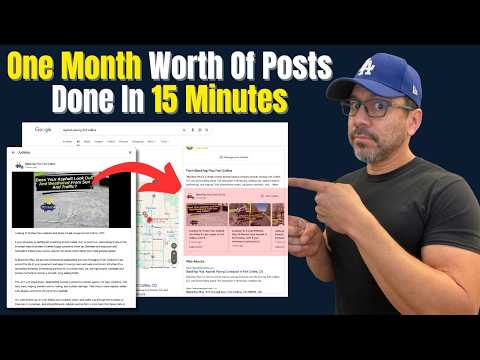
Google Business Profile posts are important for keeping your profile active and engaging potential customers. Many local businesses neglect posting due to lack of time or creativity. This article explains a simple system using AI tools like ChatGPT and Canva templates to create problem-solution oriented posts quickly, schedule them, and maintain an active profile effortlessly.
Google Business Profile posts may not be the most critical factor in ranking your business in Google's local three-pack, but they are still an important element to keep your profile active and engaging. Despite this, many local businesses, especially contractors and home service providers, often neglect posting on their Google Business Profile. This is usually due to lack of time, creativity, or mental energy to consistently create and schedule posts.
In this article, we will explore a simple and efficient system to create a month's worth of Google Business Profile posts in just 15 to 20 minutes using AI-generated prompts and Canva-designed image templates. This approach not only saves time but also produces professional and engaging posts that help your business stand out.
While these posts are not the top ranking factor, they help keep your Google Business Profile active. An active profile signals to Google that you are actively using their platform, which can positively influence your local search presence. Additionally, well-crafted posts can address common customer problems and present your business as the solution, attracting more potential clients.
Many business owners struggle with:
This often results in outdated or inactive profiles, missing out on opportunities to engage with customers searching for local services.
By leveraging AI tools like ChatGPT and design platforms like Canva, you can streamline the process of creating and scheduling posts. Here's how:
Focus on creating problem-oriented and solution-oriented posts. Customers searching for local services usually have a specific problem and are looking for solutions. Your posts should:
You can use any AI platform such as ChatGPT, Claude, or Gemini. The process involves two prompts:
Introduction Prompt: Tell the AI about the business name, location, and provide content from the business's homepage and about page. This helps the AI understand the business context.
Post Creation Prompt: Ask the AI to write a short post about a specific service or problem (e.g., roof inspections).
For example, after feeding the AI with the business information, you might prompt:
"Write a short Google Business Profile post about roof inspections for Kyle Roofing Company in San Luis Obispo."
The AI will generate a post like:
"Is your roof showing signs of wear or possible damage? If you have noticed loose shingles, small leaks, or just have not had your roof checked in years, you're not alone. The sun, coastal air, and changing weather in San Luis Obispo can wear down roofs faster than most people expect."
Use Canva to design a reusable image template for your posts. Customize the template by:
This visual consistency helps your posts look professional and recognizable.
Once you have your post text and image ready:
Repeat this process for multiple posts covering different services or problems (e.g., gutter inspections, seal coating).
You can create and schedule multiple posts (e.g., 8 posts) in one session, taking about 15 to 20 minutes. This batch approach frees you from monthly posting tasks and keeps your profile active and engaging.
Google Business Profile posts are a valuable tool for local businesses to engage customers and maintain an active online presence. By using AI tools like ChatGPT and design platforms like Canva, you can quickly create problem-solution oriented posts and schedule them in advance. This system reduces the burden of content creation and helps your business stand out in local search results.
If you want to explore more about SEO, website design, and getting your business found on Google, consider learning more about these topics through available resources and tutorials.
Start implementing this AI + Canva system today and watch your Google Business Profile come alive with engaging, helpful posts that attract and convert customers.



















