
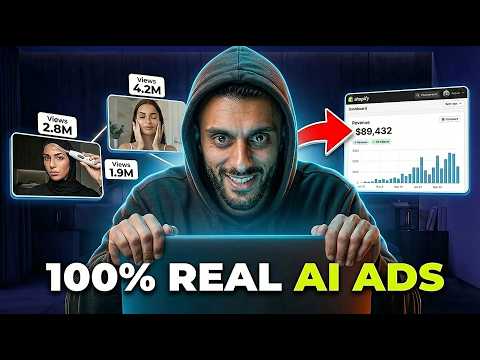
This tutorial explains how to create realistic AI video ads for dropshipping stores using simple tools and techniques. It covers the entire process from finding reference ads, using AI tools like Gemini and Arcads, to editing in CapCut. The author shares insights on effective prompts and strategies to enhance ad performance, making it accessible for beginners and experienced marketers alike.
Creating video ads that look completely real can be a game changer for your dropshipping business. In this tutorial, I will guide you through the process of making AI-generated video ads that can significantly boost your sales. These ads have helped my Shopify dropshipping store generate over $100,000 in revenue since January 2026. Let’s dive into the steps you need to follow to create your own effective AI video ads.
AI video ads can mimic real-life content without the need for actual video shoots. This is particularly beneficial for dropshipping stores where product demonstration is key. Many beginners still rely on traditional user-generated content (UGC) or poorly designed AI ads, but with the right approach, you can create ads that convert effectively.
To make your life easier, I have prepared a slide deck that contains all the prompts and step-by-step tutorials you will need. You can access this slide deck for free. The only thing I ask is that you support this content by liking the video.
Before we jump into the tutorial, let’s look at some proof of success. My Shopify store has gone from zero to over $105,000 in sales this year, all thanks to AI-driven strategies. This includes everything from the website design to the ad creatives.
The first step in creating your video ad is to find a reference ad from a competitor. Use an ad spy tool like Winning Hunter to identify the best-performing ads for your product. Here’s how:
Once you have your reference ads, you can start creating your own visuals using AI tools. Here’s a breakdown of the tools you will need:
Gemini is Google’s AI language model that can help you enhance your images. Upload your reference image and use prompts to modify it. For example, you can ask Gemini to remove text from an image and create a full-screen version.
Arcads is a powerful tool for generating images and videos. It’s user-friendly and perfect for beginners. After signing up, start a new project and upload your reference image. Use prompts to create variations of the image that suit your product.
Crafting the right prompts is crucial for generating high-quality images and videos. If you’re unsure what prompts to use, you can leverage Manis AI to help you create tailored prompts based on your product. Simply provide a link to your product and ask for suggestions on how to create effective ads.
Once you have your images and videos, it’s time to edit them. Use CapCut to compile your video ads:
After editing, review your ad to ensure it flows well and effectively communicates your product’s benefits. You can create multiple versions of your ad by varying the text and visuals to see which performs best.
Creating AI video ads that look realistic is not only possible but also accessible to anyone, regardless of their experience level. By following the steps outlined in this tutorial, you can produce high-quality ads that resonate with your audience and drive sales for your dropshipping store. Remember to experiment with different styles and prompts to find what works best for your products. Don’t forget to like this video if you found it helpful, and I look forward to seeing your successful ads in the future!



















