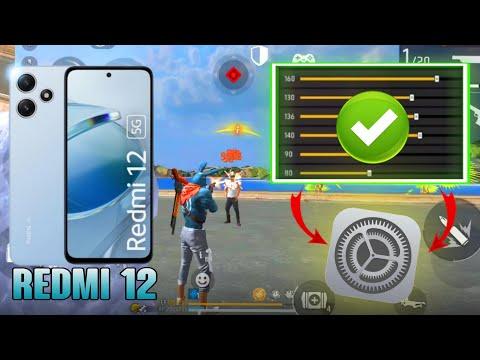
This blog post provides a comprehensive guide on optimizing sensitivity settings and graphics for playing Free Fire on the Redmi 12, ensuring smoother gameplay and improved headshot accuracy.
In this blog post, we will explore the best sensitivity settings and graphics options for playing Free Fire on the Redmi 12. These settings are crucial for enhancing your gameplay experience, especially when it comes to achieving headshots and maintaining smooth performance.
The most important setting for achieving headshots in Free Fire is the general sensitivity. This setting determines how quickly your character can rotate and aim. For optimal performance, it is recommended to set your general sensitivity to 192. This value allows for precise aiming and quick reactions during gameplay.
Many players believe that increasing the red dot sensitivity will improve headshot accuracy. However, the reality is that headshots are primarily determined by the general sensitivity. For red dot sensitivity, a setting of 102 is advisable. This will help you aim better with weapons that do not have scopes.
When using scopes, the sensitivity settings can significantly impact your shooting accuracy. For the 2x scope, set the sensitivity to 144. This setting is particularly useful for players who engage in close to mid-range combat. For the 4x scope, a sensitivity of 169 is recommended, as it allows for better control when aiming at distant targets.
If you prefer using sniper rifles, a sensitivity setting of 100 is ideal. This value strikes a balance between precision and responsiveness, allowing you to line up shots effectively without overshooting.
For players who want to showcase freestyle gameplay, the free look sensitivity is crucial. Setting this to 130 will enable smoother character rotation, making it easier to spot opponents while maintaining control over your movements.
To ensure a smooth gaming experience on the Redmi 12, it is essential to choose the right graphics settings. While you can set the graphics to ultra, it may consume more battery and affect performance. Instead, it is recommended to set the graphics to standard with high FPS enabled. This configuration provides a balance between visual quality and gameplay smoothness.
The animation quality also plays a role in your overall gaming experience. Keeping the animation settings on standard will provide a visually appealing experience without compromising performance. Ultra settings can be too demanding and may lead to lag during intense gameplay.
To maximize your gaming performance, it is advisable to remove any unnecessary background processes while playing Free Fire. This will free up system resources, allowing the game to run smoothly. Ensure that only Free Fire is running in the foreground to achieve the best results.
By following these sensitivity and graphics settings, you can significantly enhance your gameplay experience in Free Fire on the Redmi 12. Achieving headshots will become easier, and your overall performance will improve, allowing you to enjoy the game to its fullest. Thank you for reading, and happy gaming!