This blog post explores a revolutionary method for creating AI movies using Imagine Art, a tool that automates the filmmaking process while maintaining creative control. It details the step-by-step workflow for generating videos efficiently, ensuring consistency in character design and scene transitions, and highlights the advantages of using this innovative approach to filmmaking.
Creating AI movies has traditionally been a time-consuming process, often requiring extensive manual effort for each video. However, a new tool called Imagine Art has emerged, offering a solution that automates much of the filmmaking workflow while allowing creators to maintain full control over their projects. This blog post will guide you through the process of using Imagine Art to create AI movies efficiently.
Making AI movies typically involves several tedious steps:
This process can feel like a full-time job, as creators often find themselves repeating these steps for each new video. While the creative aspect is enjoyable, the slow pace can be frustrating.
Imagine Art is a powerful tool designed to streamline the AI movie-making process. By allowing users to build their movies as workflows, Imagine Art automates many of the repetitive tasks involved in video creation. This not only speeds up the process but also enhances the overall creative experience.
To begin using Imagine Art, follow these steps:
The Imagine Art interface consists of several key components:
To illustrate how Imagine Art works, let’s create a simple video:
For our example, we might use the following prompt: "A medium shot of a woman, a 23-year-old Starship engineer with short dark hair and a blue jumpsuit, kneeling in a narrow maintenance corridor aboard a luxury Starliner. Blue strips run along the metal walls. She has an open panel in front of her filled with wires and dust."
Once your nodes are set up:
Finally, select the entire workflow and click "run selected" to generate your video. The results will be a high-quality image and video that are consistent and visually appealing.
To create a more intricate movie, you can set up multiple scenes:
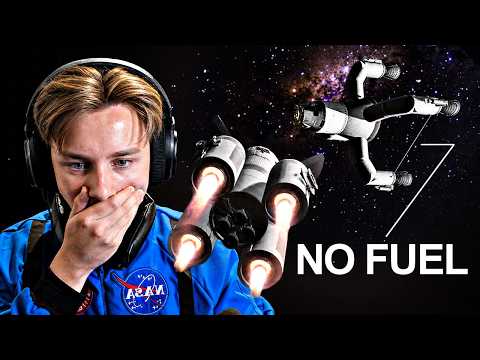
For a movie about an astronaut stuck in space, you would:
Once all scenes are set up:
After the generation process, you will have a series of videos that flow seamlessly together. The consistency in character design and scene transitions will enhance the viewing experience, making it feel like a cohesive film rather than disjointed clips.
Imagine Art simplifies the AI movie-making process by:
With Imagine Art, filmmakers can fully automate their AI movie creation process, making it more efficient and enjoyable. By following the structured workflow outlined in this post, you can create epic AI movies without the chaos typically associated with video production. Embrace this innovative tool and transform your filmmaking experience today.