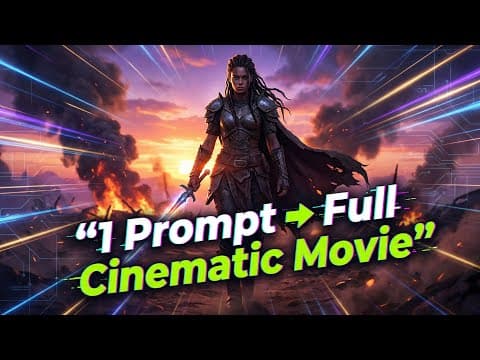
Higgsfield Cinema Studio allows users to create Hollywood-level cinematic sequences from a single prompt. The process involves generating a base cinematic image, creating multiple camera angles, and animating scenes with real cinematic techniques. This blog post details the step-by-step workflow to achieve professional-quality video content using AI.
Higgsfield has recently launched a groundbreaking tool called Cinema Studio, which empowers users to create Hollywood-level films using artificial intelligence. This innovative platform provides full cinematic control, allowing creators to produce professional-quality video content from a single prompt. In this blog post, we will explore the step-by-step workflow of Higgsfield Cinema Studio and how it can transform your storytelling.
Cinema Studio is designed to mimic the professional filmmaking process, starting with story and composition, followed by camera setup, shot selection, and controlled camera movement. Unlike traditional AI video generation, where users simply type a prompt and hope for the best, Cinema Studio allows for a more intentional approach. Users can select camera bodies, lenses, focal lengths, and camera movements, resulting in cinematic, stable, and purposeful outputs.
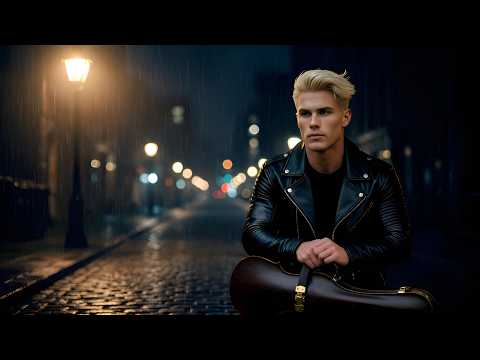
The first step in the Cinema Studio workflow is to generate a single cinematic image, which serves as the foundation for the entire film. This image will dictate all camera angles, shots, and animations that follow. Here’s how to set it up:
Once all settings are configured, clicking the generate button will produce the cinematic image. Initially, the image may appear soft, but it will resolve into full 2K cinematic quality shortly.
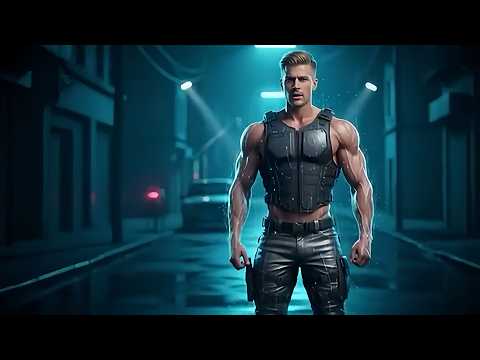
With the base cinematic image created, the next step is to generate multiple camera angles from this single frame, a feature known as multi-shot generation. This process mimics a real film shoot, where one setup yields multiple shots.
After generating multiple shots, you can choose a reference image to continue the story. This allows for the introduction of new characters or scenes, expanding the narrative.
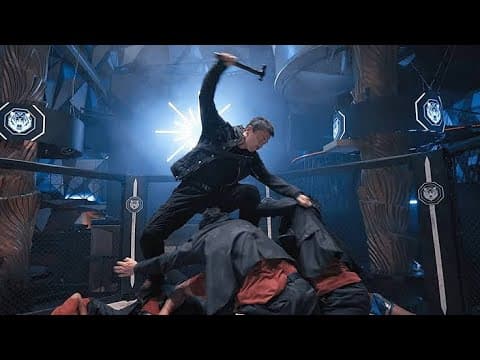
Once you have your images, the next step is to animate them into a video sequence. Here’s how to do it:
After configuring these settings, clicking generate will animate the scene based on the selected camera movement and reference image.
The entire workflow of Higgsfield Cinema Studio allows users to create a full cinematic sequence from just one prompt. Starting with a single cinematic image, generating multiple camera angles, and converting those images into a video sequence can all be done within the platform. This streamlined process eliminates the need for switching between different tools, making it an efficient solution for cinematic storytelling, film-style ads, or short films.
Higgsfield Cinema Studio represents one of the most advanced AI workflows available today, making it an invaluable tool for creators looking to elevate their storytelling. If you're interested in exploring this innovative platform, consider trying it out for yourself.