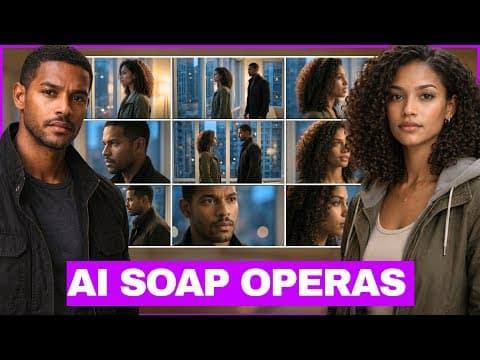
This blog post provides a step-by-step guide on how to create engaging AI-generated soap operas using tools like ChatGPT and VEO3. It covers everything from generating scripts and character descriptions to creating scenes and editing videos, making it accessible for anyone interested in AI storytelling.
Soap operas have long captivated audiences with their addictive drama and emotional storytelling. With advancements in artificial intelligence, creating your own soap opera has never been easier. You no longer need actors, cameras, or a studio; all you need is a prompt and some AI tools. In this blog post, we will explore how to create a binge-worthy AI soap opera step-by-step.
Imagine a gripping scene set in Dubai at 4:35 AM:
"I didn’t expect to see you here." "You never do, when you're hiding something." "You should leave. I know about the money, Maya."
This is just a snippet of a soap opera that can be generated entirely by AI. The characters, the scenes, and the drama can all be created using tools like ChatGPT and VEO3. Let’s dive into how you can create your own.
To kick off your soap opera, you will start with ChatGPT. This AI tool will help you generate the storyline, title, and characters. Here’s how:
Open ChatGPT and enter the following prompt:
"Give me a 60-second script for a binge-worthy soap opera titled 'Glass Promises' and leave it with a cliffhanger."
Generate the Script: ChatGPT will provide you with a compelling script that includes character names and dialogue. You can modify this as needed.
Character Descriptions: Next, you’ll want to create detailed descriptions of your characters. Use the prompt:
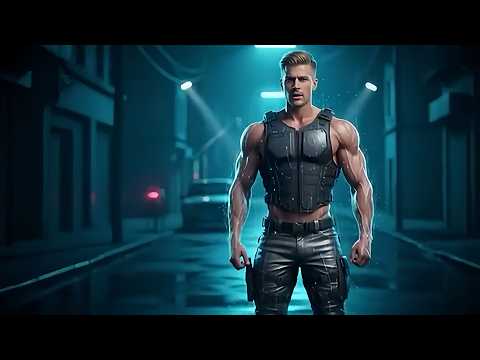
"Can you describe these characters? Julian is a black man with short hair, and Maya is a light-skinned black woman with curly hair."
Review and Edit: ChatGPT will generate in-depth descriptions for both characters. Feel free to tweak any details to better fit your vision.
Once you have your characters defined, it’s time to visualize them:
Generate Images: Use the character descriptions to create images. In your AI tool, find the option to generate images and input the character descriptions. Make sure to specify the aspect ratio (9:16 for full-body images).
Save the Images: Once the images are generated, save them for later use in your scenes.
With your characters and images ready, you can now create the scenes:
Scene Prompts: Go back to ChatGPT and request prompts for each scene. For example, you might say:
"Create prompts for each scene with two angles and lip-synced dialogue, using VEO3."
Generate Scene Descriptions: ChatGPT will provide detailed descriptions for each scene, which you can copy.
Use Flow for Video Creation: Navigate to Google Labs and select Flow. Start a new project and choose the option for text-to-video. Upload your character images and input the scene prompts.
Adjust Settings: Ensure the video settings are correct (16:9 aspect ratio, VEO 3.1 fast output).
Generate the Video: Click generate and wait for your scene to be created. Review the output and make any necessary adjustments.
After generating all your scenes, it’s time to put everything together:
Use CapCut for Editing: Import all your generated scenes into CapCut. Arrange them in the desired order without transitions to maintain a seamless flow.
Add Background Music: To enhance the dramatic effect, add soap opera background music. Search for suitable tracks within CapCut and select one that fits the mood.
Text Overlays: Add text overlays for context, such as location and time stamps. For example, you might include:
"Somewhere in Dubai at 4:35 AM" and "TO BE CONTINUED..." at the end.
Final Touches: Adjust the audio levels, ensuring the music complements the dialogue without overpowering it. Once satisfied, export your final video.
Creating AI-generated soap operas is an exciting way to explore storytelling through technology. With tools like ChatGPT and VEO3, you can craft engaging narratives and characters that captivate audiences. If you’re serious about diving deeper into AI content creation, consider joining a community that offers prompts, feedback, and behind-the-scenes insights.
By following these steps, you can produce your own binge-worthy soap operas and share them with the world. Happy creating!