Editorial Team
4 min read
Google is rolling out its Gemini app on Apple CarPlay, bringing voice conversations linked to Gmail and Google Calendar. It joins existing in-car AI options, while some personalized features remain restricted by age and region.
Google began rolling out Gemini, its AI assistant app, on Apple CarPlay on November 11. The launch brings Gemini Live’s back-and-forth voice conversations to the iPhone-connected car display, including discussions of unread email and upcoming appointments through connected Google services.
CarPlay lets people use compatible iPhone apps through their vehicle’s display. For Google, this release extends an existing in-car presence: Gemini was already available on Android Auto and in cars with Google built-in, and had reached Google Maps on CarPlay in October. The new standalone app gives iPhone users another entry point to the assistant, rather than introducing conversational AI to the dashboard for the first time.
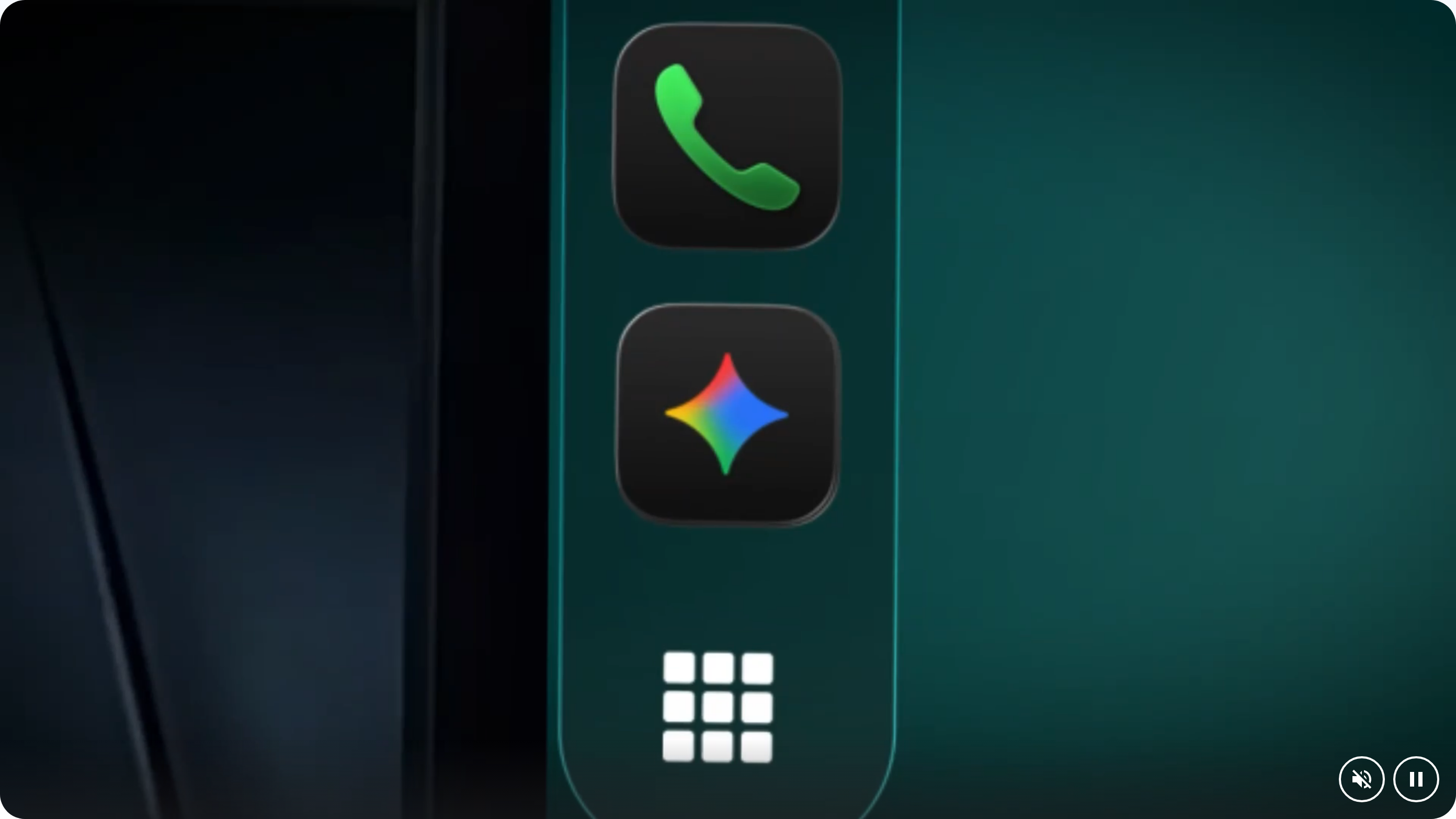
The Gemini icon in CarPlay's side rail, shown in Google's launch demonstration. Image: Google. Source: Google.
Google says in its launch announcement that Gemini’s connections to Google Workspace apps, including Gmail and Google Calendar, allow users to catch up on unread messages, summarize long email threads and talk through a reply. They can also ask about their schedule, when to leave for an appointment or how to prepare for a meeting.
These connections are central to the pitch: the assistant can discuss information in a user’s own inbox and calendar alongside general questions. As coverage of Google’s rollout explains, email summaries depend on connecting Gemini to the relevant Google apps. Installing the dashboard app alone does not supply that information.
Google also proposes using the app for nearby restaurant recommendations, explanations of landmarks, brainstorming, presentation practice and learning about a topic. Users can interrupt, change subjects or pause a conversation. The company says summaries, notes and brainstorms sync automatically to the Gemini iPhone app’s chat history for review after parking.
Palantir’s co-founder and CEO says he could back a Democrat in 2028, while excluding a Democratic Socialists of America member. His Democratic history complicates talk of a political conversion; the more immediate question is how his government software company will answer congressional scrutiny.
The scope of the announcement matters. It describes talking through an email reply, rather than promising that drivers can send messages or freely control other apps through Gemini.
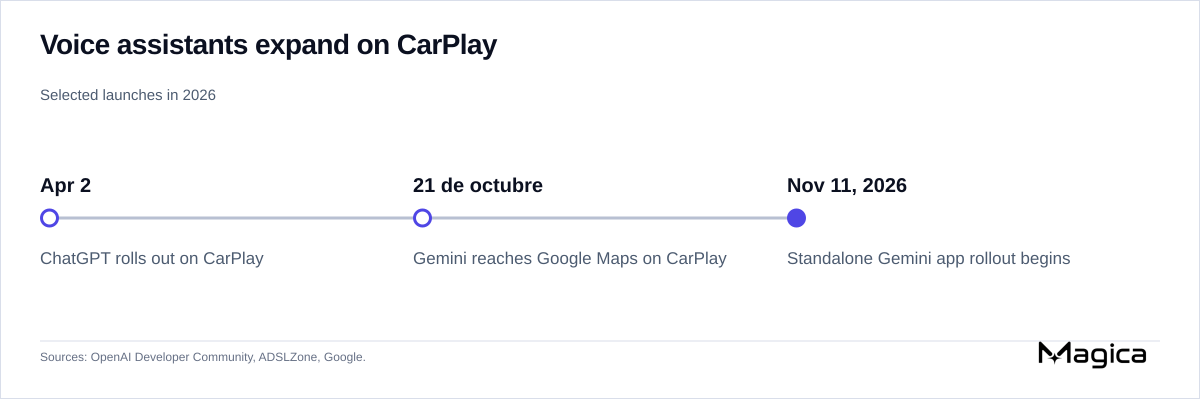
The standalone Gemini app follows ChatGPT's CarPlay launch and Google's earlier Gemini integration in Maps. Source: OpenAI Developer Community.
Google’s earlier CarPlay integration put Gemini inside Google Maps, according to coverage of the two launches. This release adds the Gemini app itself, with access to new or recent conversations from its icon on the CarPlay screen or side rail.
OpenAI’s ChatGPT, a competing AI assistant, also preceded this launch. In an April announcement on OpenAI’s developer community, a moderator said ChatGPT had rolled out globally on CarPlay across all ChatGPT plans. The post described starting voice conversations, resuming recent or pinned chats and continuing projects.
That post specified a supported iPhone running iOS 26.4 or later, the latest ChatGPT app and a CarPlay-enabled car. It also said ChatGPT on CarPlay could not access maps, vehicle data or live location, or control other apps, and that voice quality depended on the car’s microphones, speakers and echo cancellation. Those are ChatGPT’s stated limits; they do not establish Gemini’s capabilities.
The comparison narrows what is new here. Voice conversation and continuity between chats were already available on CarPlay. Google’s announcement emphasizes their combination with connected Gmail and calendar information. It does not establish that this combination is exclusive to Gemini.
Google says the rollout begins globally for all Gemini users on iOS in every supported Gemini Live language. Setup requires the latest Gemini iPhone app, microphone permission and at least one prior use of Gemini Live on the phone—requirements also described in coverage of the company’s announcement. After connecting the phone to the car, users tap the Gemini icon to start or resume a conversation. A rollout starting worldwide does not guarantee immediate access for every eligible account.
The global scope also comes with a feature caveat. Google’s announcement says Daily Brief must first be enabled and that certain personalization features, including Daily Brief, are unavailable to users under 18 or in the European Economic Area and Nigeria. Users deciding whether to rely on the app for a morning briefing therefore need to check feature eligibility as well as app availability.
Google says it designed Gemini on CarPlay to minimize distraction. Its announcement provides no driving-performance measurements or CarPlay usage figures. The evidence still needed is whether connected summaries are accurate and useful in practice, and whether the proposed extended conversations preserve drivers’ attention. Hands-free operation alone does not answer those questions.
ByteDance’s video model is reaching creators through multiple platforms with 30-second 4K output. Posted prices and draft workflows show why the choice of distributor still matters.
Rox’s $1.3 billion valuation backs AI agents for large enterprise sales teams. Its growth and cost claims face a crowded market, while integration with existing systems leaves the case for replacing Salesforce unresolved.
Google’s Gemini Decision 1 scores predefined choices across text, images, audio, video and PDFs for $0.10 per million input tokens. Its shared-input billing targets recurring workflow costs, but cheaper decision models, rival caching and low-cost generative alternatives complicate the savings claim.
Treasury and other agencies reportedly want Singapore cloud provider Megaspeed on a U.S. trade blacklist. Commerce denies a reported cabinet confrontation over the delay, while Nvidia says it has blocked shipments since June 2025.
United is restricting unauthorized AI agents from searching, booking and managing travel through its platforms and intermediaries. The airline cites security and safety risks as it reserves control over future integrations.
A controlled study found that pharmaceutical ads shifted AI recommendations toward promoted drugs without reducing overall clinical accuracy. The results expose a gap in accuracy tests, but do not establish effects on prescriptions or patient outcomes.
Former AWS computing chief Dave Brown will succeed Santosh Janardhan in early 2027 as Meta weighs its next capacity budget after a quarter of negative free cash flow.
Google Labs’ Tabletop lets groups generate and use shared itineraries, polls and other interactive tools. The US adult-only experiment builds on an idea already offered by shareable AI app builders, leaving its practical advantage to be tested.
Anthropic’s IPO has reportedly attracted orders multiple times the available shares. Its planned $3 billion–$3.5 billion Japanese allocation would exceed Japan’s reported domestic IPO proceeds so far this year, but indications of interest are not completed sales.
Google warned that charging for news links would force it to stop distributing Indonesian news, while Meta and TikTok challenged other parts of the copyright bill. Existing Indonesian payment mechanisms and overseas deals complicate the platforms’ warnings about the cost to publishers.
Utrecht is investigating restrictions on camera glasses in municipal buildings, with findings expected in early 2027. The city must establish whether a ban is lawful, enforceable and compatible with assistive uses.
Research commissioned by cloud-storage supplier Wasabi estimates £3.8 billion in annual UK infrastructure overspend attributable to hard-to-forecast provider charges, including £1.2 billion for AI. Businesses report hiring and investment trade-offs, but recovering that money and turning it into jobs remain conditional.
The USDT issuer’s 800-million-parameter BotPsy beats a larger Qwen model on five of six company-reported agent benchmarks. Its local-AI ambitions still face missing handset measurements and explicit limits on sensitive uses.
Google DeepMind’s AlphaGenome 2 improves cell-specific DNA predictions and accepts new single-cell data without fine-tuning. Company benchmarks show gains at high confidence, but limited recall, complementary tools and greater computational demands leave experimental validation essential.
Coinbase is rolling out server-enforced trading limits and portfolio-loss triggers for AI agents connected to customer accounts. Product-category permissions remain forthcoming, and pausing new trades does not establish a ceiling on losses.
JetBrains IDEs 2026.3 bundle Air for running coding agents and reviewing their changes, while the standalone Air app is in maintenance mode. Existing provider subscriptions remain usable, but billing, security controls and execution options vary by integration.

Amazon’s shares and convertible notes could be worth $271.8 billion at the top of Anthropic’s proposed IPO range. Existing accounting gains, a 12% ownership cap and Anthropic’s computing commitments shape what that paper value means.
Nvidia chief Jensen Huang argued in May 2025 that US chip restrictions were strengthening Chinese rivals. Filings show a substantial commercial stake, but lost sales and market share alone cannot establish whether the controls failed their security purpose.
Reported demand has Anthropic’s bankers considering a price above its filed $70–$78 range. The combined financing could exceed $100 billion, but existing cash, uneven operating results and long-term computing commitments complicate the valuation test.