This blog post provides a step-by-step guide on how to create smooth yet fast-paced R&B beats, covering tempo selection, sound choices, melody creation, and drum programming, ensuring a full and engaging sound.
Creating fast-paced R&B beats can be an exciting and rewarding process. This guide will walk you through the essential steps to produce smooth yet energetic R&B beats from scratch, focusing on tempo, sound selection, melody creation, and drum programming.
The first step in crafting your R&B beat is selecting the right tempo. For fast-paced R&B, you can choose:
Once you have your tempo set, the next step is to find a suitable sound. For this example, we will use a sound called "Nightfall" from Analog Lab 5. This sound features a lush pad with some keys, which is ideal for R&B. However, feel free to choose any sound that resonates with your style.
For simplicity, we will use two chords: D and F# (specifically F# 7/9). You can record this chord progression and repeat it to form the foundation of your melody. Remember, chord progressions are royalty-free, so feel free to use them in your productions.
After recording the initial chords, you can quantize them to ensure they are perfectly aligned. Next, add some reverb and phaser effects to enhance the sound. Using Logic Pro, you can select the Space Designer reverb and adjust the wet level to clean up the melody.
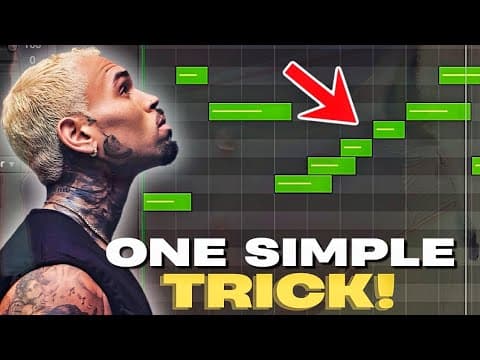
To enrich your beat, add a counter melody using another sound from Analog Lab 5, called "Shooting Stars." Keep this counter melody simple, using one finger to play it. This approach ensures that the melody remains full without becoming overly complicated. After recording, EQ the counter melody to balance the high-end frequencies and pan it slightly to the left or right for depth.
While not necessary, adding a third counter melody can provide additional options during the mixing process. For this, you can use a sound called "Boards of Zelina." Keep this melody simple as well, ensuring it complements the other melodies without clashing.
A soulful vocal sample can elevate your instrumental. Using a sample from Arcade, you can speed it up and pitch it to fit your beat. After recording the vocal sample, apply EQ and reverb to blend it seamlessly into the mix. Consider duplicating the sample and adjusting the pitch for added harmonization.
Now it's time to add drums to your beat. Using an R&B madness kit, select a rim shot for your snare. For a fast-paced beat, you can place the rim shot every two bars. Next, choose some subtle hi-hats and program them using a step sequencer. To create variation, adjust the velocity of the hi-hats to avoid a robotic sound.
Select a kick that has a strong presence and add it to your beat. Continue to adjust the hi-hats for bounce and rhythm. You can also incorporate open hats and additional percussion elements from your kit to enhance the groove.
For the bass, choose a sound like "Frenzy" and EQ it to ensure it stands out in the mix. Duplicate the bass line and vary the pattern to avoid repetition. This will keep the beat engaging and dynamic.
Once all elements are in place, rearrange your beat and mix it to achieve a polished sound. Listen to the final result and make any necessary adjustments to ensure everything flows well together.
Creating smooth and fast-paced R&B beats involves careful selection of tempo, sounds, melodies, and drum patterns. By following these steps, you can produce engaging beats that resonate with listeners. Remember to keep it simple, focus on complementing melodies, and have fun experimenting with different sounds and arrangements. Stay tuned for more tips and tricks in future posts!