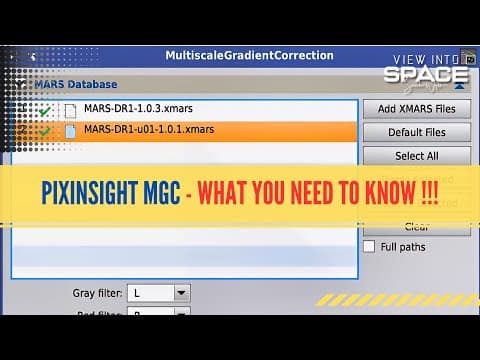
This blog post provides an in-depth analysis of PixInsight's Multiscale Gradient Correction (MGC) tool, discussing its capabilities, limitations, and comparisons with previous gradient correction methods. While MGC shows promise, it currently requires complex processes and is not yet a one-button solution, making traditional methods still preferable for many users.
In the realm of astrophotography, gradient correction is a crucial process for achieving high-quality images. Recently, PixInsight introduced the Multiscale Gradient Correction (MGC) tool, which has generated significant interest among users. In this post, we will explore the capabilities and limitations of this tool, comparing it with previous gradient correction methods and discussing its practical applications.
Historically, astrophotographers have relied on tools like Automatic Background Determination (ABD) and Dynamic Background Extraction (DBE) for gradient correction. While these tools were functional, they often required cumbersome adjustments and did not always yield optimal results. The introduction of the Gradient Correction tool was a game-changer, offering improved performance but still falling short in certain scenarios. The MGC tool was anticipated as the next evolution in gradient correction, promising a more sophisticated approach.
Upon its release, the MGC tool was met with excitement. It was designed to leverage a Sky Map, allowing users to compare their images against a model of how the sky should appear. This sounded like a foolproof solution, but initial tests revealed that the tool is still in its infancy. The expectations set by the marketing materials did not align with the reality of its performance.
One of the primary challenges with the MGC tool is that it currently only has a limited portion of the sky mapped. This restricts its effectiveness, as users may find that their images do not align well with the available data. The tool's reliance on observational data means that it is not universally applicable to all astrophotography scenarios.
Contrary to the expectation of a simple, one-button solution, the MGC tool requires a complex setup process. Users are encouraged to take multiple exposures with varying settings, which can be time-consuming. This complexity is compounded by the introduction of new terminology that may confuse users who are accustomed to previous tools.
A significant limitation of the MGC tool is its ineffectiveness with narrowband images. For instance, if a user captures an image using a dual-band filter, the MGC tool may not provide satisfactory results. Users are advised against using the MGC tool on narrowband images, as it can inadvertently remove essential details from the nebulae.
To illustrate the challenges of the MGC tool, a demonstration was conducted using two different images: a narrowband image of the Jellyfish Nebula and an LRGB image of the Orion Nebula. The results were telling:
In contrast, traditional gradient correction methods yielded satisfactory results with minimal effort, highlighting the current superiority of these older tools.
The Multiscale Gradient Correction tool in PixInsight shows promise for the future of gradient correction in astrophotography. However, it is clear that the tool is not yet ready for widespread use. The complexity of its operation, combined with its limitations in handling narrowband images, makes it less appealing compared to existing methods.
As the tool matures and more comprehensive sky mapping data becomes available, it may evolve into a powerful asset for astrophotographers. For now, many users may find it more efficient to stick with traditional gradient correction methods until the MGC tool can deliver on its initial promises.
What are your thoughts on the Multiscale Gradient Correction tool? Have you tried it, and what has been your experience? Share your opinions in the comments below, as the astrophotography community continues to explore the best tools for capturing the beauty of the cosmos.