Spotify Canvas is a 3 to 8-second vertical video that accompanies your song on Spotify, significantly increasing saves, playlist adds, and streams. This guide explains what a Spotify Canvas is, its benefits, and provides a step-by-step tutorial on how to create and upload one using simple tools, helping artists maximize their music's reach and royalties.
If you release music on Spotify, it is impossible to ignore the power of Spotify Canvas. Spotify itself states that songs with a Spotify Canvas video have a four times higher likelihood of getting more saves and playlist adds. But what exactly is a Spotify Canvas video, and how can you create one to enhance your music's performance? This comprehensive guide will walk you through everything you need to know.
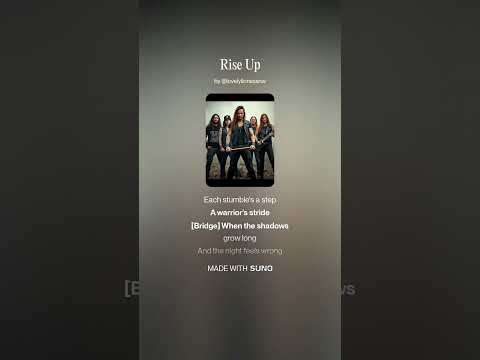
A Spotify Canvas is a short, looping video that plays alongside your song on Spotify. It lasts between 3 to 8 seconds and is displayed in a vertical 9:16 aspect ratio. When listeners are previewing or playing your song, this video plays in the background, making your track more engaging and shareable.
The Canvas video can be an MP4 or JPEG file, but it must meet specific requirements:
By adding a Canvas, your song becomes visually appealing, which can lead to more saves, playlist adds, and ultimately, more streams and royalties.
Spotify reports that songs with Canvas videos have four times more chances to be saved and added to playlists. This increased engagement helps your music reach a wider audience and can significantly boost your streaming numbers.
If you are promoting a song or have popular tracks, adding a Canvas is a free and effective way to enhance your music's visibility on the platform.
You need a vertical video that fits the 9:16 aspect ratio. A great way to start is by using Instagram Story dimensions since they match the required size.
Open your preferred video editing software or an online tool that supports vertical video editing. For example, you can use Canva:
Once trimmed and edited, export your video as an MP4 file. Ensure it meets the resolution and length requirements.
If your song already has a Canvas, you can manage or replace it by clicking "Manage Canvas" on the track.
For artists looking to take their music release strategy further, consider using a comprehensive song launch checklist. This can guide you through promoting new releases or revitalizing older tracks, including bonus training and ebooks.
Spotify Canvas is a powerful, free tool that can significantly increase your music's engagement and streaming numbers. By creating a short, vertical video that accompanies your songs, you make your music more shareable and visually appealing. Follow the steps outlined above to create and upload your Canvas, and watch your streams and saves grow.
Start leveraging Spotify Canvas today to maximize your music's potential on the platform!