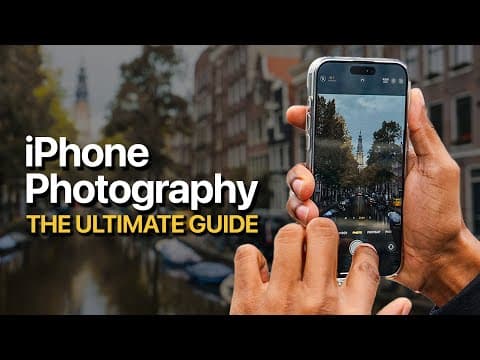
This comprehensive guide to iPhone photography covers essential techniques for capturing stunning images, including creative framing, finding interesting subjects, understanding exposure, utilizing colors, and editing with Adobe Lightroom. By the end, readers will be equipped with the knowledge to elevate their photography skills using just their iPhone.
Welcome to the ultimate guide to iPhone photography! In this comprehensive tutorial, we will explore various techniques and tips to help you capture stunning images using your iPhone. Whether you are a beginner or looking to refine your skills, this guide will provide you with valuable insights to elevate your photography game.
The first step in capturing great photos is finding interesting subjects and framing them creatively. As Professor Kenneth Hines Jr. emphasizes, photography should be fun. Explore your surroundings and look for unique angles, even if it means getting into uncomfortable positions. For instance, shooting from a lower angle can yield captivating results.
Reflections can add depth and intrigue to your photos. Experiment with puddles or shiny surfaces to capture reflections that enhance your composition. For example, turning your phone upside down can help you get closer to the ground and maximize the effect of reflections.
To improve your photography, focus on subjects that genuinely interest you. Whether you are traveling or exploring your hometown, take photos of things that resonate with you. Build a series by capturing the same subjects in different ways, which will help you develop a unique style.
When traveling, look for iconic locations that represent the area. For example, in Amsterdam, the canals and architecture are must-capture elements. However, don’t overlook ordinary objects like lamp posts; they can also make for compelling subjects when photographed creatively.
Getting the exposure right is crucial for capturing quality images. If your iPhone allows, shoot in RAW format to retain more data for editing. When adjusting exposure, avoid clipping highlights and shadows, as this can lead to loss of detail in your photos. If RAW isn’t an option, consider using the high-efficiency format for better quality.
Colors play a significant role in photography, especially in less-than-ideal weather conditions. Look for vibrant colors that stand out against muted backgrounds. For instance, a bright umbrella can become the focal point in a cloudy scene.
Consider using panoramic mode to capture wide scenes, especially in picturesque locations. This technique allows you to include more elements in your frame, enhancing the overall composition.
Understanding the different lenses on your iPhone can significantly impact your photography. Experiment with various focal lengths to see how they change the perspective of your shots. For example, using the 5x zoom on the iPhone 15 Pro Max can help you capture distant subjects with clarity.
A simple yet often overlooked tip is to keep your lens clean. Fingerprints and smudges can degrade image quality, so make it a habit to clean your lens before shooting.
Lighting is one of the most critical aspects of photography. Natural light can dramatically change the mood of your images. When shooting, pay attention to how light interacts with your subject. For instance, backlighting can create dramatic effects, but it may also lead to unwanted artifacts if not managed correctly.
Nighttime photography presents unique challenges, but with the right techniques, you can capture stunning images. Use night mode on your iPhone to take advantage of longer exposure times. Look for scenes with ambient light to create captivating nightscapes.
Editing is where you can truly enhance your photos. Adobe Lightroom offers powerful tools for adjusting colors, exposure, and more. Here are some key editing techniques:
By following these tips and techniques, you can elevate your iPhone photography skills and capture stunning images that reflect your unique vision. Remember, practice makes perfect, so keep experimenting and have fun with your photography journey!