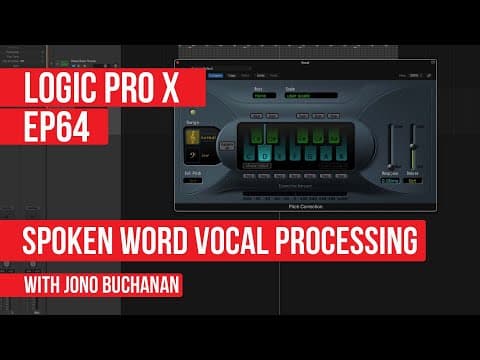
This blog post explores how to creatively process spoken word vocals in Logic Pro X, utilizing pitch correction and vocal transformation techniques to generate musical elements from non-sung phrases. It provides a step-by-step guide on using various plugins to manipulate pitch and formants, ultimately demonstrating how to integrate these transformed vocals into music production.
In the world of music production, vocals play a crucial role in drawing listeners into a track. However, not everyone is a trained singer. This blog post explores how to creatively process spoken word vocals in Logic Pro X, allowing even those who cannot sing to incorporate vocal elements into their music.
The idea is to experiment with spoken word phrases to extract pitch or imply musicality, enabling the creation of unique vocal components without relying on sample libraries or pre-recorded loops. By recording a simple spoken phrase, we can manipulate it to generate musical elements.
To begin, a phrase is recorded using a microphone and an audio interface. This raw vocal track serves as the foundation for further processing. Initially, the track has no processing applied, allowing us to observe the effects of various transformations.
Logic Pro X offers a powerful tool called Flex Pitch, which allows users to correct pitch in vocal recordings. While it is commonly used for sung vocals, it can also be applied to spoken phrases. By enabling pitch correction, we can see how Logic detects the pitch of the spoken notes.
When pitch correction is applied, the phrase remains largely unchanged if all notes are kept active. However, by limiting the pitch correction to a single note, such as D, we can observe more dramatic transformations. Adjusting the response time of the pitch correction can yield bolder results, allowing for creative experimentation with the vocal's tonal characteristics.
The Vocal Transformer plugin in Logic Pro X provides additional capabilities for vocal manipulation. This plugin allows users to adjust both pitch and formant, enabling a more nuanced transformation of the vocal sound.
By adjusting the pitch, we can hear the vocal phrase change in expected ways. The formant control, on the other hand, alters the harmonic structure of the sound, providing a character change rather than a simple pitch shift. This can create interesting effects, reminiscent of cartoon characters like Alvin and the Chipmunks.
Using the Vocal Transformer, we can create harmonies or layered vocal textures by blending the original voice with altered versions. This technique can add depth and richness to the vocal track, making it sound like multiple voices are present.
To further integrate the transformed vocal into a musical context, we can introduce a beat loop. By adjusting the volume balance and applying compression, we can ensure that the vocal sits well within the mix. Experimenting with the timing of the vocal phrase against the beat can reveal natural rhythmic elements, enhancing the overall production.
By using both the Vocal Transformer and pitch correction together, we can create complex vocal textures. Adjusting the mix dial allows for a blend of the original and transformed sounds, leading to innovative vocal effects.
An intriguing approach is to record a musical phrase in the wrong key and then use pitch correction to align it with the desired key. This method can yield unexpected tonal characteristics, adding a unique flavor to the production. By manipulating the pitch and formant settings, we can create sounds that are distinct and engaging.
For those who may not consider themselves singers, the tools available in Logic Pro X provide a pathway to incorporate vocal elements into music production. By recording spoken phrases and experimenting with pitch correction and vocal transformation, anyone can create compelling vocal components that enhance their tracks. The key is to embrace experimentation and allow the technology to inspire new musical ideas.