
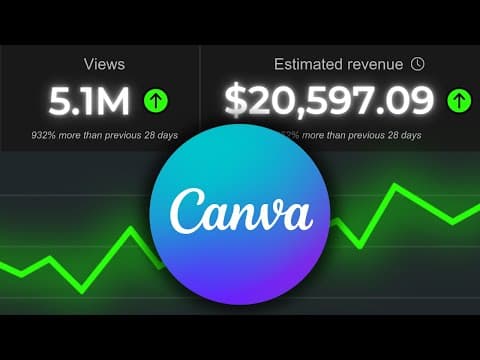
This blog post provides a comprehensive guide on how to create engaging faceless videos using Canva, focusing on documentary-style content. It covers the entire process from scriptwriting and voiceover selection to video editing and sound design, demonstrating that high-quality videos can be made without expensive software or extensive editing skills.
Creating faceless YouTube videos has emerged as one of the most lucrative online side hustles today. Many channels, particularly those producing documentaries, are earning tens of thousands of dollars each month. If you're thinking that such success is out of reach due to a lack of editing skills or budget for expensive software, think again. This guide will show you how to create high-quality faceless videos using Canva, a simple and free program.
Canva is an all-in-one platform that provides everything you need to create stunning videos without the need for advanced editing skills or costly software. It offers a wide range of graphics, photos, videos, text options, music, sound effects, and even AI tools for text-to-image and text-to-video generation. This makes it an ideal choice for anyone looking to produce documentary-style videos.
To begin creating your faceless video in Canva, start by selecting the appropriate video format. The first step is to prepare your voiceover, which is crucial for documentary-style content. While Canva has its own AI text-to-speech program, using a service like 11 Labs is recommended for higher quality voice generation. They offer a free plan that allows for about 20 minutes of voice generation each month.
In the voice library of 11 Labs, you can choose from hundreds of high-quality AI voices. For documentary videos, a voice like Paddington can add a unique touch. Once you have your script ready, paste it into the voice generator and create your voiceover.
After generating your voiceover, import it into Canva. The editing process begins here. To create a suspenseful buildup, consider starting with a black screen. Set the duration of this scene to one second.
Next, you’ll want to add images or videos that set the mood for your documentary. For example, if your documentary is about ancient Egypt, search for relevant visuals like pyramids. Enlarge the photo to fit the screen and set the duration to one second. Repeat this process for additional scenes, mixing images and videos to maintain viewer interest.
To make your visuals more engaging, consider using background videos. For instance, you can search for a sunset video to use as a backdrop. Adjust the position of the video to ensure it fits well behind your main content. You can also add overlay effects, such as a vintage camera effect, by searching for camera overlays in the elements section and adjusting their transparency.
One of the most critical aspects of video production is sound design. The right music and sound effects can dramatically enhance the quality of your video. Look at successful videos for inspiration on sound choices. Incorporate sound effects like risers, whooshes, and impacts to create a more immersive experience.
To add sound effects, go to the audio section in Canva, search for suitable effects, and drag them into your timeline. Adjust the volume as needed to ensure they complement your voiceover and visuals. This step is essential for transforming your video from basic to captivating.
As you progress, play the video and listen to the voiceover to determine where to switch up the footage. Use the split page feature to insert new visuals at the right moments. Finally, add transitions between scenes to create a smooth flow. You can choose from various transition effects, but remember that less is often more.
After completing your edits, take a moment to review the final product. A well-crafted faceless video can be incredibly impressive, showcasing the potential of Canva as a powerful video editing tool. With dedication and creativity, you can create engaging content that resonates with viewers.
If you're interested in learning more about growing a faceless YouTube channel, consider exploring courses that provide in-depth strategies. With the right tools and techniques, you can achieve significant success in this space.
Creating faceless videos in Canva is not only possible but can also yield stunning results. Let your creativity flow and start producing captivating content today!



















