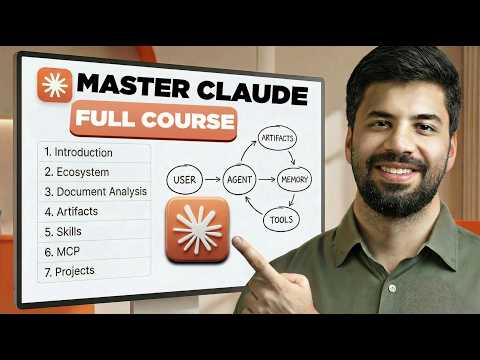
This detailed guide explores Claude AI, covering its ecosystem, comparison with ChatGPT, effective communication, document handling, artifact creation, project management, skills development, connectors, and MCP architecture. It provides practical insights and step-by-step instructions to help beginners and professionals harness Claude AI's full potential for personal and professional use.
Claude AI has become a buzzword across social media platforms, yet many users only scratch the surface of its capabilities. This comprehensive masterclass aims to guide beginners through mastering Claude AI, understanding its place in the AI ecosystem, and leveraging its powerful features to build AI tools and projects.
Claude AI is an advanced AI assistant designed to enhance productivity by integrating with everyday tools and handling complex tasks. Unlike traditional chatbots, Claude AI offers deep reasoning, long-context handling, and the ability to build interactive tools.
While ChatGPT is widely used for everyday tasks due to its speed and versatility, Claude AI excels in handling complex tasks requiring extensive context and structured outputs. Claude AI's reasoning capabilities and extended thinking mode make it particularly suitable for professional and analytical work.
Claude AI comprises three main components:
These components work together to provide a comprehensive AI experience.
To begin using Claude AI, create an account on claude.ai. The platform supports desktop applications and web interfaces, allowing seamless integration into your workflow.
The interface includes:
Choosing the right model depends on the task complexity and desired output quality.
Claude AI performs best with clear, structured prompts. A recommended framework includes:
Claude AI can ask clarifying questions to refine its understanding, ensuring more accurate and tailored responses.
Claude AI can analyze PDFs, Excel files, images, and other document types. Uploading relevant files provides context, enabling Claude AI to generate insightful summaries, analyses, and visualizations such as infographics.
Uploading a 50-page global startup ecosystem report and requesting a summary yields detailed insights with bullet points and explanations. Claude AI can also create professional HTML infographics based on the data.
Artifacts are mini-applications generated by Claude AI, such as calculators, planners, or interactive widgets. For example, you can create an interactive monthly budget planner with inputs for income and expenses, complete with visual charts.
Artifacts can be published and shared easily, enhancing productivity and presentation.
Projects help organize chats, files, and workflows related to specific goals or clients. They provide Claude AI with memory and context, improving response relevance and reducing repetitive instructions.
Projects act like folders, grouping related work and enabling efficient management of AI interactions.
Skills transform Claude AI from a conversational assistant into a specialized system. They are sets of instructions or user manuals that train Claude AI to perform tasks consistently and effectively.
You can create custom skills tailored to your daily tasks, such as content creation, data analysis, or marketing.
Skills can be shared, downloaded, and customized, allowing for scalable AI capabilities.
Connectors enable Claude AI to interact with external applications like Gmail, Google Drive, Slack, and more. MCP (Modular Connector Protocol) acts as a bridge, allowing Claude AI to access and control these tools securely.
When connecting applications, it is crucial to review and control the permissions granted to Claude AI to ensure data security.
You can create your own MCP servers to extend Claude AI's capabilities, enabling it to interact with custom tools and workflows.
Using your LinkedIn profile PDF, Claude AI can generate a modern, sleek portfolio website showcasing your skills, experience, and projects. The website can include navigation bars, animations, and contact forms integrated with Google Sheets for lead capture.
Claude AI can build a productivity dashboard to manage tasks, priorities, deadlines, and calendar events. This dashboard can integrate with your email and calendar via connectors, streamlining your daily workflow.
Claude AI is a powerful AI assistant that goes beyond simple chat interactions. By mastering its models, effective communication, document handling, artifact creation, project management, skills, and connectors, users can unlock its full potential.
This guide provides a roadmap for beginners and professionals to harness Claude AI for personal and professional productivity, enabling the creation of advanced AI tools and workflows.
Embrace Claude AI as your intelligent assistant and transform the way you work and create.
Mastering Claude AI requires understanding its ecosystem, capabilities, and practical applications. With this comprehensive guide, you are equipped to explore and build with Claude AI confidently.