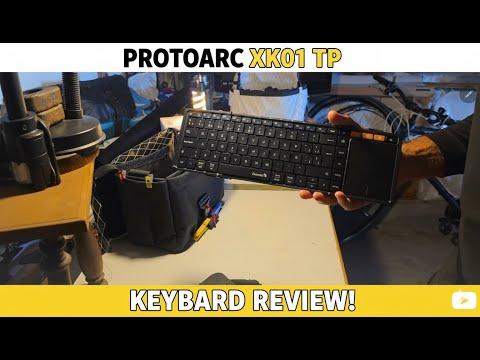
This article provides a detailed unboxing and initial review of the ProtoArc XK01 TP foldable wireless keyboard with touchpad. It compares the new keyboard with a previously used Bluetooth keyboard, highlighting improvements in quality, design, and functionality. The author shares insights on multitasking with a Samsung Galaxy Tab S9 Plus and discusses the keyboard's build, features, and usability for everyday carry and travel.
Recently, I received the ProtoArc XK01 TP foldable wireless keyboard with a touchpad and decided to share my unboxing experience and initial thoughts. Prior to this, I had been using a smaller Bluetooth keyboard with my Samsung Galaxy Tab S9 Plus tablet, which I enjoy for its multitasking capabilities but found some limitations in quality and usability.
I have been working extensively on sewing projects, including a bag with multiple pockets, which has kept me busy. During breaks, I use my Samsung Galaxy Tab S9 Plus, a 12.2-inch tablet with 12GB RAM and 256GB storage, supplemented by a 512GB SD card. This tablet handles multitasking exceptionally well, allowing me to run multiple split screens and floating windows simultaneously.
To enhance productivity, I use a button remapper to create shortcuts for frequently used apps and Google Docs, enabling efficient multitasking.
My current Bluetooth keyboard is thin and lightweight, purchased from AliExpress for about 20 dollars. It features an RGB backlight and fits snugly against my tablet in my everyday carry bag. However, the keyboard is quite small, and the trackpad placement often causes accidental cursor movements, which can be frustrating.
After using the previous keyboard for two weeks and setting up my remapped keys, I realized the importance of investing in a higher-quality keyboard for daily use. The ProtoArc XK01 TP, priced around 50 euros, promised better build quality and a more standard keyboard size, which intrigued me.
The keyboard arrived in Amazon packaging with a presentation that felt more premium than my 1,400-euro phone. The box included:
The keyboard itself is lightweight and made entirely of plastic, noticeably thicker than my previous keyboard but still portable.
The keyboard features a foldable design with magnets holding the sides in place. The hinge mechanism is basic, relying on sliding grooves and expandable ribbons, unlike the complex hinges found in modern foldable phones. Despite its simplicity, the build feels sturdy.
The keyboard has a USB-C port at the top, allowing use while charging. The trackpad is significantly larger and feels much better than the previous one, although it comes with a protective plastic film.
Pairing the keyboard with my Samsung tablet was straightforward. Unlike the cheaper keyboard, which appeared simply as "wireless keyboard," the ProtoArc XK01 TP showed up with its model name, making it easier to identify.
The connection was quick and stable, with media controls functioning as expected. The keyboard also automatically disconnects and reconnects efficiently.
The keyboard layout is close to a full-size keyboard, which is a welcome change. However, some keys, like the shift key, are smaller or positioned differently, which may require remapping or adjustment.
Interestingly, the keyboard seems to have a Spanish-style layout, including a camera button and other unique keys.
While the keyboard is foldable and comes with a carrying pouch, it is thicker than my previous keyboard. Fitting it into my everyday carry bag will require some reorganization.
The keyboard can stand upright but is slightly too tall to stand perfectly on its own. The hinges allow for smooth opening and closing, and the overall design is practical for business travel.
The ProtoArc XK01 TP foldable wireless keyboard with touchpad offers a significant upgrade in quality and usability compared to my previous Bluetooth keyboard. Its full-size layout, improved trackpad, and sturdy build make it a promising tool for tablet users who need a portable yet functional keyboard.
Although it is made entirely of plastic and lacks metal components, the keyboard feels solid and well-made for its price point.
I plan to use it extensively over the next couple of weeks to fully assess its performance and suitability for my daily workflow.
Stay tuned for a more detailed review after further testing.