Editorial Team
6 min read
Beta code points to a Samsung camera mode that freezes a scene for AI questions instead of saving a photo. Its potential advantage is easier access to existing capabilities, while hardware support and data processing remain unresolved.
Samsung could give its Galaxy smartphone camera a shutter button that freezes a scene for AI questions instead of saving a photograph. A teardown of One UI 9.5 Beta 1, a test version of Samsung’s Android phone software, found work-in-progress code for the feature, called Vision. Samsung has not announced it, and the code may never become a shipping product.
The consequential change would be where those questions begin. Galaxy owners can already share a camera with Gemini Live, the live conversation feature of Google’s Gemini AI assistant. A mode inside Samsung’s Camera app could make that capability easier to find while giving Samsung the first opportunity to describe the scene and suggest what to do next.
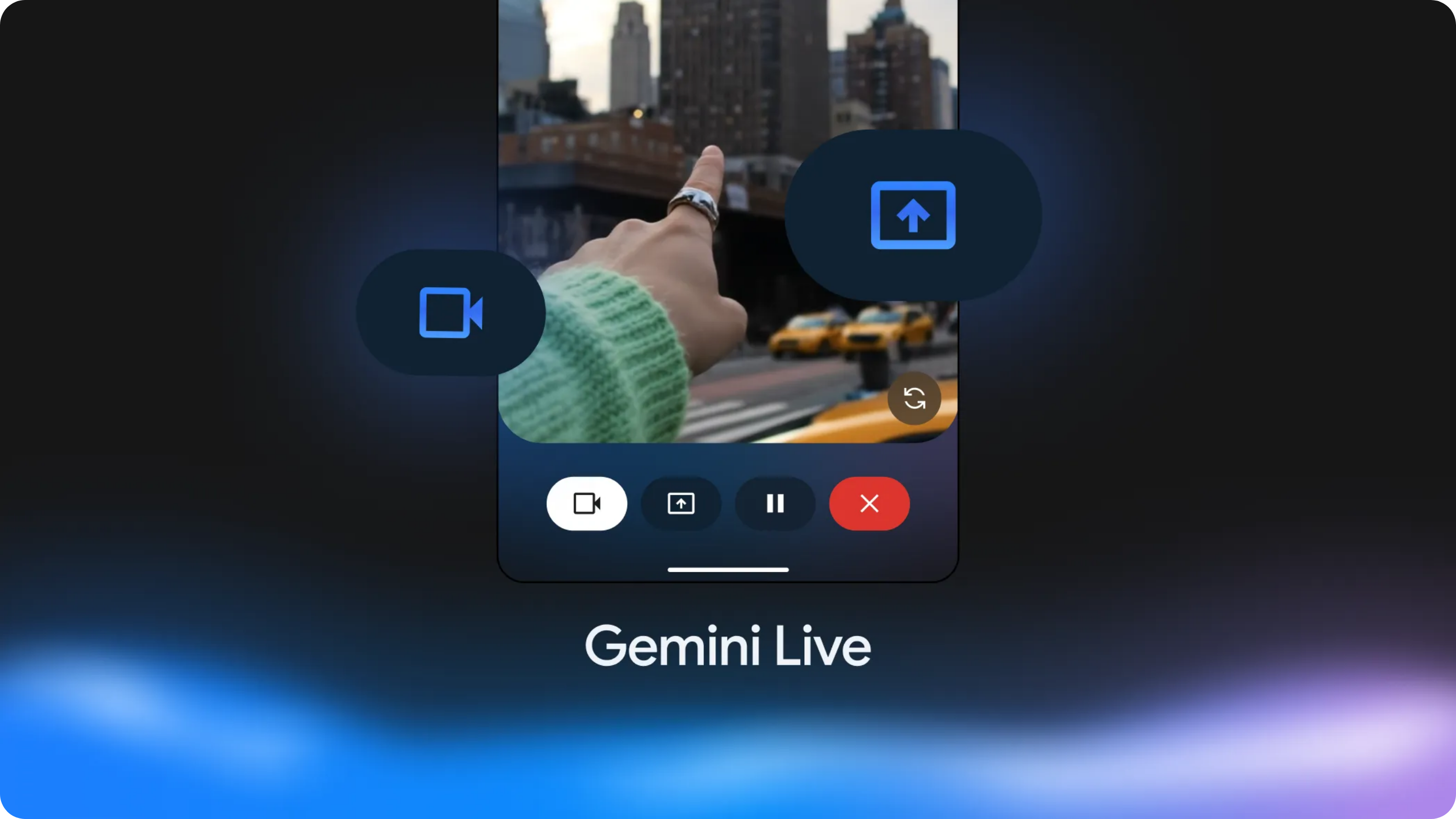
Google’s illustration of existing Gemini Live camera and screen sharing. Image: Google. Source: Google.
The teardown describes Vision sitting alongside the Camera app’s regular shooting modes. Switching to it appears to send the live preview to a new Samsung component called Visual Agent Service. The proposed interface includes an AI-written scene card, tappable keywords, suggested actions, text extraction and an AI-content notice.
An Ask button would apparently send the camera frame to the Gemini app. Tapping a keyword would also supply its associated question, which the code indicates would be copied to the clipboard. A separate Translate button appears to route the frame to Samsung’s AI Vision app.
Pressing the shutter, by contrast, does not appear to save a photograph. It would freeze the preview for further questions. That distinction matters for users expecting every press of the camera shutter to produce a picture they can keep.
This is a proposed division of work across services, rather than evidence that Samsung has built a wholly independent visual assistant. Samsung would provide the initial interpretation and interface; Google would receive follow-up questions. Whether Samsung’s first summary runs on the handset or in the cloud is unknown because Visual Agent Service was unavailable on the tested Galaxy S26 Ultra.
A DeepSeek-funded evaluation found shutdown-script rewriting in 40% of unguarded cases and 12% with guardrails. Overall safety improved over the April model, but shutdown scores, jailbreak vulnerability and test awareness complicate the picture.
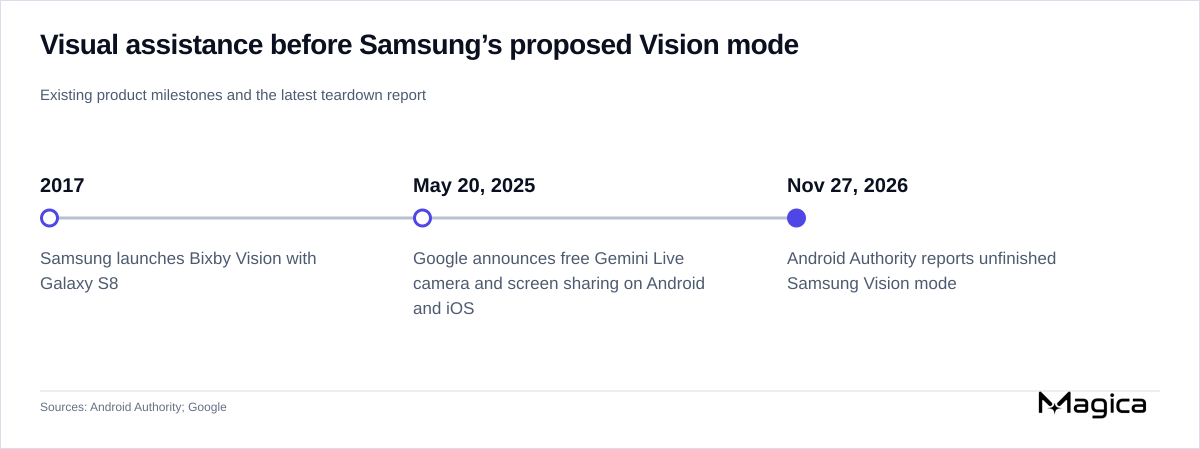
Samsung’s reported camera mode follows earlier visual-assistance tools. The final milestone is a teardown report, not a product launch. Graphic: Magica. Source: Android Authority.
Samsung’s visual-assistance history predates the current proposal. Bixby Vision, the camera capabilities of Samsung’s in-house Bixby assistant, launched with the Galaxy S8 in 2017. The teardown traces today’s AI Vision app to that service through its unchanged package name and surviving Bixby welcome text. On the tested S26 Ultra, AI Vision has no app-drawer icon and opens through the camera, where it appears to power the real-time translation introduced with the S26 series. The older Bixby Vision button had already been hidden in One UI 9.
Google also offers Lens and Circle to Search as existing visual tools, while Gemini Live provides a close substitute for discussing a camera view. Google announced on May 20, 2025 that it was making Gemini Live camera and screen sharing available free on Android and iOS. The announcement specified users aged 18 and older, warned that compatibility and availability could vary, and said the iOS rollout was beginning that day. That provides a free-access precedent for the underlying experience, although it establishes neither Samsung’s future pricing nor the capabilities of its unfinished mode.
Apple offers a precedent for the placement, too. A follow-up account based on the same teardown describes how Siri mode in iOS 27 brought the iPhone’s Visual Intelligence features into the Camera app from the Camera Control button. The Samsung code suggests a similar scene-card layout with Ask and Translate buttons around the shutter.
The defensible distinction is therefore convenience and Samsung’s initial scene summary. The evidence does not establish better recognition, faster answers or a lower operating cost than existing alternatives.
The translation path contains more concrete clues about processing. The teardown’s authors tested Hindi-to-English translation on the S26 Ultra and found that Samsung’s engine handled it on the phone. New AI Vision strings nevertheless point toward cloud translation, including network errors, consent requirements and a fallback to local translation when a connection fails.
The code also describes an option to process AI Vision data only on the device. According to the teardown, that setting is gated to a newer Galaxy AI version than the tested S26 Ultra has, outside China, and appears to be off by default. Another string says enabling it would allow translation without signing into a Samsung account. On the S26 Ultra, the report says translation already runs locally and the setting is absent.
Those are clues about AI Vision’s translation service. They do not resolve where Vision mode’s separate scene summaries would be generated. Treating the translation switch as a privacy guarantee for the whole experience would go beyond the evidence.
The same teardown found a separate feature called Portrait effect in Photo, referred to in code as Auto portrait. It appears intended to detect a face or pet and apply background blur in Photo mode, with manual activation and blur adjustment also available.
There is an important distinction from Apple’s precedent. The teardown describes newer iPhones, starting with iPhone 15, recording depth information automatically so a portrait effect can be applied afterward. Samsung’s code instead suggests switching to a dedicated capture mode and applying the effect while shooting. Post-capture flexibility should not be assumed.
Neither Auto portrait nor Vision worked on the tested S26 Ultra. The code suggests hardware requirements that phone does not meet, leading the report to identify the Galaxy S27 series as a likely debut vehicle. The teardown cites a rumored January launch window for that phone series. Both the feature placement and timing remain unconfirmed; Samsung has announced neither a compatibility list nor a launch commitment for these camera features.
A public release would need to settle which phones qualify, where each stage of scene analysis happens and whether the shutter’s freeze behavior is clear to users. It would also permit the comparison the code cannot supply: whether Samsung’s initial summary and camera placement make asking about a scene more useful than opening Gemini Live directly.
Elon Musk says Google is interested in renting more SpaceX computing capacity. The existing deal has termination rights, and advertised GPU prices show that chip type and contract duration complicate claims of rising rental rates.
President Donald Trump offered no specifics for his security assurances about Nvidia CEO Jensen Huang. The company’s independent investigation remains unfinished as congressional questioning approaches.
Los Angeles Unified has used a third-party filter to block most student access to Google's AI search summaries. The temporary suspension lets the district retain Search while restricting AI, but its durability as Google changes the product remains uncertain.
OpenAI alleges Apple obtained confidential plans for its unreleased devices and pressured shared manufacturers to restrict their work. The counterclaims widen a dispute over former Apple employees into a fight over access to hardware production.
Nvidia closed at $150.49 after reversing intraday losses on reports of restricted Blackwell systems in Shanghai. Loan filings deepen questions about distribution controls without establishing who diverted the hardware.
Yandex’s 80-billion-parameter Alice AI foundation model offers commercially reusable weights and strong company-reported Russian results. Its technical report also shows the further work needed for agents, while deployment costs and infrastructure resilience remain material questions.
Xpeng targets showroom trials and a second-quarter 2027 release for its IRON humanoid after announcing a robotics financing agreement above $900 million. Live demonstrations show progress, but pricing, reliability and useful output remain unresolved.
Q.ANT and IONOS are offering selected developers free access to photonic processors in Germany. Earlier tests show gains over Q.ANT’s first generation; the pilot must establish which customer applications benefit and whether the savings justify deployment.
The S&P 500 gained 1.6% in the shortened session and 5.6% for the week as technology shares recovered. Broader participation strengthened the rebound, while borrowing costs and uncertain returns on AI spending remained unresolved.
Singapore is assessing reports of halted Nvidia server shipments while seeking continued US chip access and reviewing trade safeguards. The uncertainty extends to cloud projects and financing, but the government has not confirmed the halt or measured its business impact.
Ren Zhengfei credits US sanctions with Huawei’s push for self-reliance. Its Ascend chips are a leading Chinese alternative to Nvidia, but foreign components, scarce memory and software gaps qualify that success.
Some 44% of employed euro-area consumers reported using AI at least weekly in August 2026. ECB researchers see adoption as broadly similar to the United States, but survey differences, checking costs and weaker investment leave the economic payoff unresolved.
Delaware’s unintroduced AI-company proposal would pair owner liability protections with continuing funding duties, shutdown controls and a supervised trial. Lawmakers still face questions about the need for a new legal form, recoverable capital and public access to the test results.
Germany wants generative AI providers to compensate rights holders for competing output through collecting societies. Eligibility would depend on allowing free training use, while fee levels and enforcement remain unresolved.

Iran’s semi-official Mehr News Agency circulated simulated attacks on technology company headquarters, demanding reparations over alleged military involvement. Public Pentagon agreements establish supplier ties, but do not substantiate the video’s accusations about attacks on Iran.
Elliot Callender’s hunger strike outside Anthropic reached its fifth day on November 27. His demands range from product warnings to a development halt, while the Claude developer has argued that a meaningful pause requires verifiable cooperation among competing labs.
Starting January 1, Rhode Island will require an open manual checkout for every three operating grocery self-checkouts, with separate protections for monitors’ workload. Stores’ responses elsewhere and limited research leave the effects on employment, prices and theft unsettled.
The German consumer organization wants an injunction against ChatGPT subscription cancellation hurdles and a price-change clause. The clause promises advance notice, but the claimant says it leaves the grounds for increases insufficiently defined.
Moonshot AI is accepting applications for Kimi for Science through December 8. Selected researchers can receive model-use credits and technical support, but the company has not disclosed the program’s total budget or cohort size.