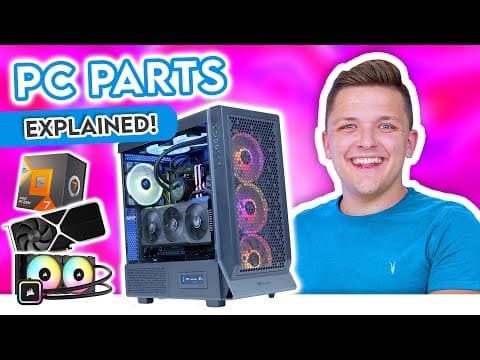
Building a gaming PC for the first time can be a daunting task due to the myriad of part choices available. This guide aims to simplify the process by covering everything you need to know about building a gaming PC in 2023, from the essential components to recommendations for optimal performance.
The Eight Core Components of a Gaming PC
Every gaming PC consists of at least eight core components, regardless of budget. These components are:
- CPU (Processor)
- CPU Cooler
- Motherboard
- RAM (Memory)
- Storage (SSD or Hard Drive)
- Graphics Card
- Power Supply
- Case
1. CPU (Processor)
The CPU is the brain of your gaming PC, and there are two main players in the market: AMD and Intel. Understanding their naming schemes is crucial:
- AMD: Ryzen 3, 5, 7, 9 (higher numbers indicate higher performance)
- Intel: i3, i5, i7, i9 (similarly, higher numbers indicate better performance)
Key Metrics to Consider
- Cores: More cores allow for better multitasking. For gaming, aim for at least 4 to 8 cores.
- Threads: Hyper-threading technology allows cores to handle two tasks simultaneously, enhancing performance.
- Clock Speed: Measured in GHz, a higher clock speed means better performance. Aim for 4 GHz or above for gaming.
Recommendations
- Budget: Intel i3 or AMD Ryzen 3
- Mid-range: Intel i5 13600K or AMD Ryzen 5 7600X
- High-end: AMD Ryzen 7 7800X 3D or Intel i9 (for high-end tasks)
2. CPU Cooler
Cooling is essential to prevent thermal throttling, which occurs when the CPU overheats and slows down. You can choose between:
- Air Coolers: Good for budget builds.
- Liquid Coolers: More efficient for high-end CPUs. Look for 240mm or larger for optimal cooling.
3. Motherboard
The motherboard connects all components and provides necessary interfaces. Key considerations include:
- Compatibility: Ensure the motherboard supports your chosen CPU.
- Chipset: For Intel, consider B760 or Z790; for AMD, B650 or X670.
- Connectivity: Check for USB ports, Wi-Fi, and other features you may need.
4. RAM (Memory)
RAM is crucial for performance. Key points include:
- DDR Generation: Choose DDR4 or DDR5 based on your CPU compatibility.
- Capacity: 32 GB is recommended for high-performance gaming; 16 GB is sufficient for budget builds.
- Speed: Aim for speeds of 6000 MHz or higher.
5. Storage
Opt for SSDs over traditional hard drives for faster load times. Key considerations include:
- Type: Gen 3, Gen 4, or Gen 5 SSDs. Gen 4 is typically sufficient for gaming.
- Capacity: At least 1 TB is recommended due to large game sizes.
6. Graphics Card
The graphics card is vital for gaming performance. Consider:
- Generations: NVIDIA RTX 3000 and 4000 series; AMD Radeon RX 6000 and 7000 series.
- Performance: Higher numbers generally indicate better performance, but check benchmarks for value.
- VRAM: Aim for at least 8 GB for 1080p gaming; 10-12 GB is preferable for future-proofing.
7. Power Supply
The power supply converts wall power into usable power for your components. Key points include:
- Wattage: Calculate your total wattage needs and add 20-30% for headroom.
- Efficiency: Look for at least 80 Plus Bronze certification.
- Modularity: Fully modular power supplies are easier to manage and organize.
8. Case
The case houses all components and affects airflow and aesthetics. Consider:
- Size Compatibility: Ensure it fits your motherboard and GPU.
- Airflow: Look for cases with good airflow and included fans.
- Aesthetics: Choose a design that matches your style, keeping in mind RGB options if desired.
Accessories and Final Thoughts
Consider additional accessories like custom sleeved cables, RGB fans, or GPU supports for aesthetics and cooling. However, avoid unnecessary gimmicks that may not add value to your build.
Recommended CPU and GPU Combos
For those looking for specific recommendations:
- Budget Build: Intel Core i5 13400F with AMD RX 6600.
- Mid-range Build: Intel i5 13600K with RTX 3060 Ti or AMD 6750 XT.
- High-end Build: Intel i9 or AMD Ryzen 9 with RTX 4080 or 4090.
Building a gaming PC can be a rewarding experience. By understanding each component and making informed choices, you can create a powerful system tailored to your gaming needs without overspending.